
Adjusting the Train Capacity (Manifest)
Overview
Use this procedure to change the capacity for general and single-journey passengers. This affects the four main legs: Belgrave–Lakeside, Lakeside–Gembrook, Gembrook–Lakeside, and Lakeside–Belgrave.
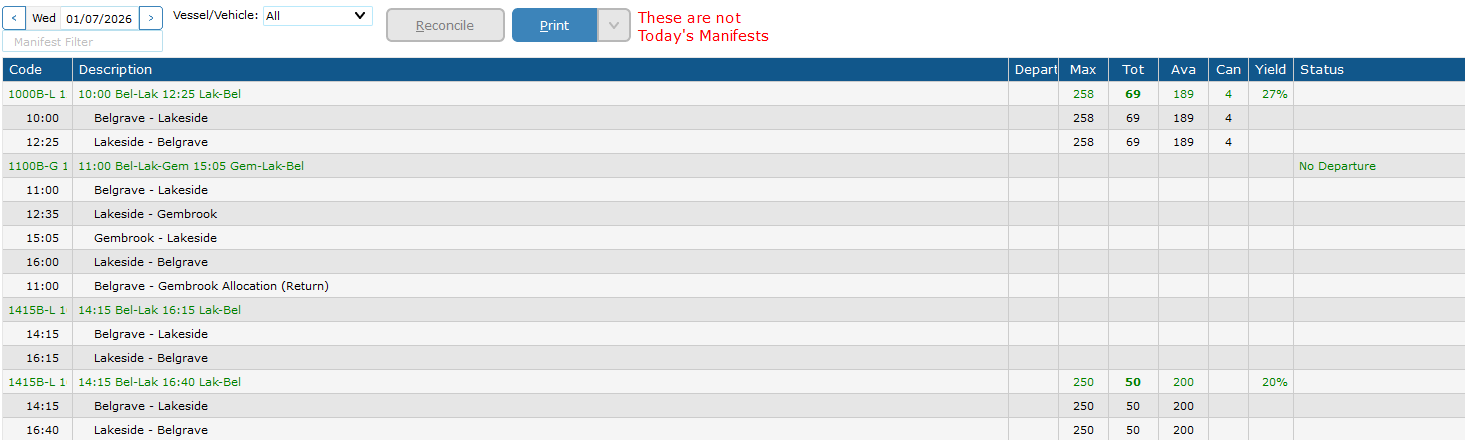
Do not manually edit these individual legs — changing the manifest will update them automatically.
Steps
Important Notes
-
Always right-click on the green manifest row, not an individual leg. Right-clicking a leg will only modify that single leg & will stop that leg getting updated max capacities via the manifest.
Belgrave – Gembrook Return Management
Adjusting the Belgrave–Gembrook Return allocation is a separate procedure. See Adjusting the Belgrave–Gembrook Return Allocation.
No comments to display
No comments to display