Skip to main content
How to: Add a Quick Link on a SharePoint Page (OIC)
- Grab the website link you want to add to the page. For this example, I will be adding the Bushfire Mangement Plan to the OIC Quick Reference Guide
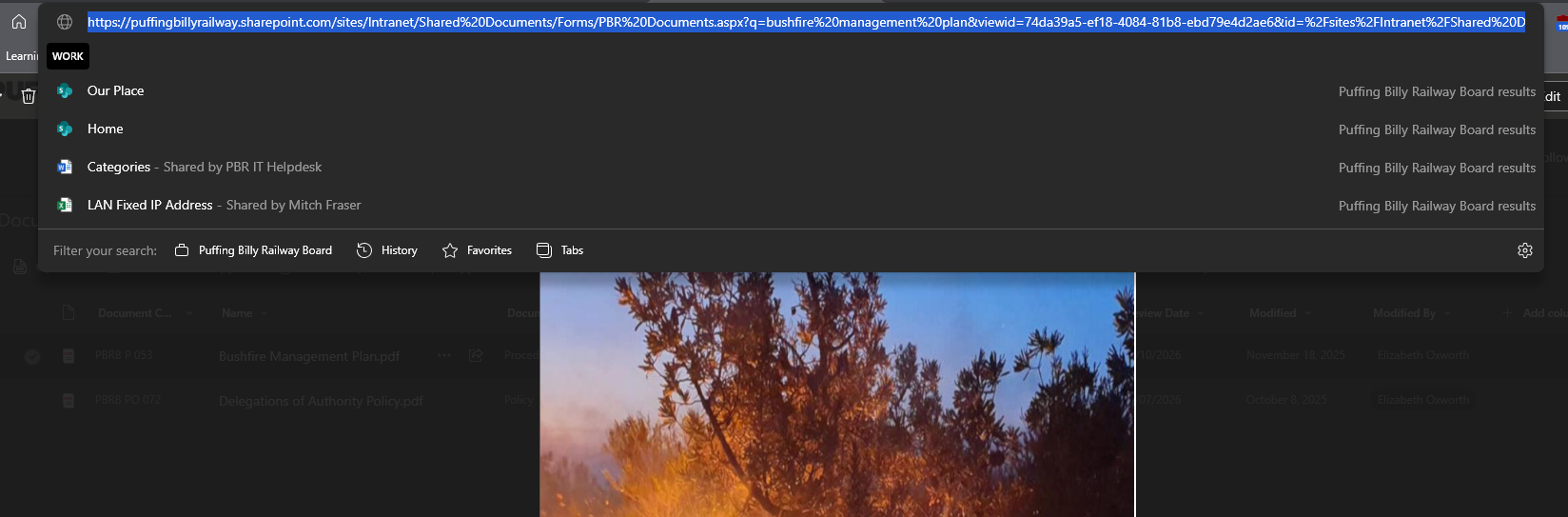
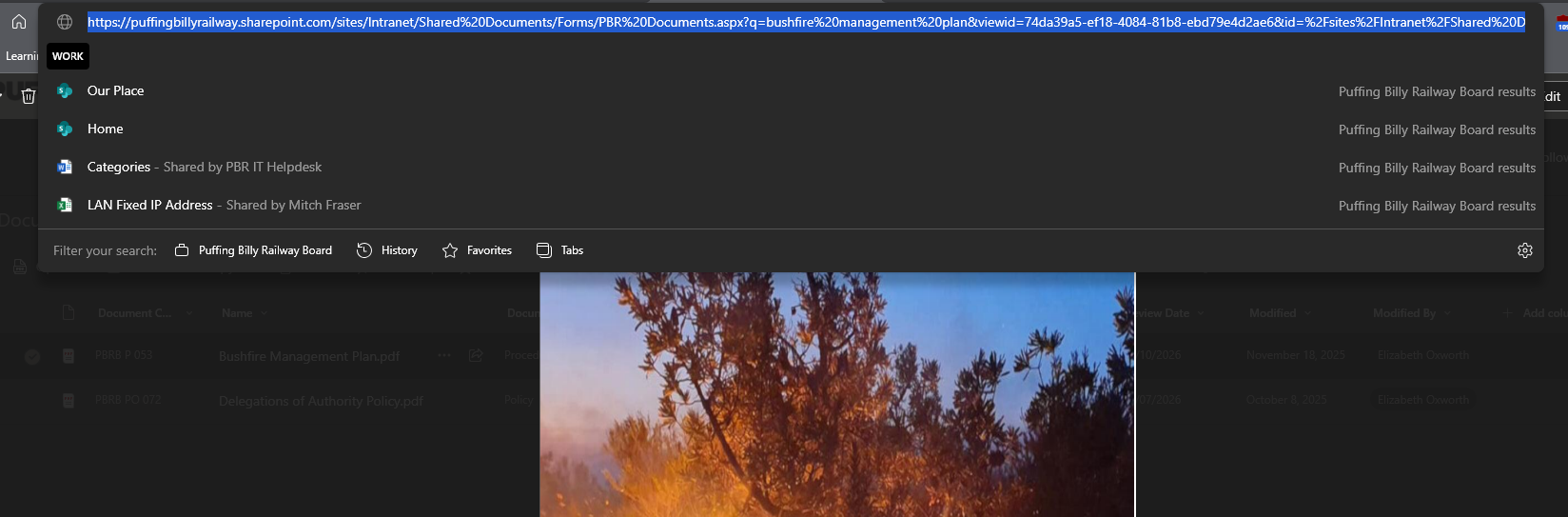
- Click on the document in the location it is stored.

- Copy the entire webpage link in the address bar.
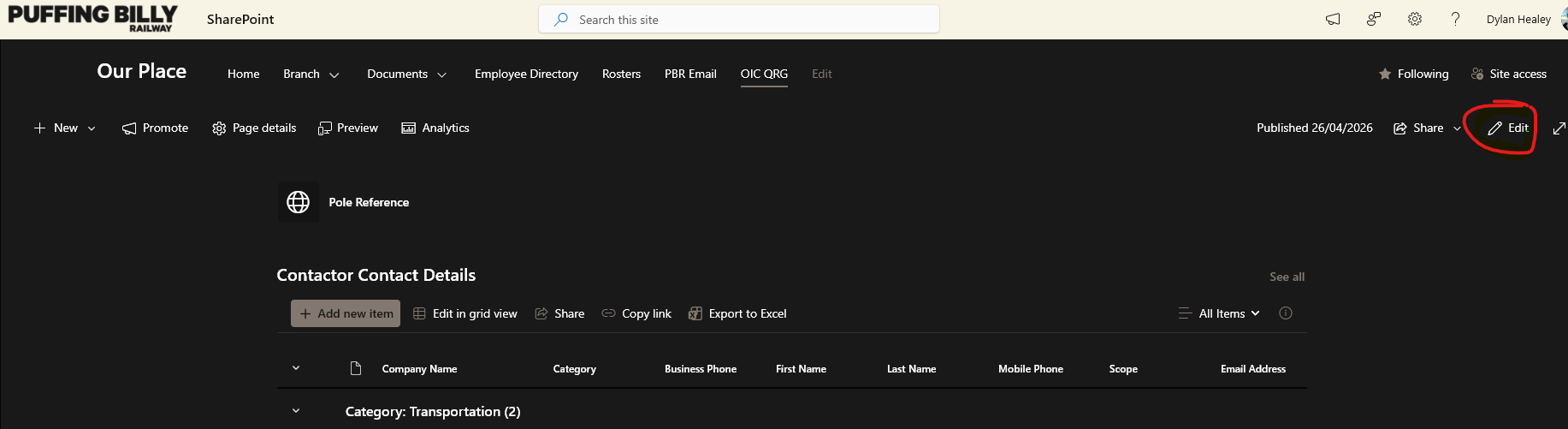
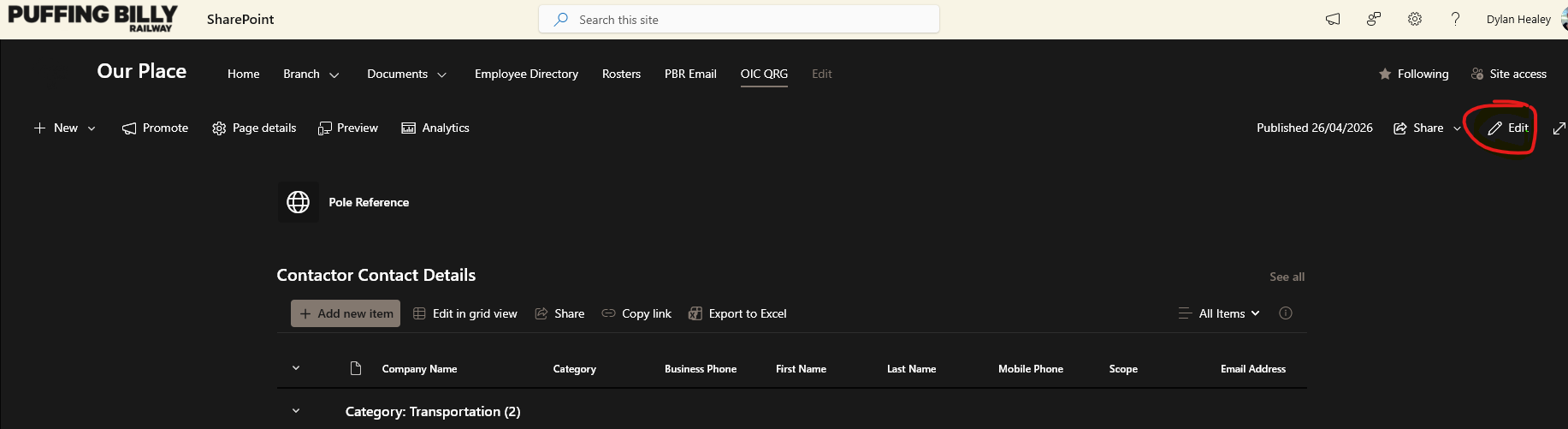
- Go to the SharePoint page you wish to add a "Quick Link" OIC Quick Reference Guide
- Click Edit on the right-hand side of the page.
- Click in the blank space to select the Quick Links widget, you should then get a popup to Add Link

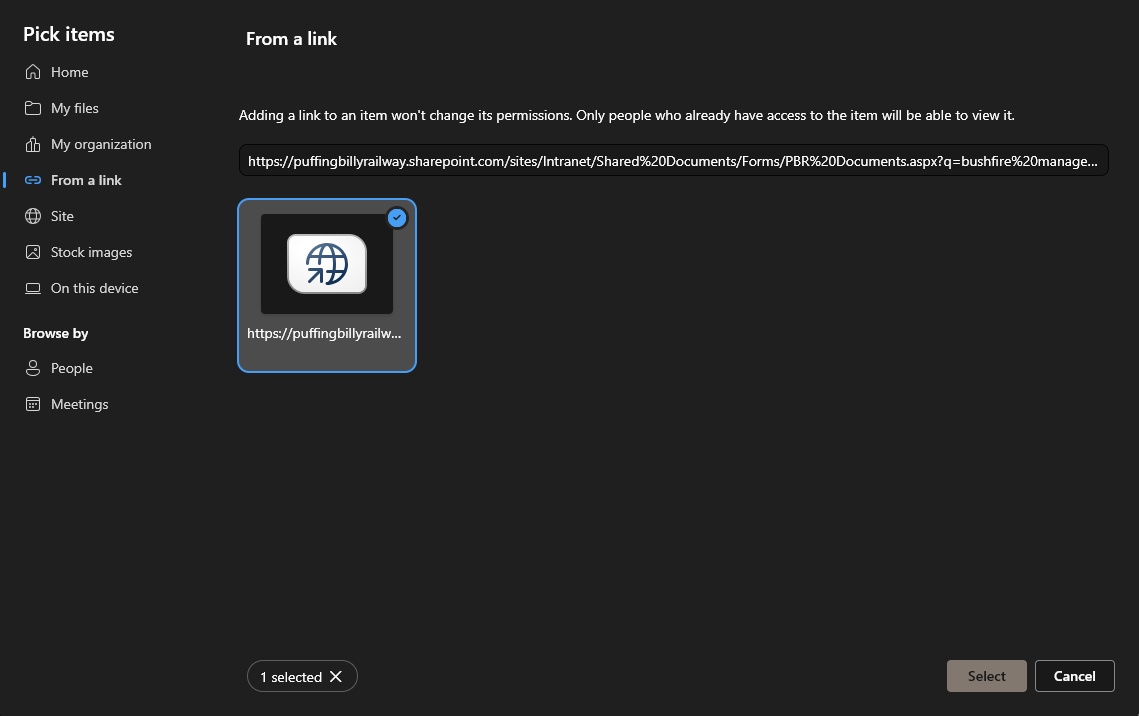
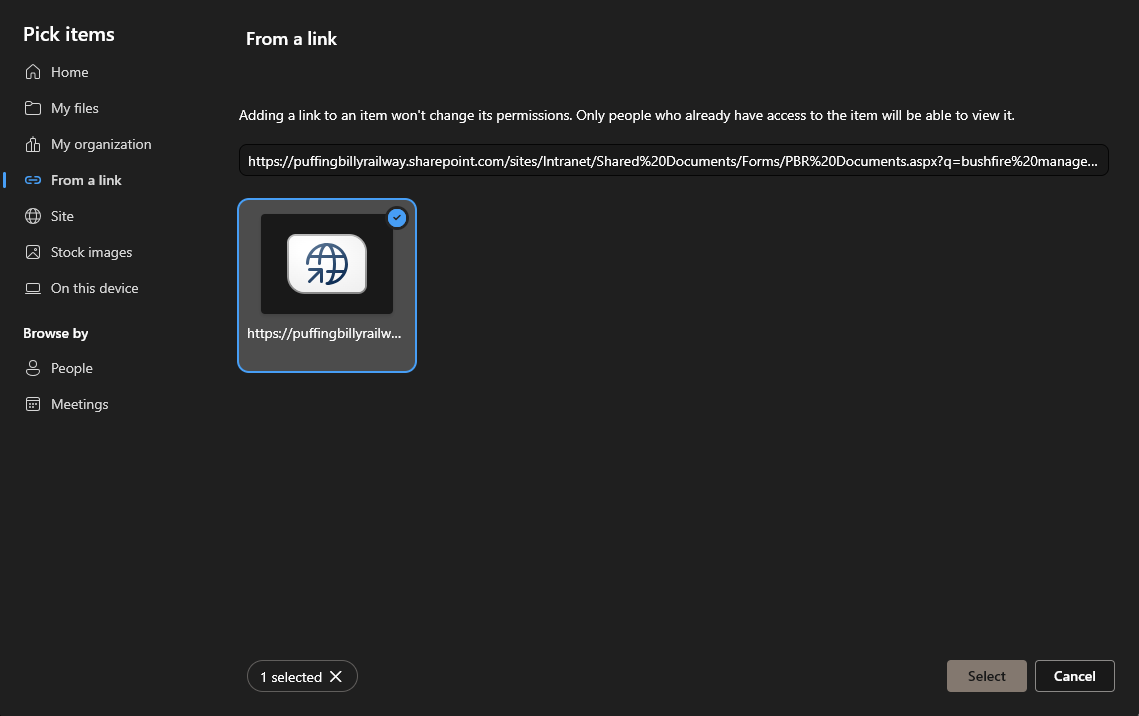
- Select From a Link and add website link from the page you wish to access.

- Paste the webpage link to the site/document, make sure the tile is selected and hit Select in the bottom right.
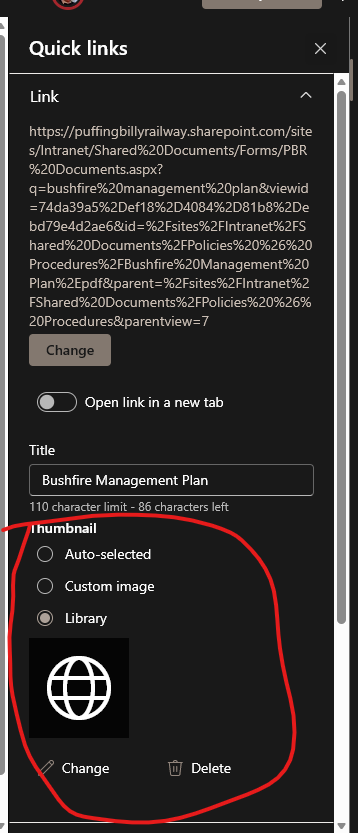
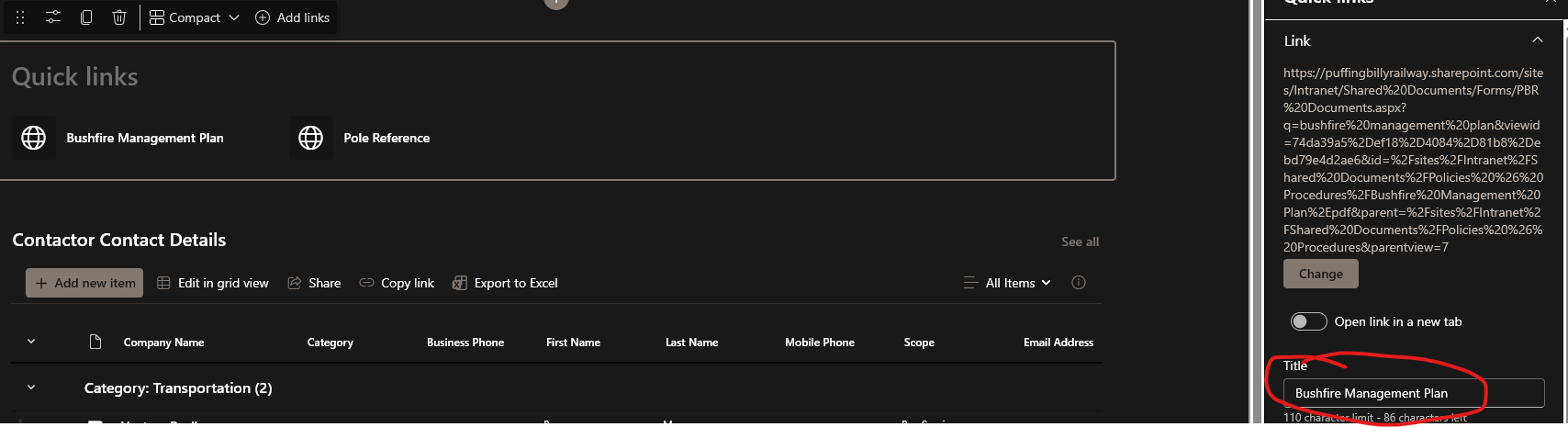
- The default name may be incorrect. If so you can click on the link tile and select edit.

- you can then edit the name of the tile under Title.
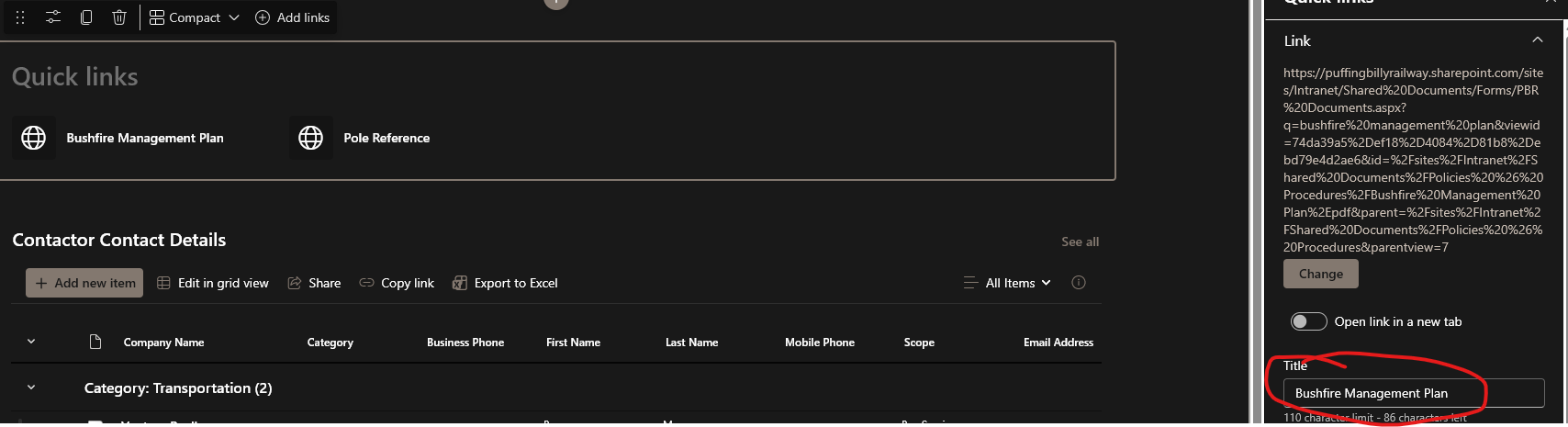
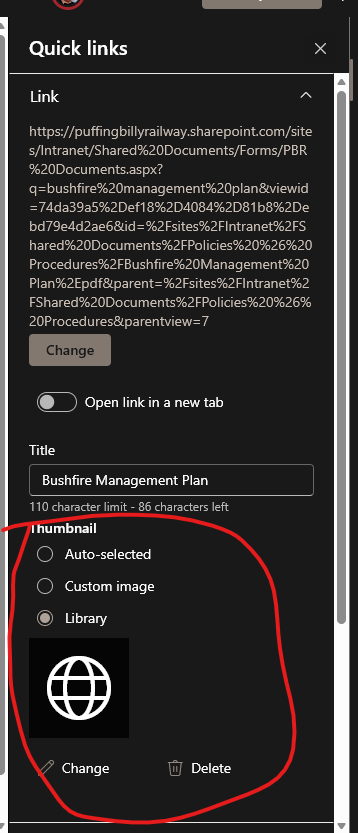
- in this area you can also edit the thumbnail if you would like it be more relevant.





No comments to display
No comments to display