How to: Send or re-send a Sign up/Confirmation Email for Annual Pass Customer
If the customer can provide their booking ref,reference number, you can search for the booking as normal
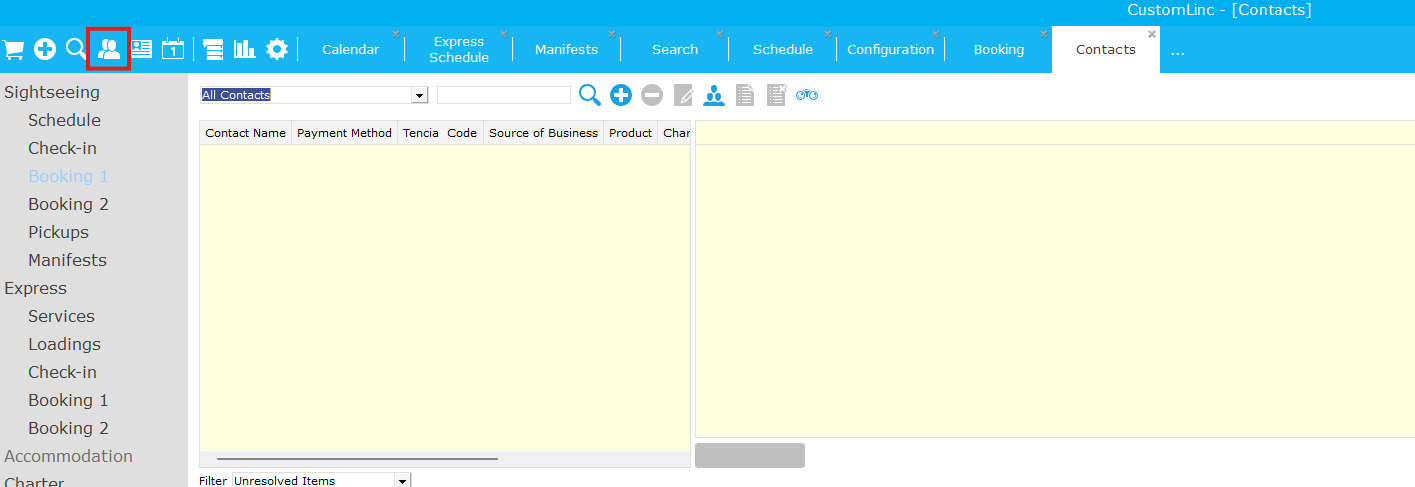
Click on Contact Search
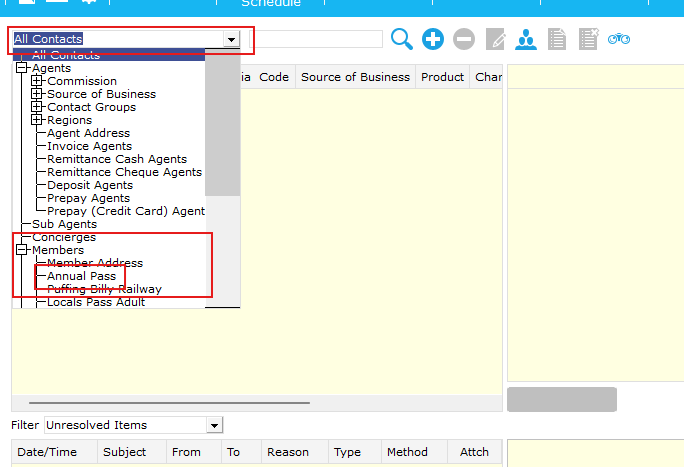
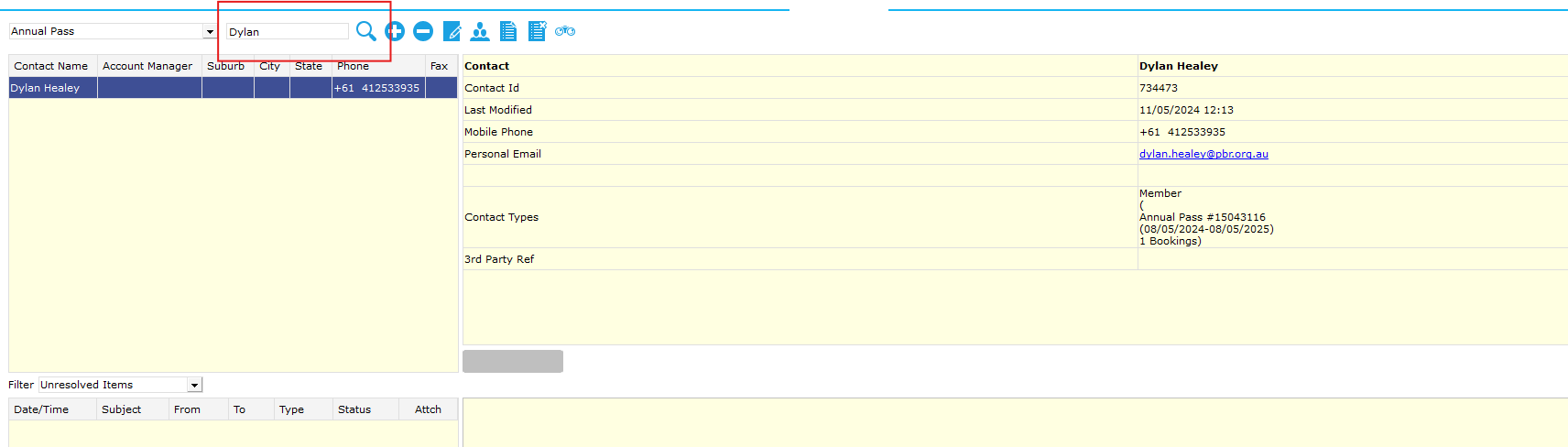
Right click the Member details and select Properties, This will bring you to the purchase within CL.
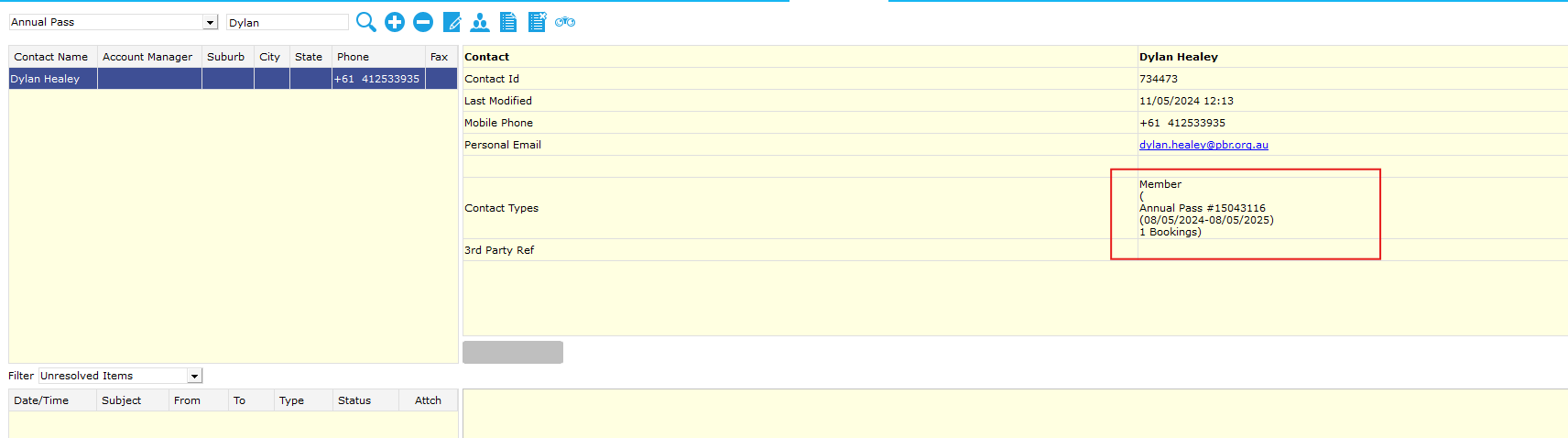
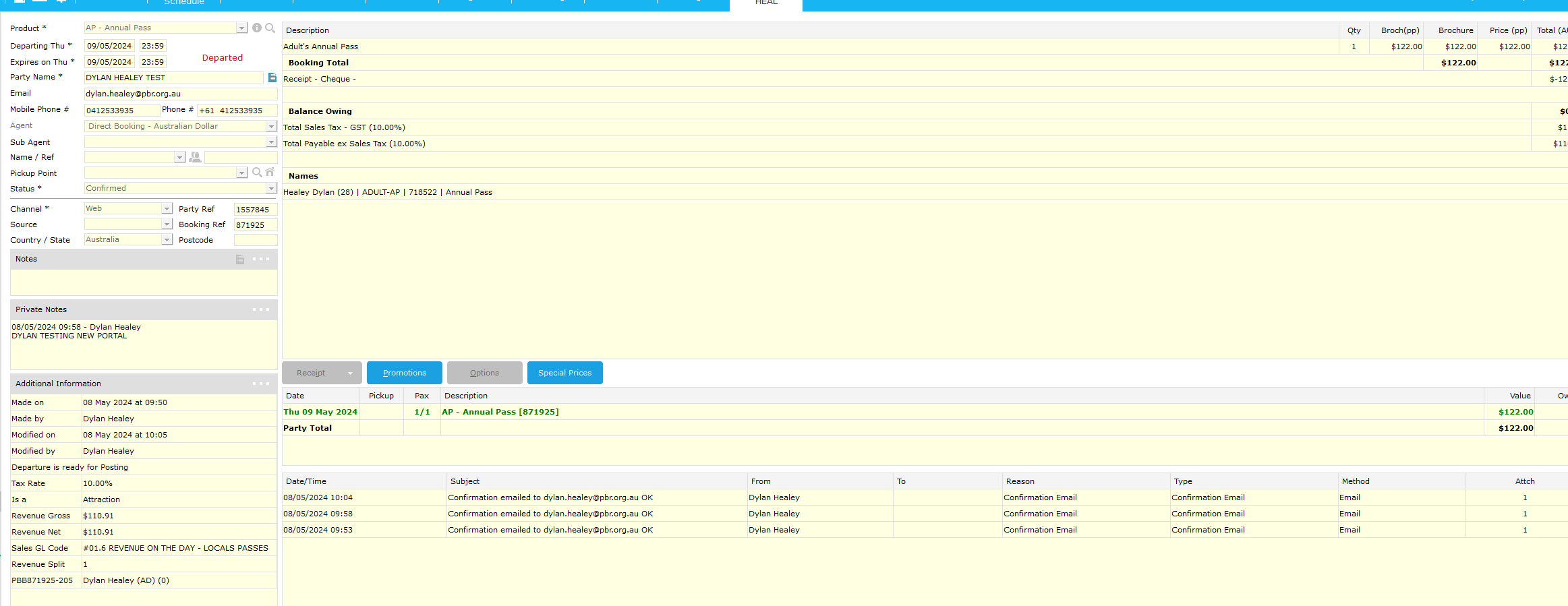
Double click the purchase

Follow the normal process to send a confirmation email. Send > Confirmation to Client... > Next > Next > Finish. This will send a confirmation to the email provided in the booking.
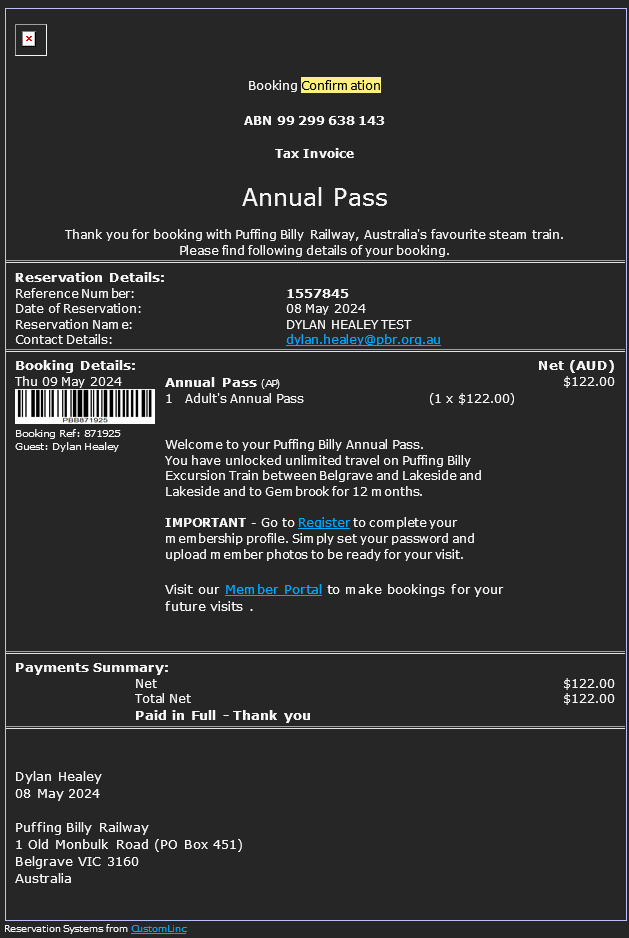
An example of the emails is below: