
Setting Up Duo MFA (IT Staff and Select Roles)
Step-by-Step GuideOverview
Duo MFA is used only by IT staff and a small number of select roles (primarily for systems that integrate with Duo, such as NetSuite). If you are a general PBR staff member, please use Microsoft Authenticator instead — see Setting Up Microsoft Authenticator.
YouIf willyou needare unsure which MFA method applies to your mobilerole, devicecontact toIT setup this, you will also need to install 'DUO Mobile' from your device App Store. Helpdesk.
1)
Setup Steps
2)
Using Duo
3)When Yousigning can then click the link in the email to enroll. This can be done oninto a tablet,Duo-protected phonesystem or(such youras computer.
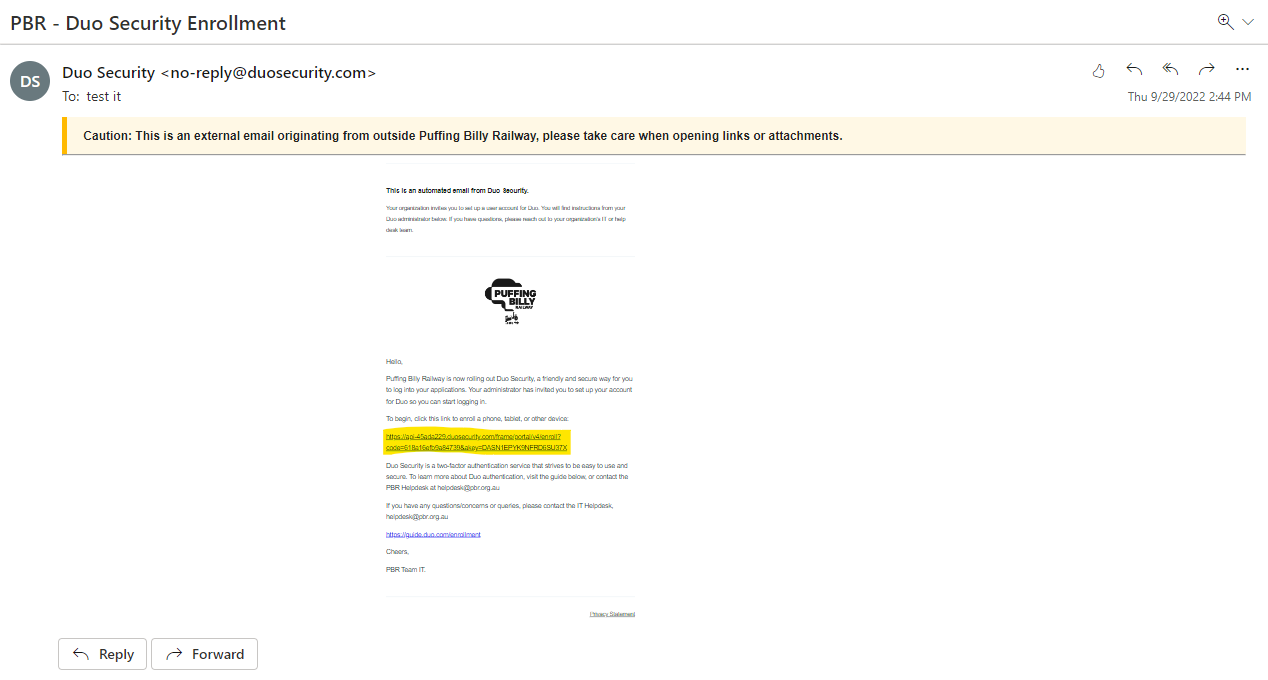
4) Now follow the prompts through the installation.
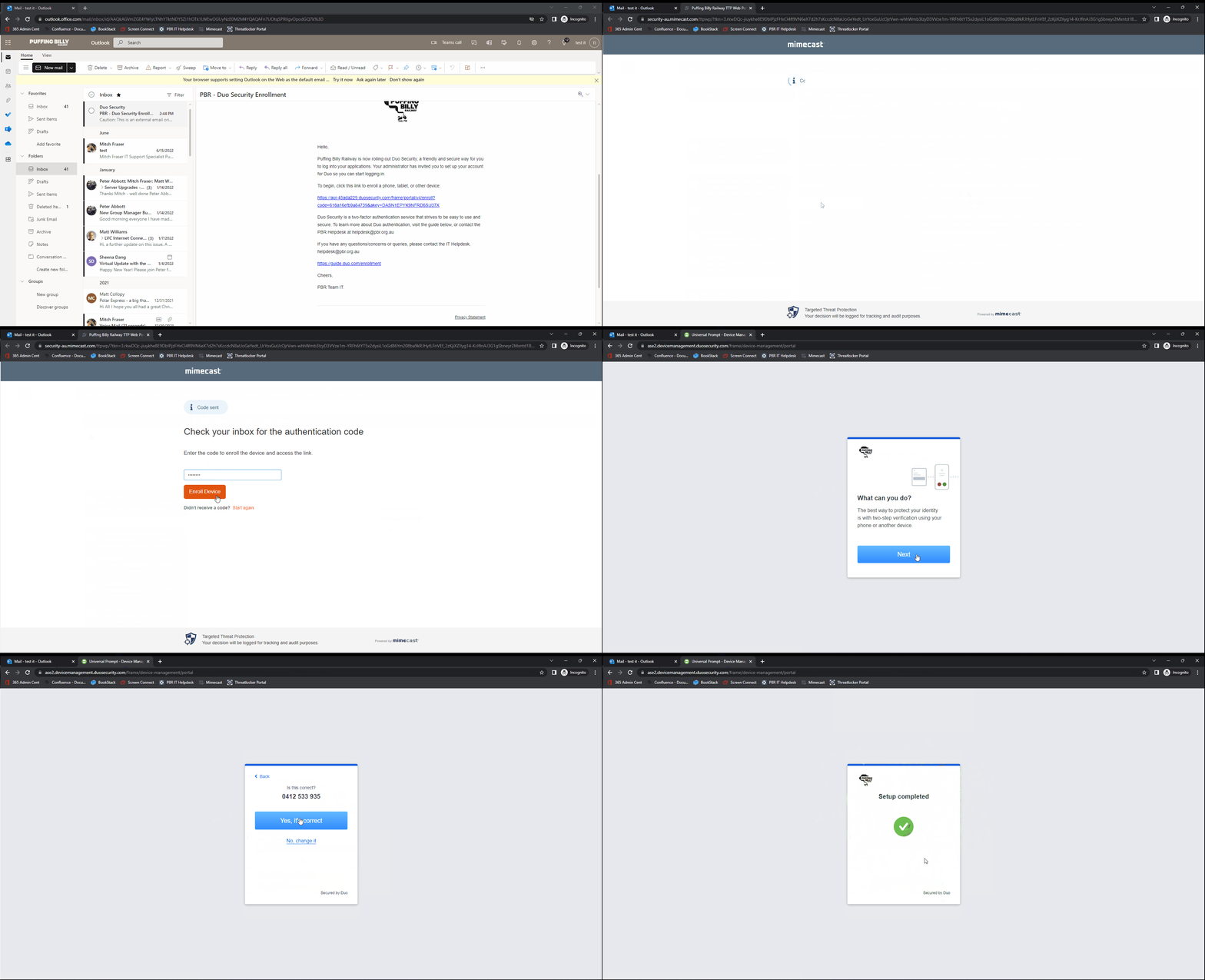
5) Once this is doneNetSuite), you will nowbe receiveprompted requeststo approve a push notification on the Duo Mobile app, or enter a one-time passcode generated by the app.