
How to: Register your Annual Pass account
-
YouThe customer should receive a confirmation email once the purchase has been confirmed toyourtheir nominated email address. It will look like below: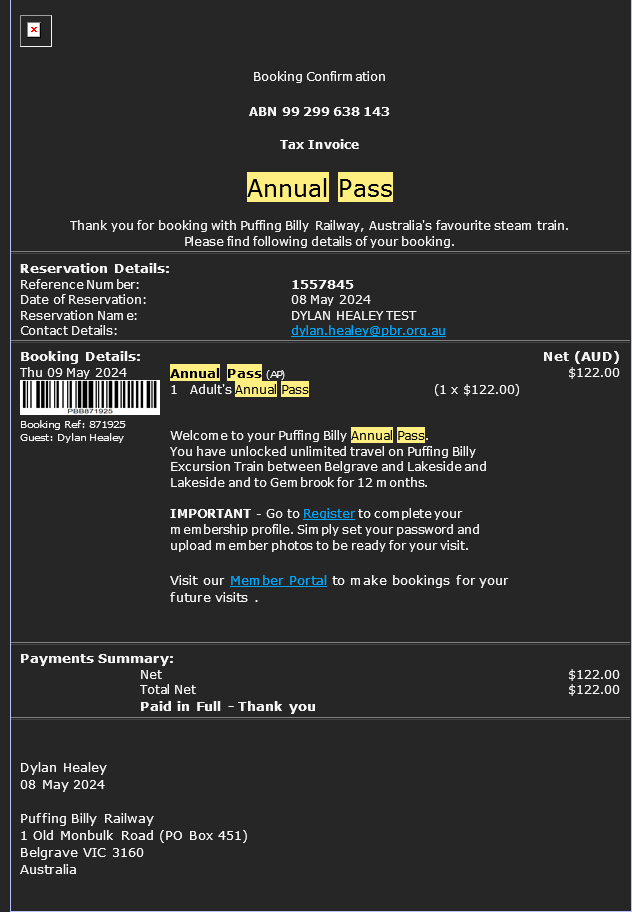
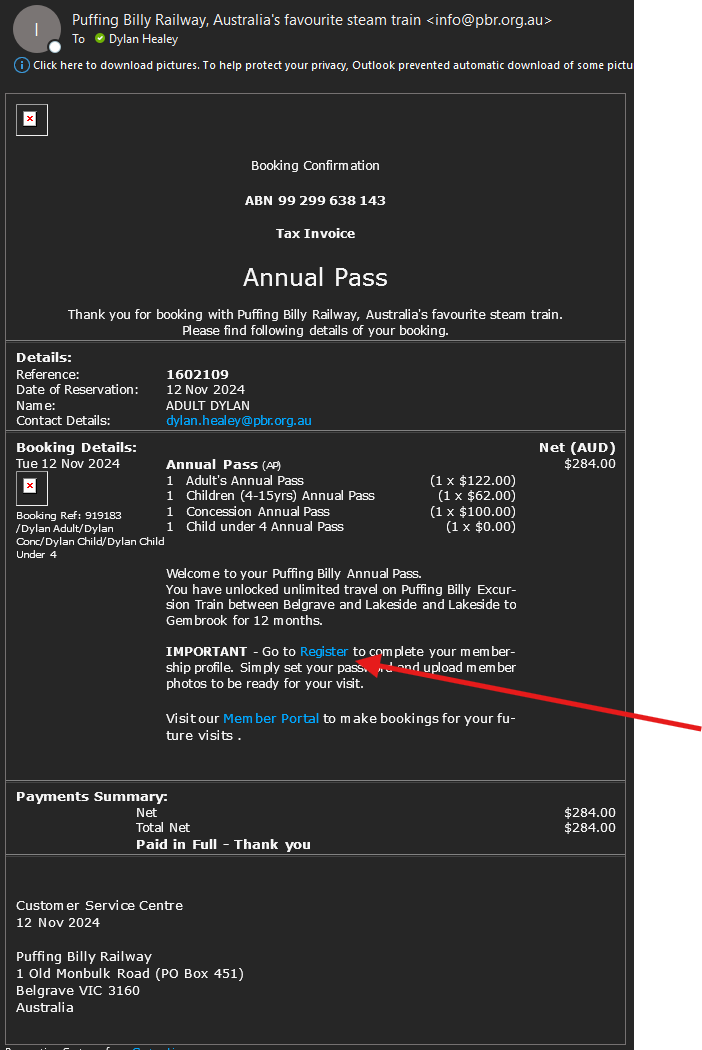
- The register link will take
youthemtooto https://apps.customlinc.com.au/puffingbillyrailways/MemberPortal/Register/? -
CompleteThey will need to complete the form and select Save Details.
These details MUST match what was provided during the checkout process for the Annual Pass, for the first Adult fare.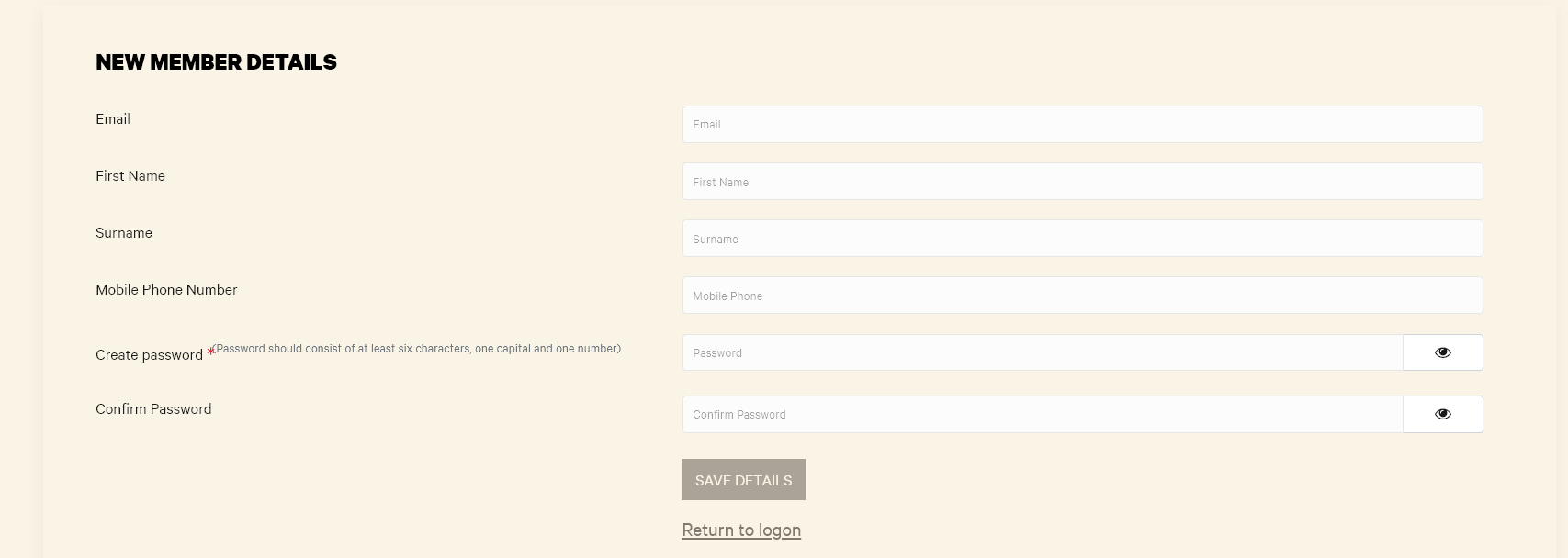
ThenThey can login in to the portal at https://apps.customlinc.com.au/puffingbillyrailways/MemberPortal/Logon/

