
How to: Print the Seating Plan
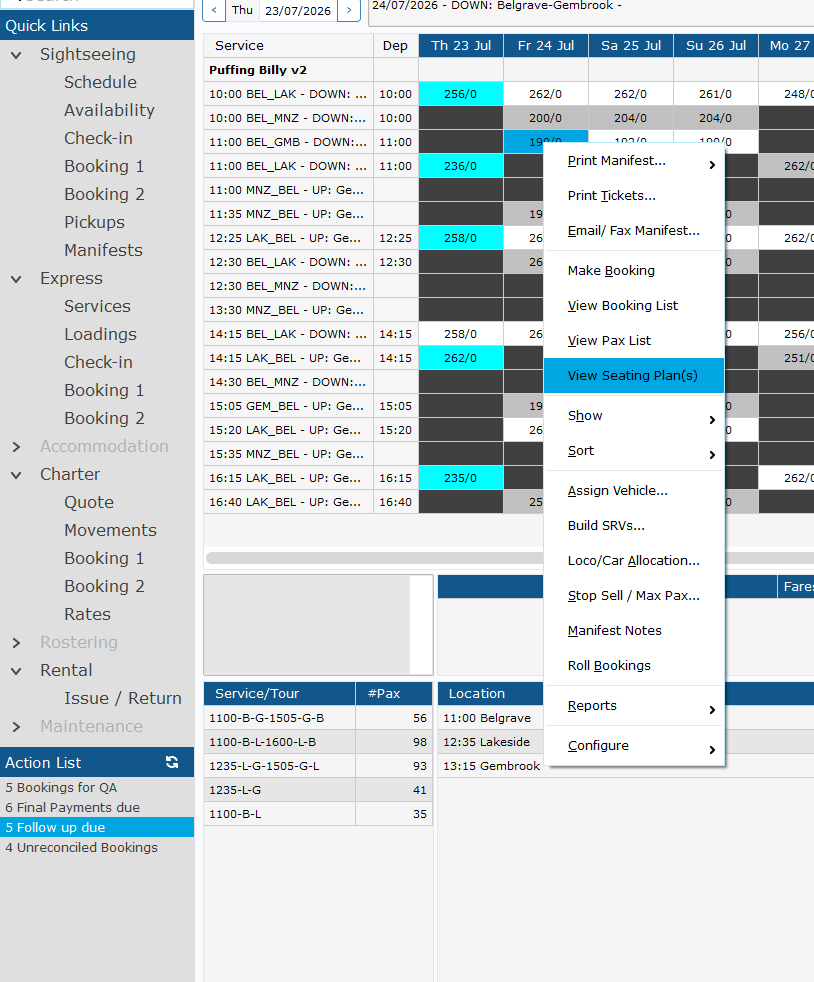
1. Go to Express > Services, right click the appropriate service and Click View Seating Plans
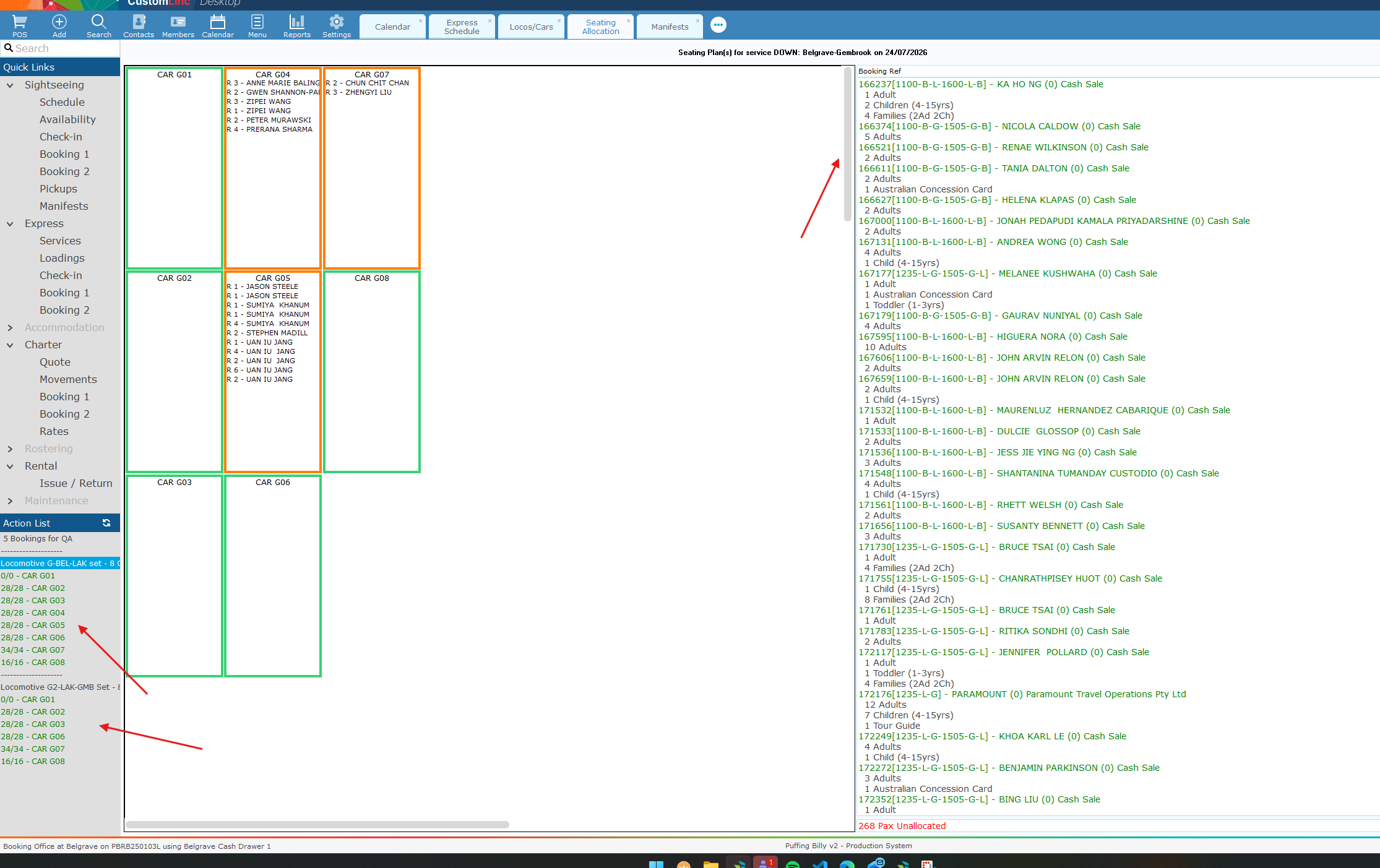
2. If there are multiple seating plans you will see them in the left corner. You can traverse to see the other ones in your window by using the scroll wheel or navigation scroll in the middle of the page.
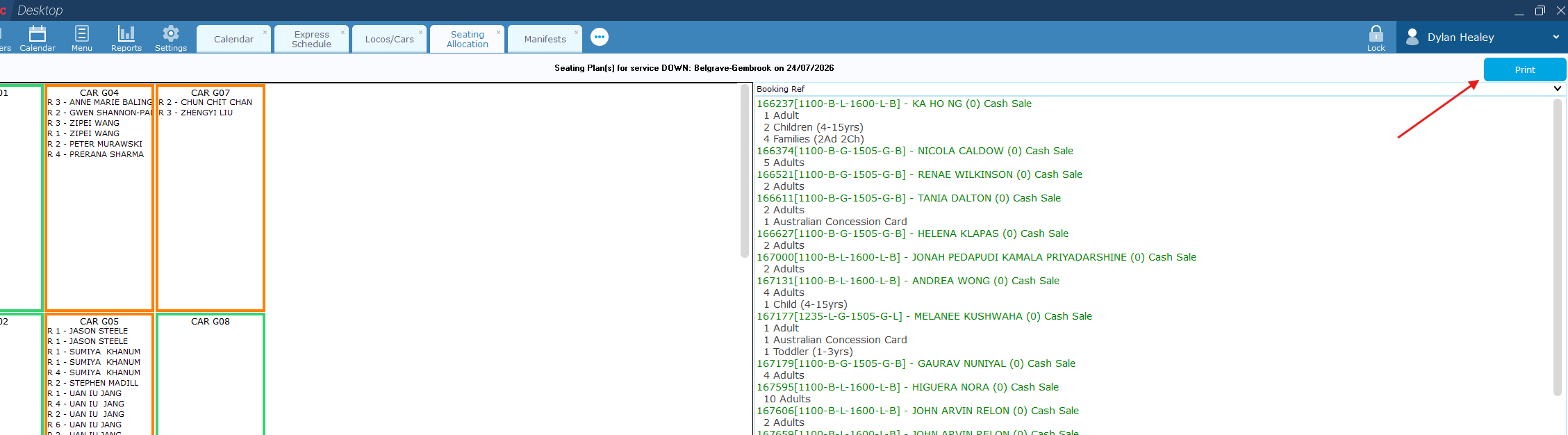
3. In the top right click Print.
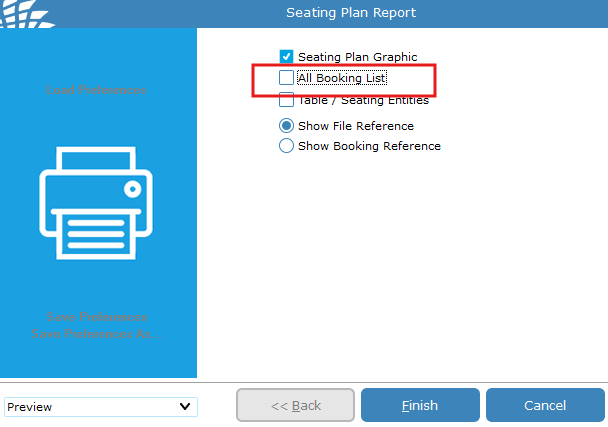
4. Deselect ALL Booking List & click Finish
5. The first seating plan will be on first page. You can traverse to other seating plans using the NextPage button in the top left.
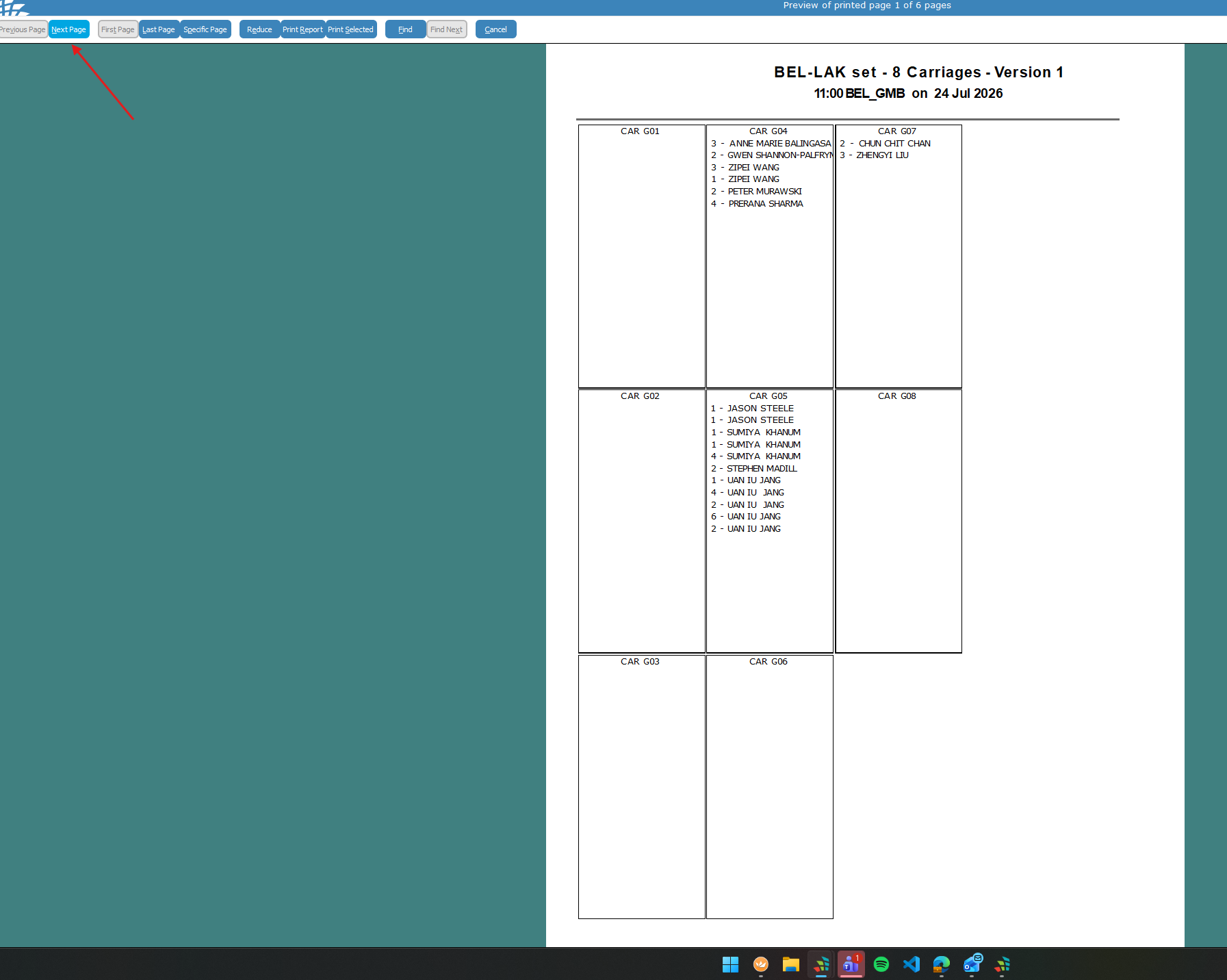
6. Click Print Report.
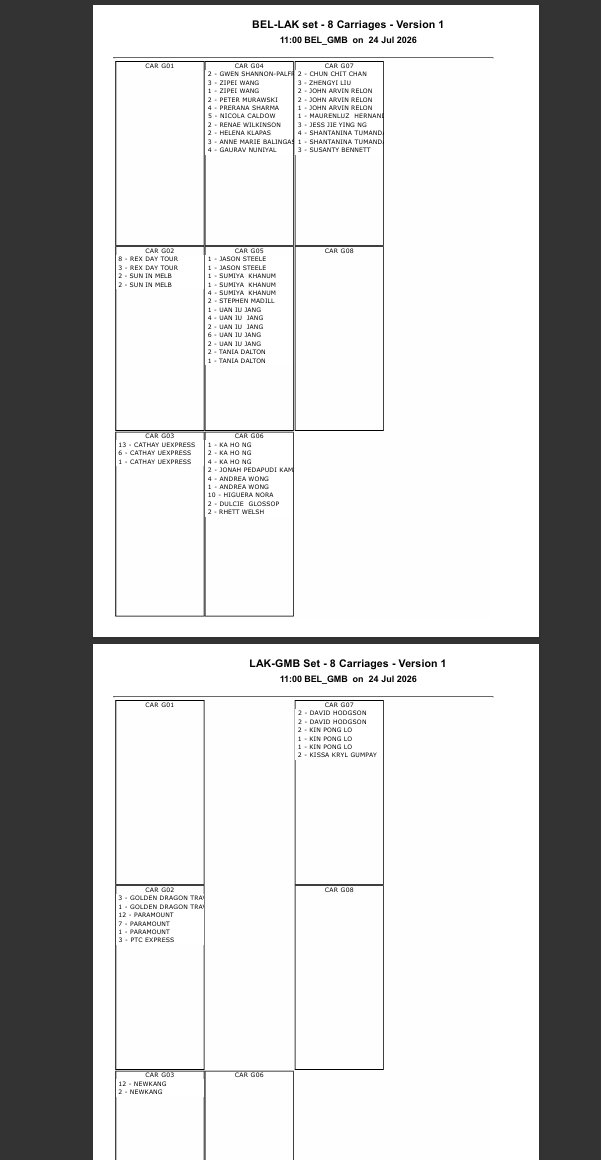
You will then print out both seating plans.
No comments to display
No comments to display