How To Use: Belgrave Meeting Room Conference System
This article will show you how to use the Belgrave station meeting room conference system.
External
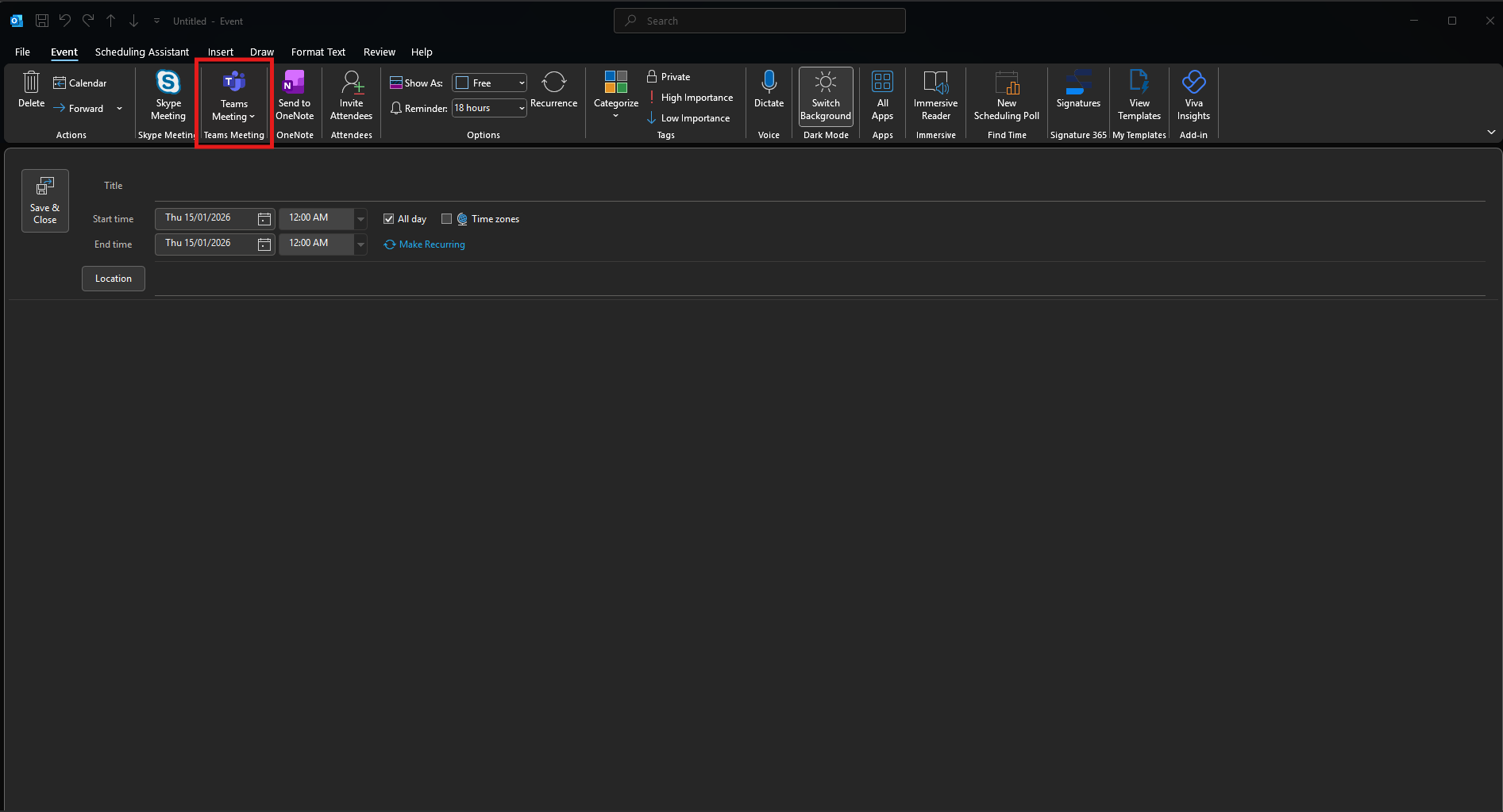
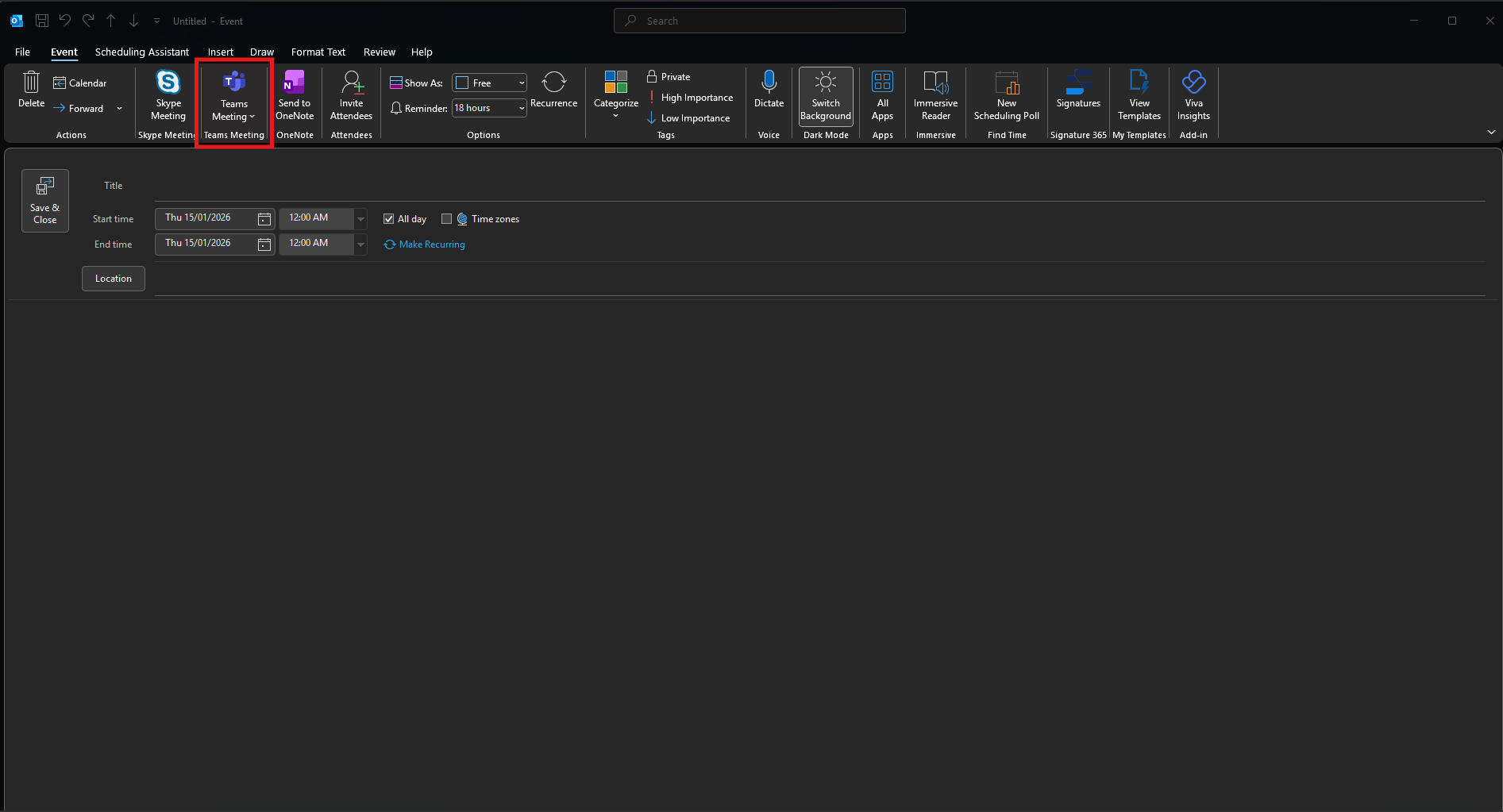
- When creating a meeting with someone external to PBR. Select "Teams Meeting" to make it an online meeting.
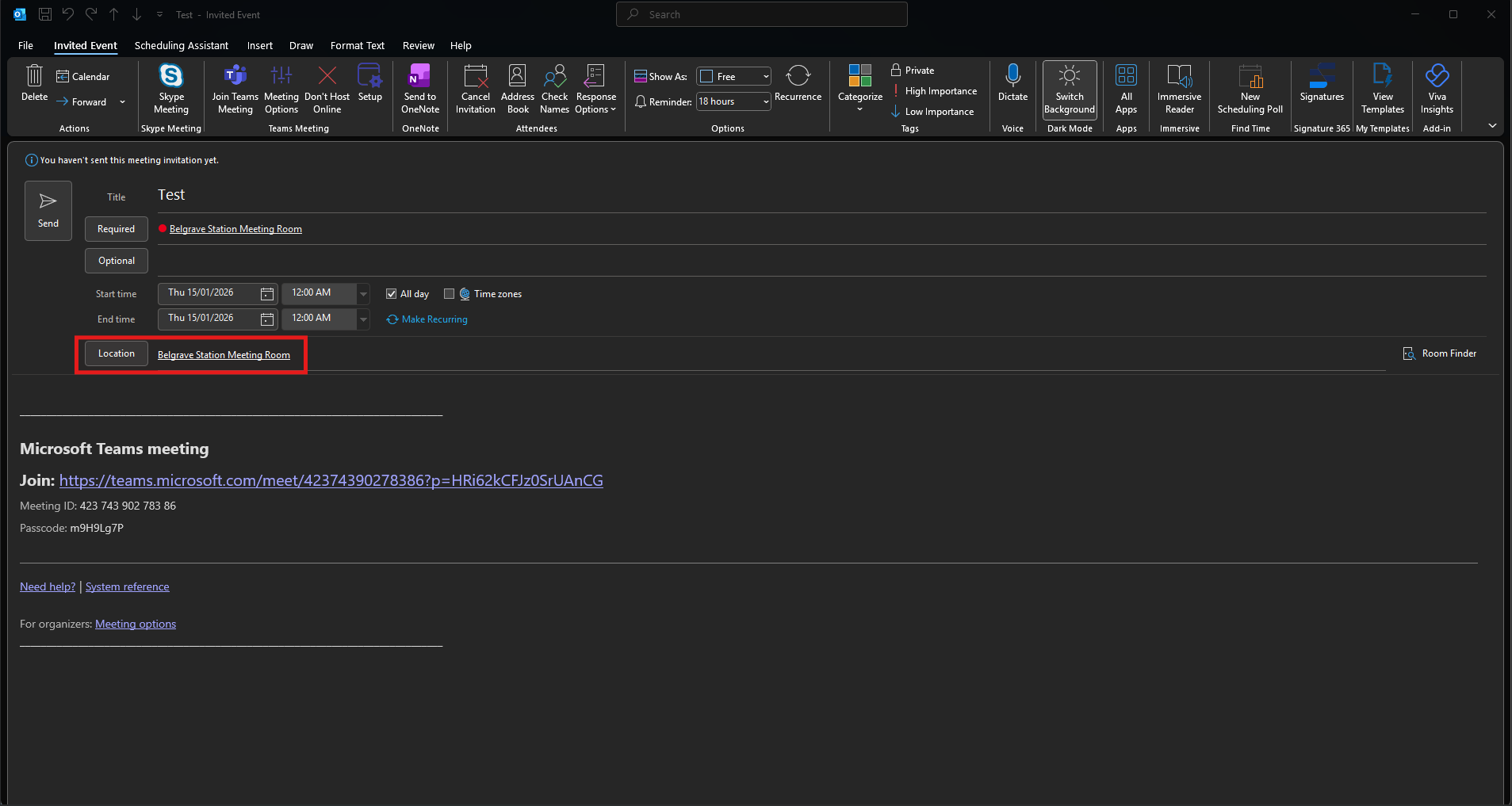
- Choose the desired people/date/time as you would normally for a meeting. In location select "Belgrave Station Meeting Room".
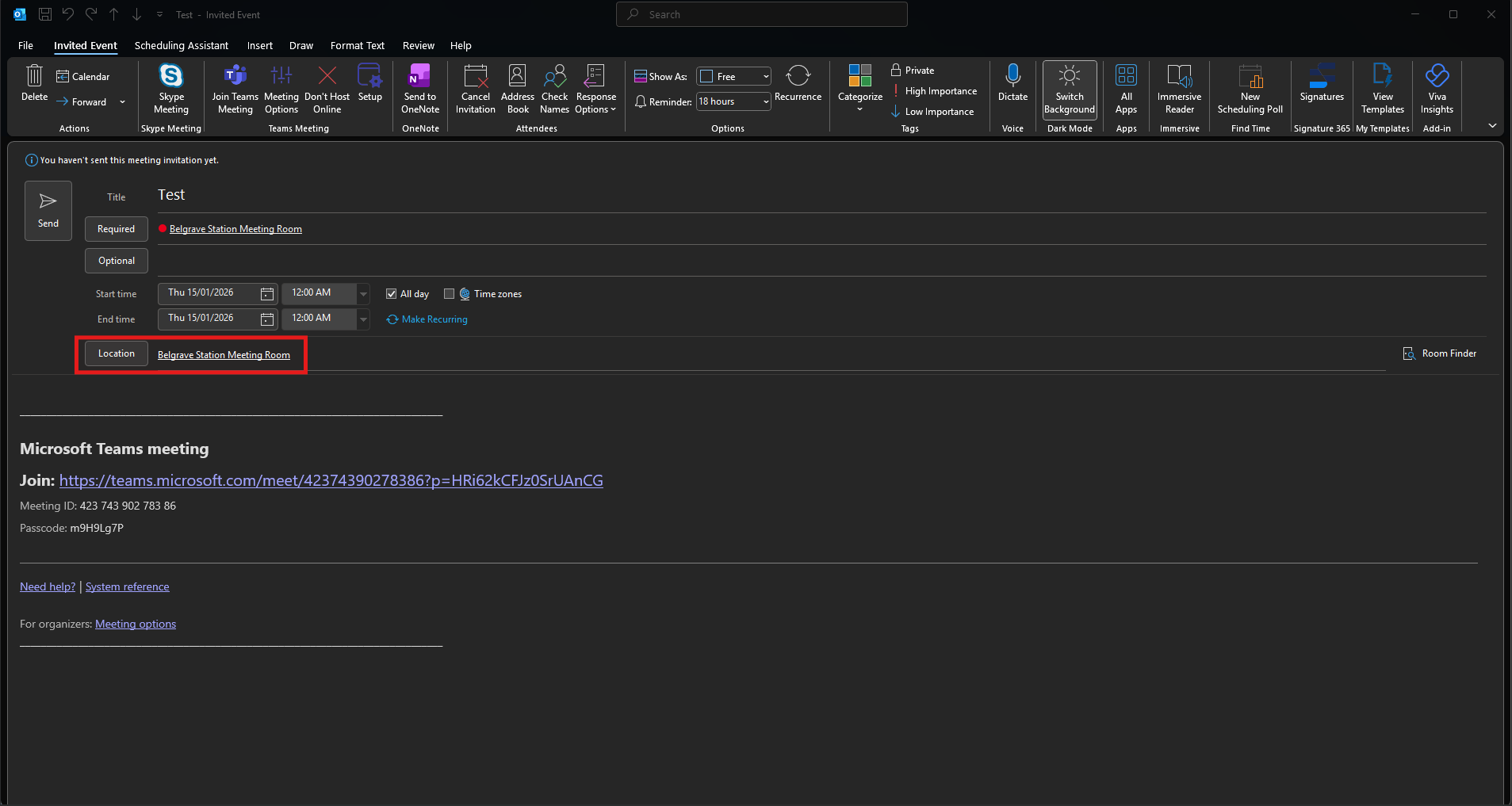
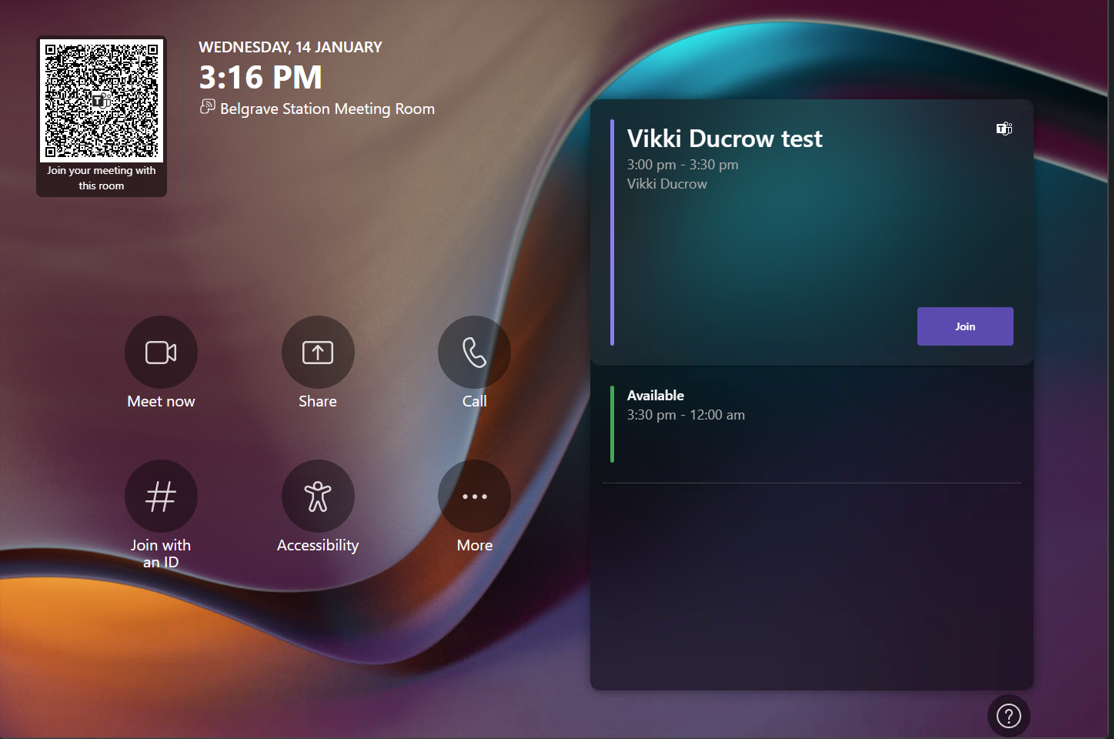
- By adding Belgrave Station Meeting Room to the location, it automatically adds its email to the meeting. This will will add it to the calendar. By adding it to the calendar, it will then be displayed on the tablet on the meeting room table.
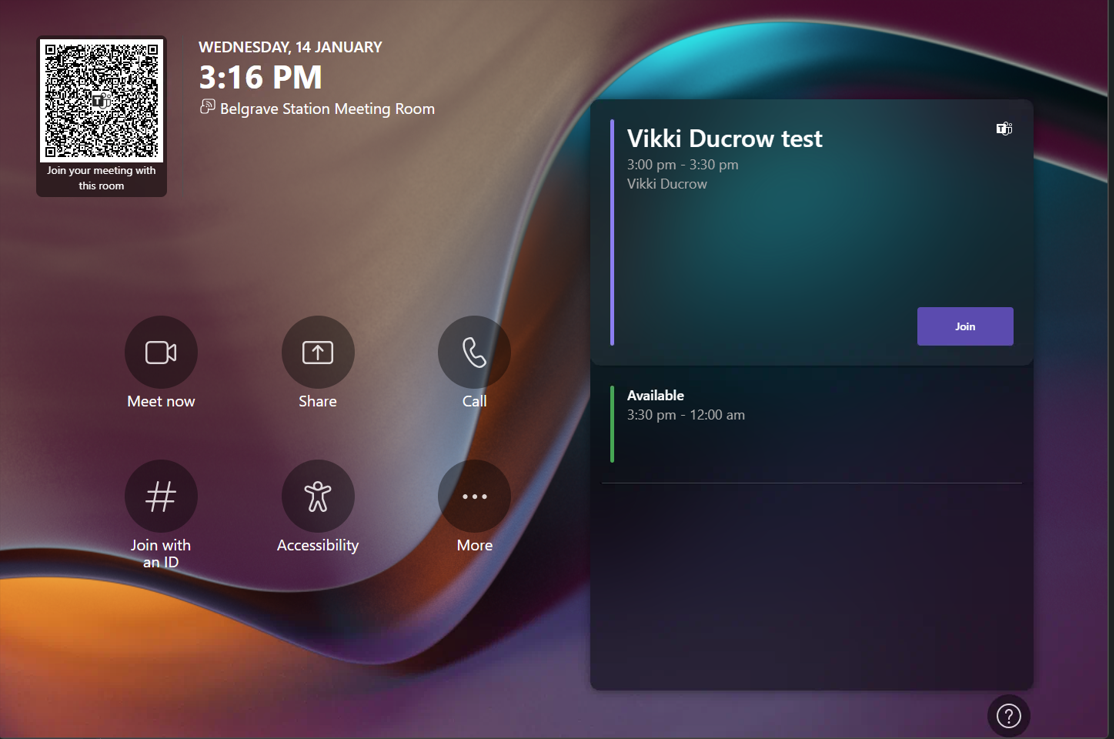
- When it is time to join the meeting, click "Join", this will take you to the teams meeting room. The guests can click on their teams link they got in their meeting invitation and will join the same meeting.