How to: Manage your Teams Training in the Learner Hub
Go to Learner Hub and login with your PBR email and Password if prompted.
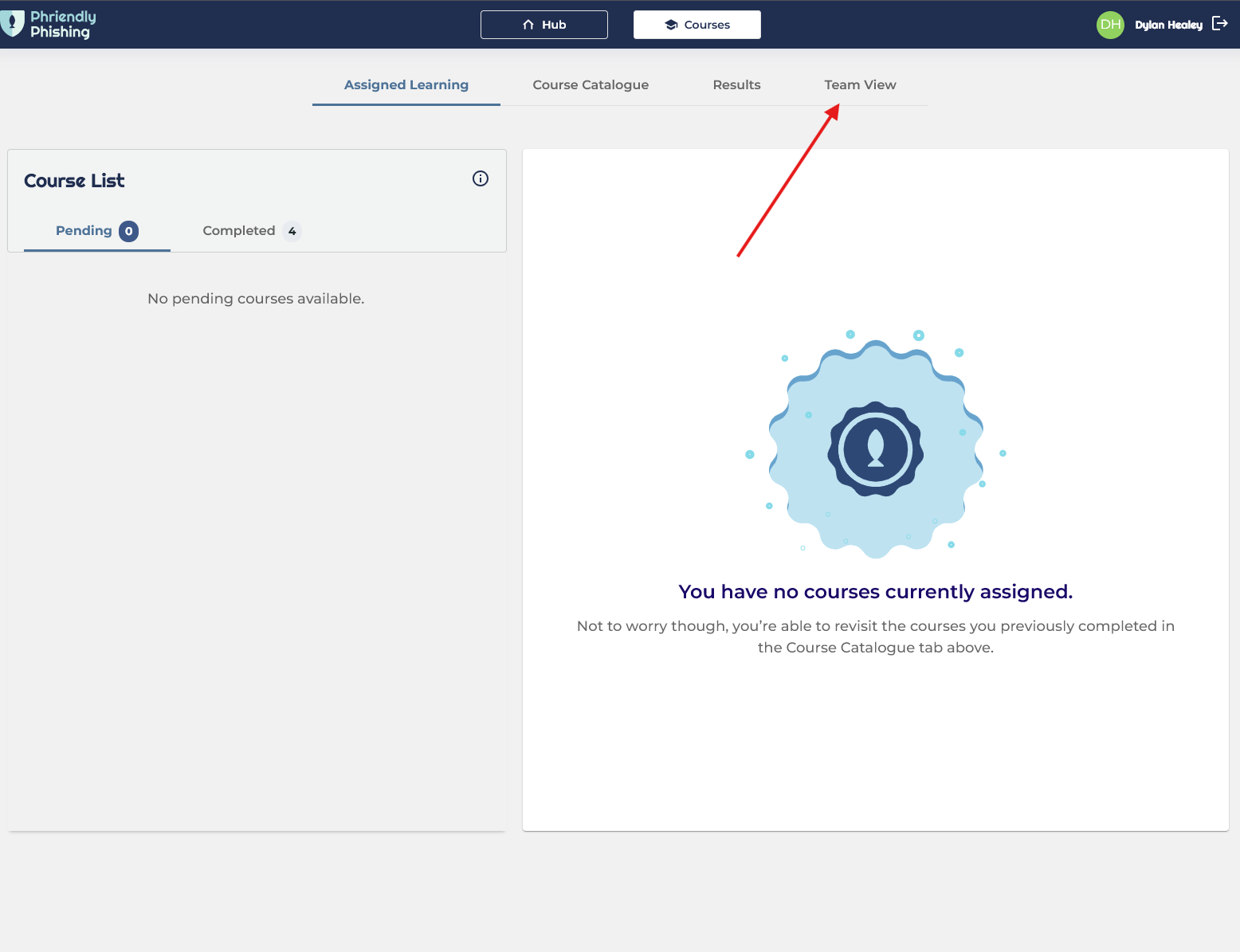
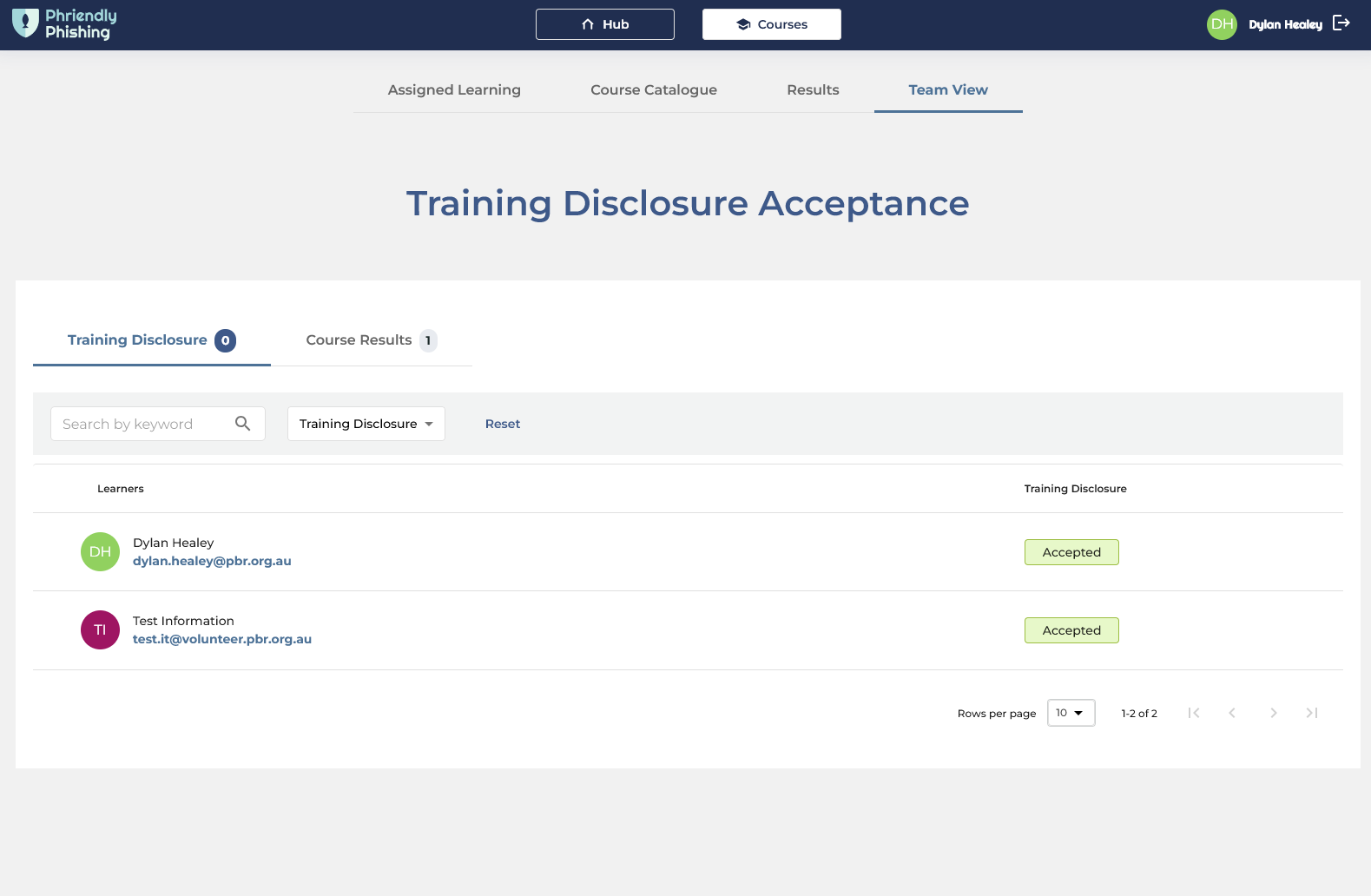
If you are the assigned manager for aat least one person with a PBR account, you will see Team View in the top right. Click on this to show your Team View.
If you are unable to see a user, you expect to see; Please email IT Helpdesk with the user's name and we can investigate. Managers can see up to 4 levels of management below them.
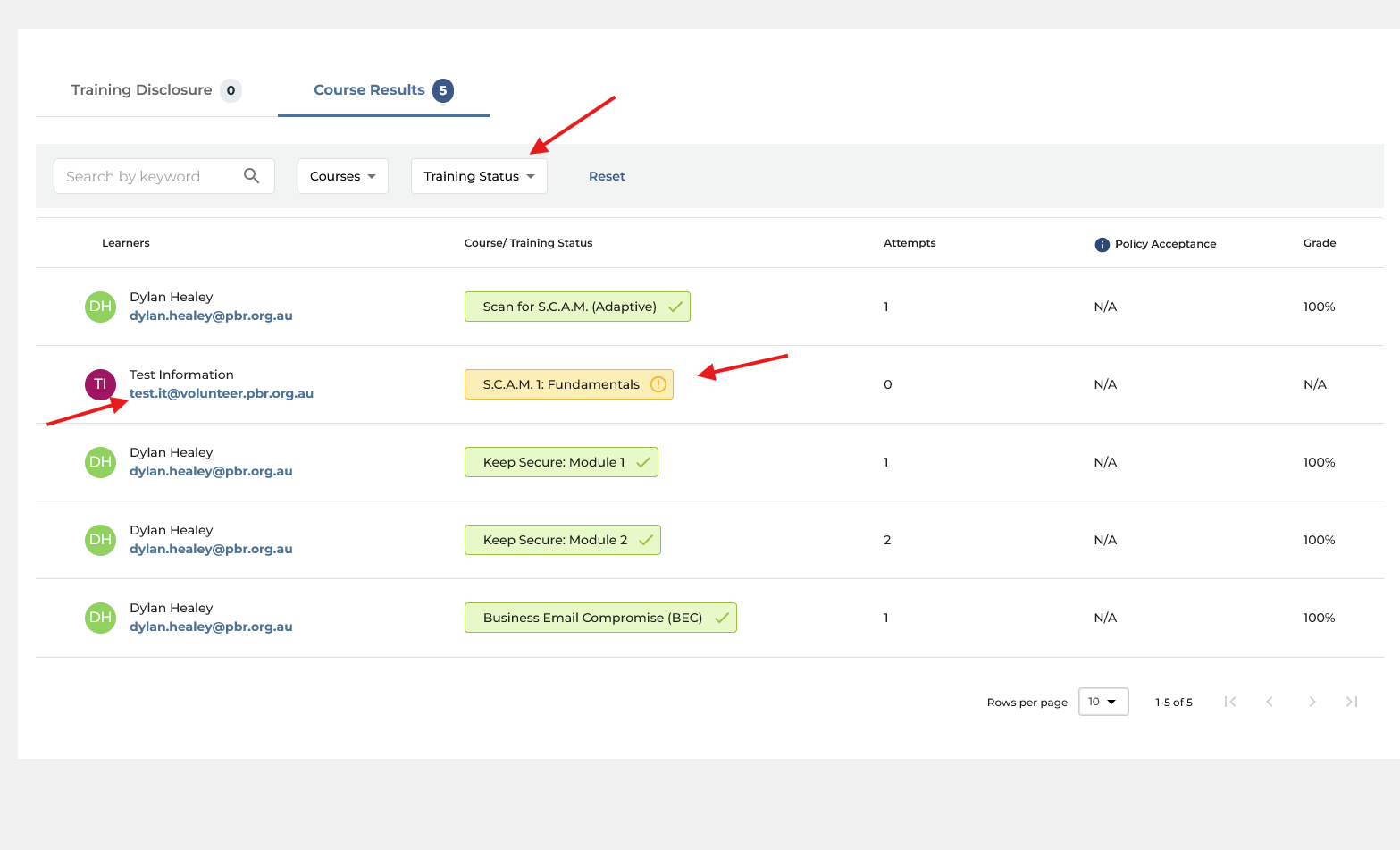
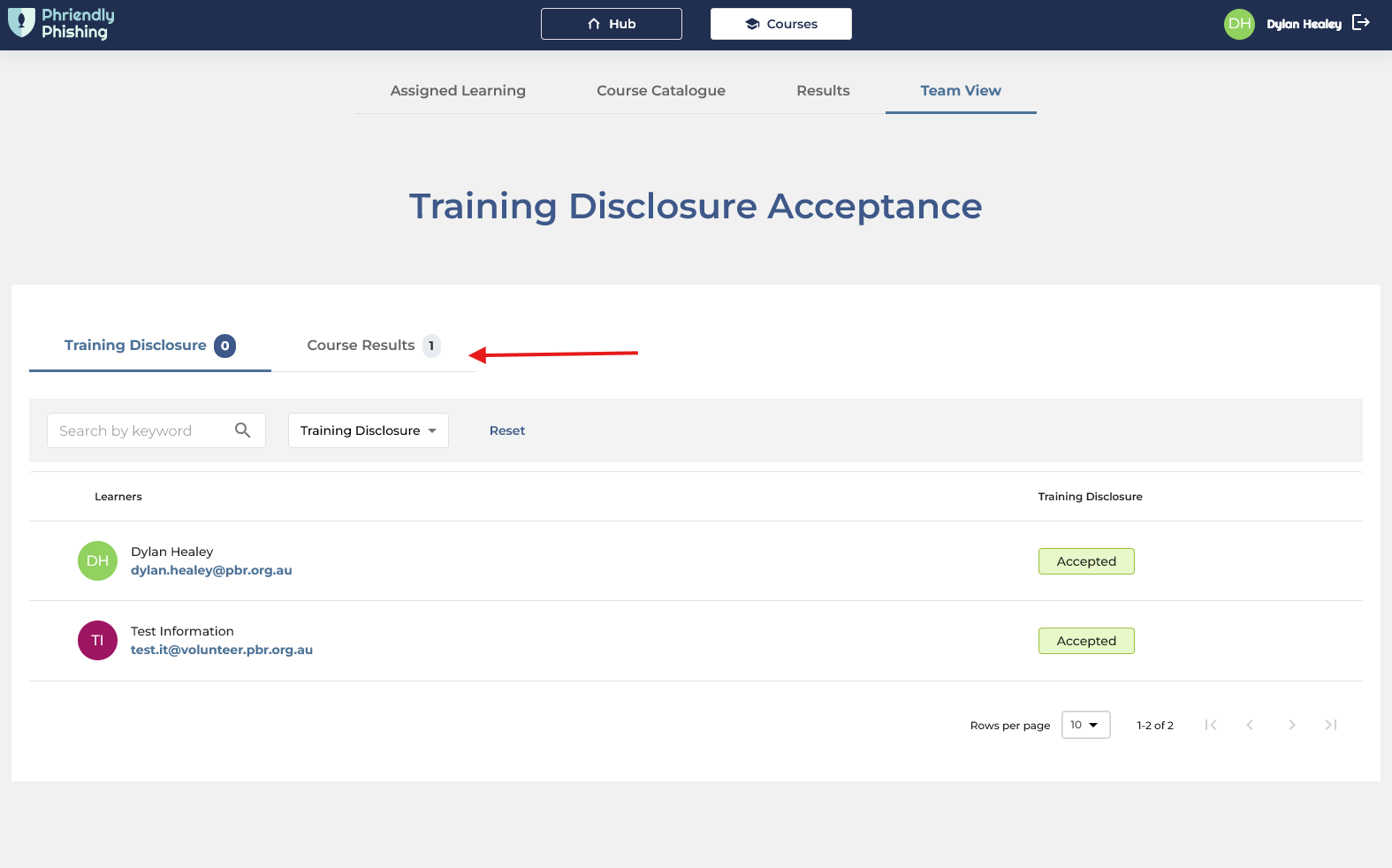
To see your teams current complete or incomplete training click on Course Results
Here you can see the user, their complete or incomplete status on specific modules. You can also filter by person' name, or training status (complete, failed, incomplete so on).
Managers can see up to four levels of management below them. If you are unable to see a user, you expect to see; Please email IT Helpdesk with the user's name and we can investigate.