Reporting Suspicious Emails to IT

Overview

This article will showIf you receive an email that looks suspicious, report it to IT immediately using the Report Phishing Email button in Outlook. Do not click any links or open attachments first.

For guidance on how to reportspot a phishing email, see: Recognising and Reporting Phishing Emails


Outlook Desktop (Windows)

    Select the suspicious email to the IT department. Please do not click on links in anyour email you believe to be suspicious, please report if you are unsure.

    Outlook (Desktop)

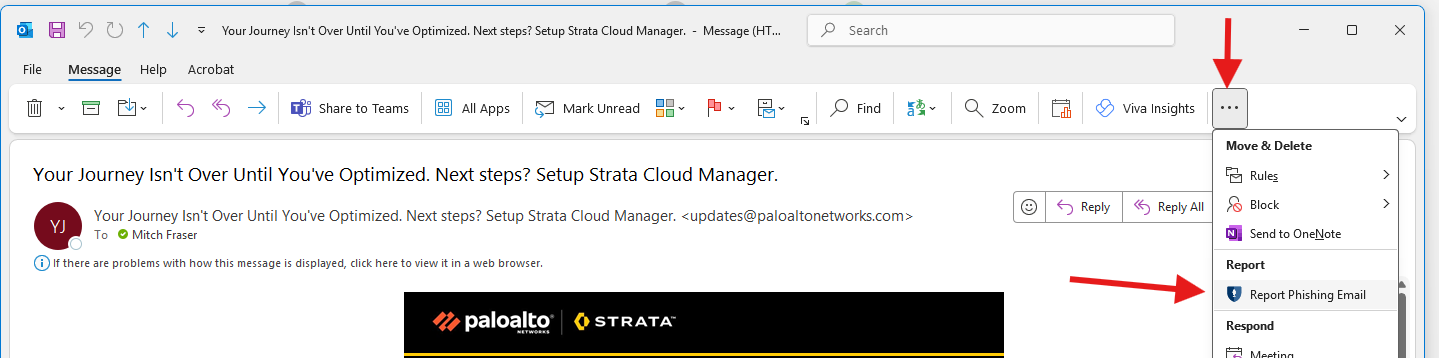
      inbox In Outlook,the ribbon at the top, click onthe Report Phishing Email button
      • If you cannot see it, click the desired... email(more youoptions) would like to report. Click the tile specifiedbutton in the red square displayed in the image below that says, "Report Phishing Email".
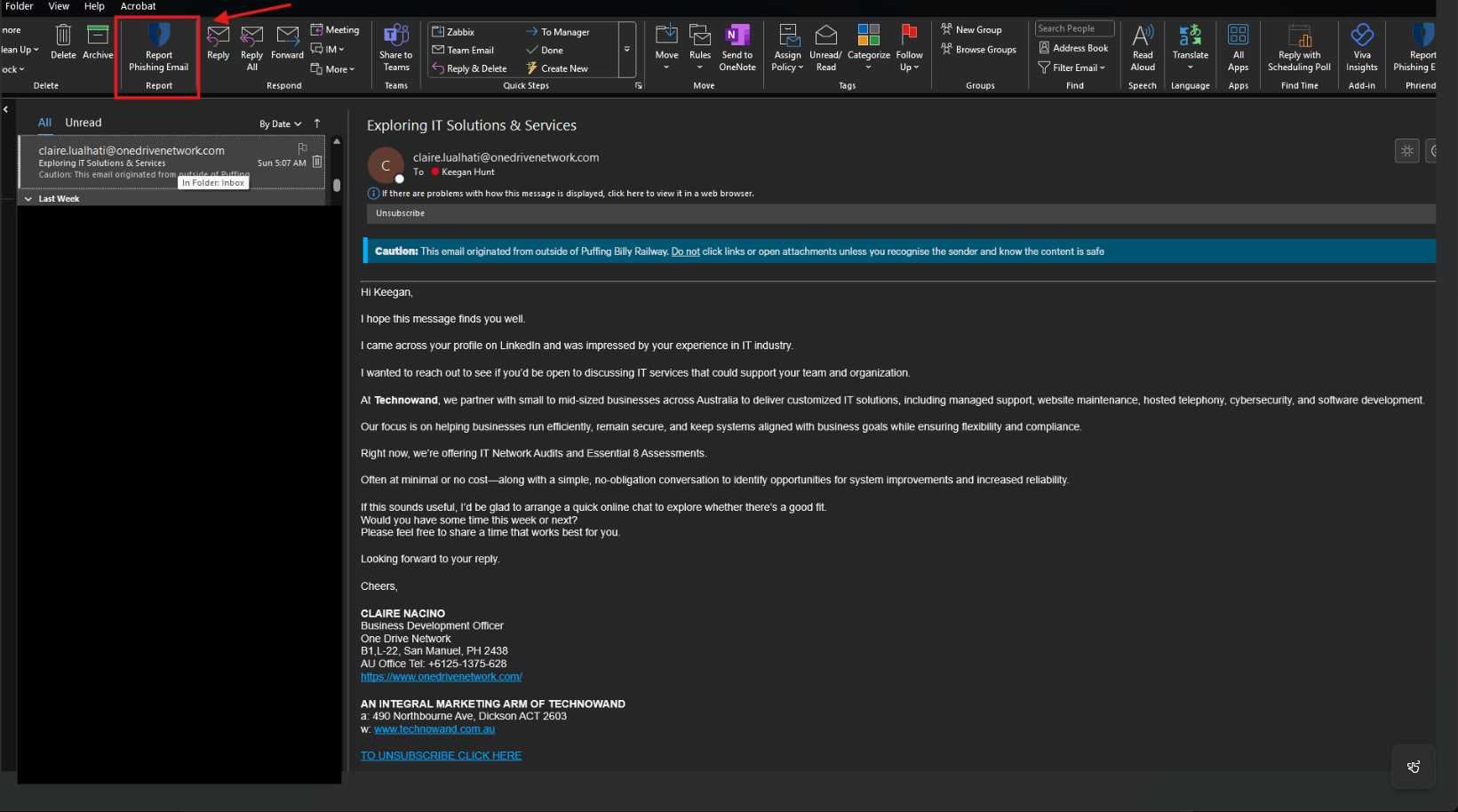
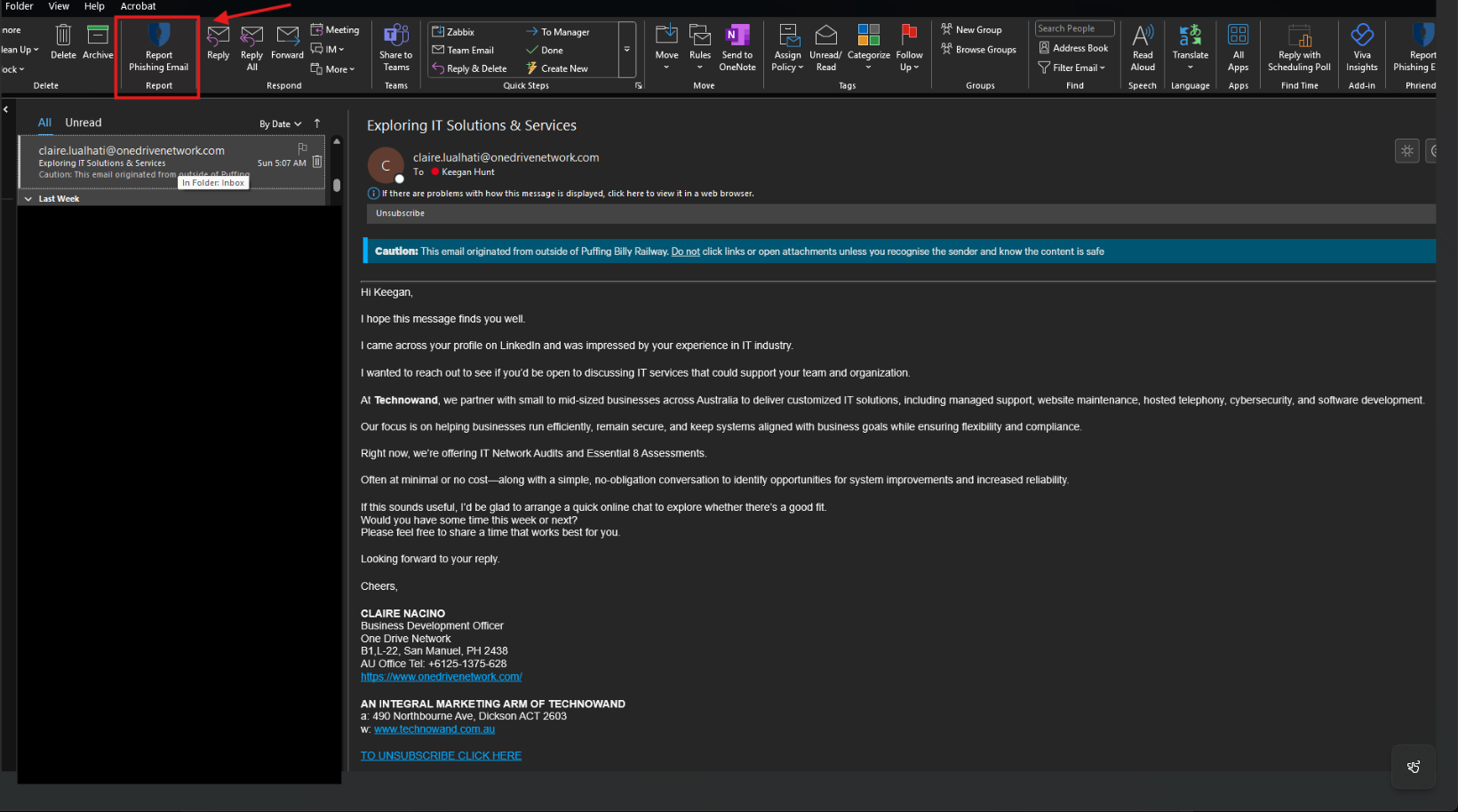
        image.png

      When opened, this box may not be immediately obvious - use the menusribbon to find it
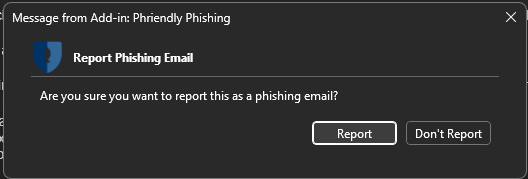
      image.png A dialogueconfirmation boxdialog will display,appear — click "Report".

      image.png

      Report The email will be forwarded to IT and removed from your inbox

      Outlook on the Web (Browser)

        Open the suspicious email Click the three dots (...) menu at the top right of the email Select Report > Report phishing

        Outlook Mobile App

          Open the suspicious email Tap the three dots (...) at the top right Select Report junk or Report phishing

          If You haveCannot successfullyFind reportedthe anReport Button

          Forward the email to [email protected] and note that you believe it is a phishing attempt. Include the original email as an attachment if possible (in Outlook: select the email, then drag it into a new email).


          Already Clicked a Link?

          Contact IT department.Helpdesk immediately at

          [email protected].

          Do

          Outlooknot (Mobile)

          wait
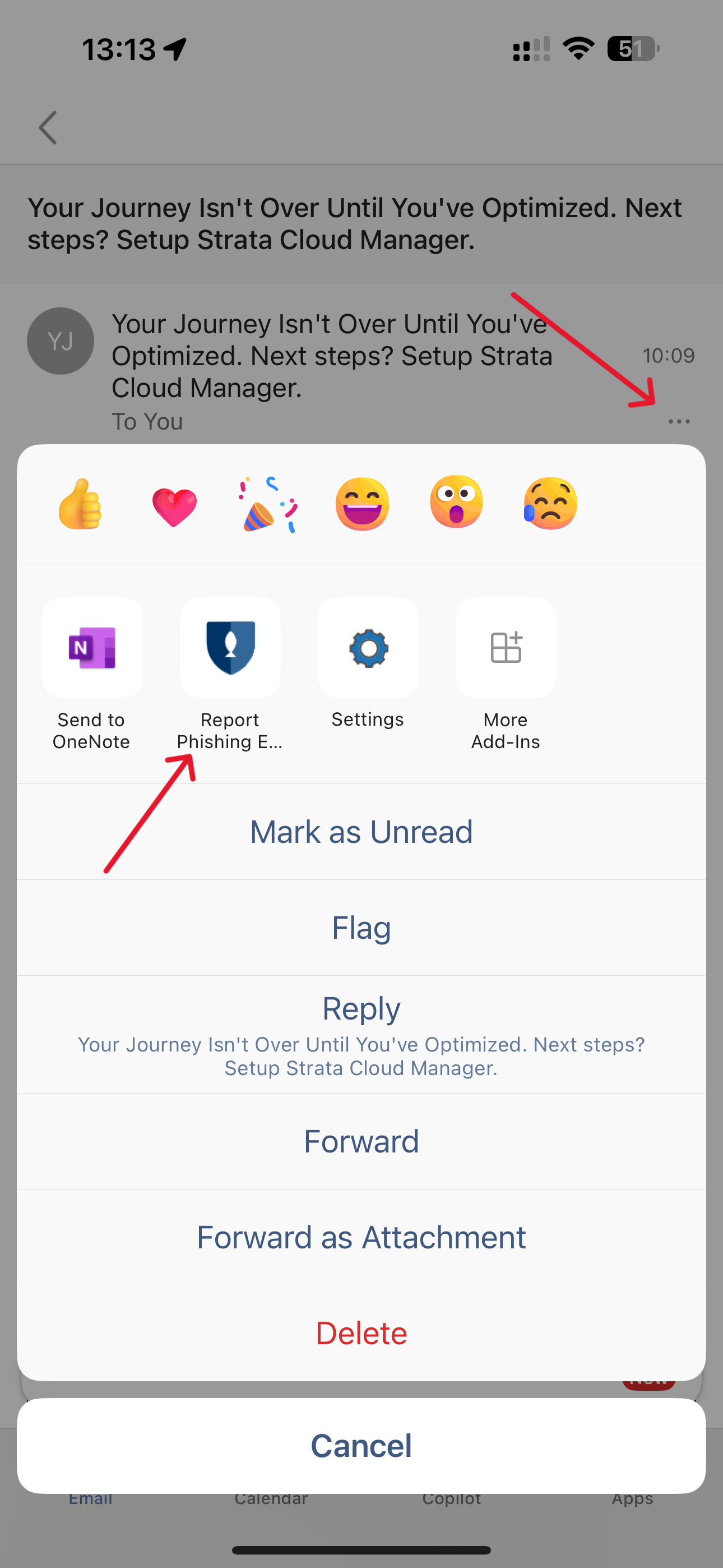
            Insidefast action significantly reduces the message,impact press the options button - then locate the "Report Phishing Email" icon
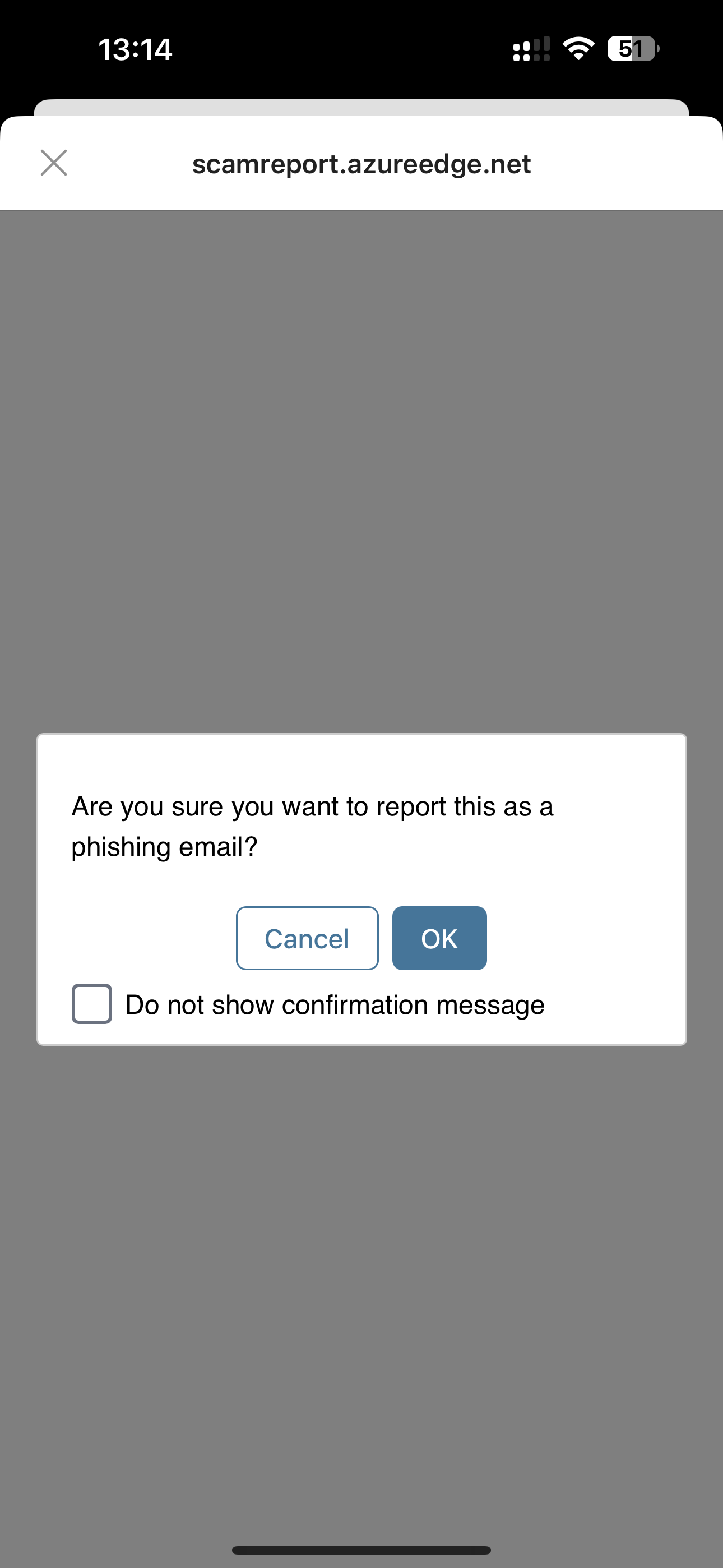
            image.png You will then be asked if you are sure you wish to report the email. 

            image.png

            If you have not reported an email via the Mobile app before, you may be asked to sign into your account to verify.

            If prompted to sign into your account, this first report may fail, and/or note to contact IT Support - If this is the case, please tryof a secondcompromised time.account.
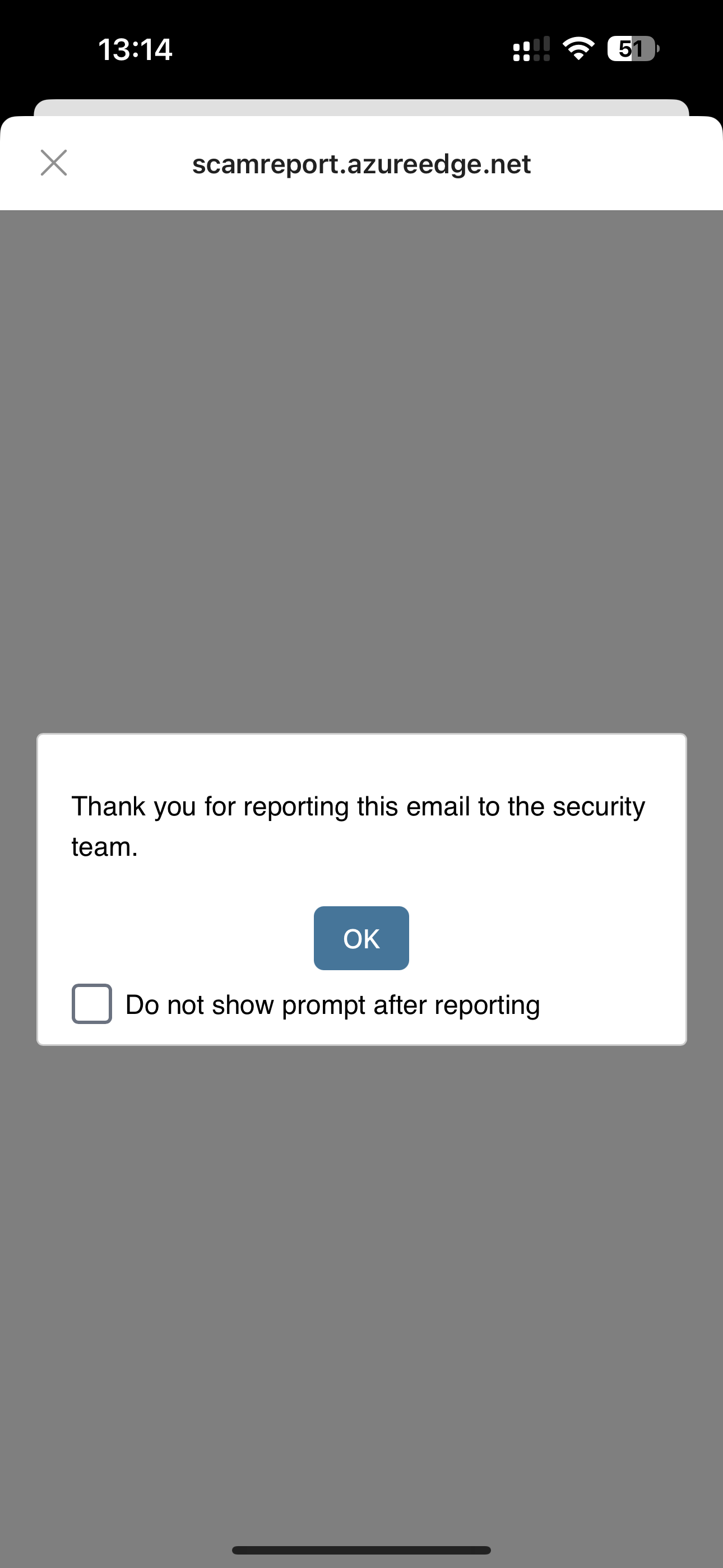
            If successful - you will receive confirmation of the report

            image.png