Scheduling a Teams Meeting
Overview
UseYou thecan below instructions to sendschedule a Teams video conference meeting invite.directly from Outlook or from within Teams. All attendees will receive a calendar invite with a Join link.
Step-by-stepSchedule guidefrom Outlook
- Open Outlook and go to your
calendar.Calendar
- Click
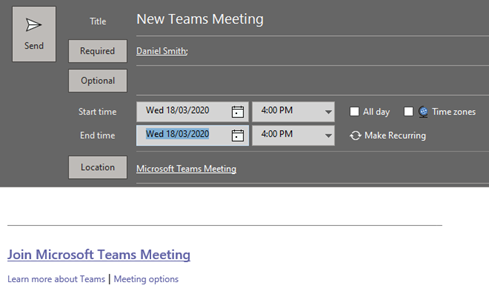
on theNew Teams Meetingiconin the ribbon at the topof the screen.
EnterFillthe details ofin the meeting title, add attendees in the To field, andclickset the date and time


Send