
"Waiting For Connection To Cash Register" on Ingenico CBA EFTPOS machine
Step-by-step guide on what to do if this message is displayed on an Ingenico CBA EFTPOS machine.
- Check if the USB B cable (usually red head) is plugged in.
- Unplug and plug USB B cable back in.
- Open file explorer > "this pc" > "c drive" > "program files (86)" > "PC_EFT" > "EftCIntUi". Double click.
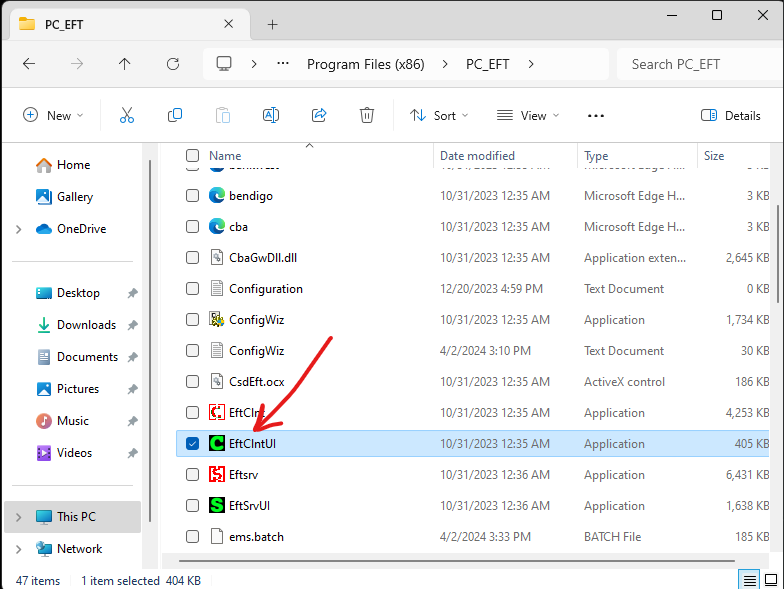
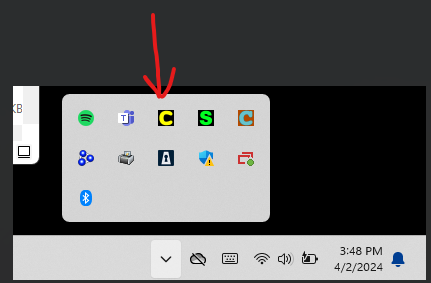
- It wont open, you need to head to the task bar at the bottom right corner and double click the icon.
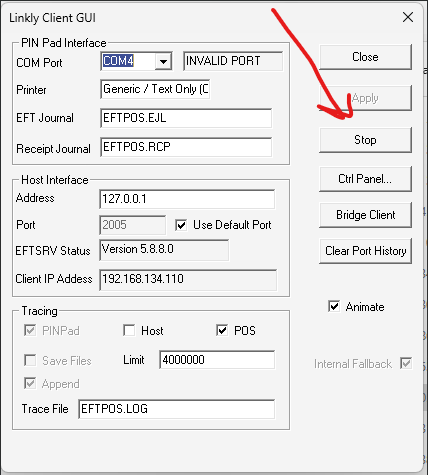
- Hit "Stop" to do a restart of the EFTPOS connection.
- Repeat from step 3 to start up again.
- If that doesn't work, the "com port' needs to be changed. To determine which com port is needed the "ConfigWiz" needs to be run. This is found in the same folder as "EftCIntUI".
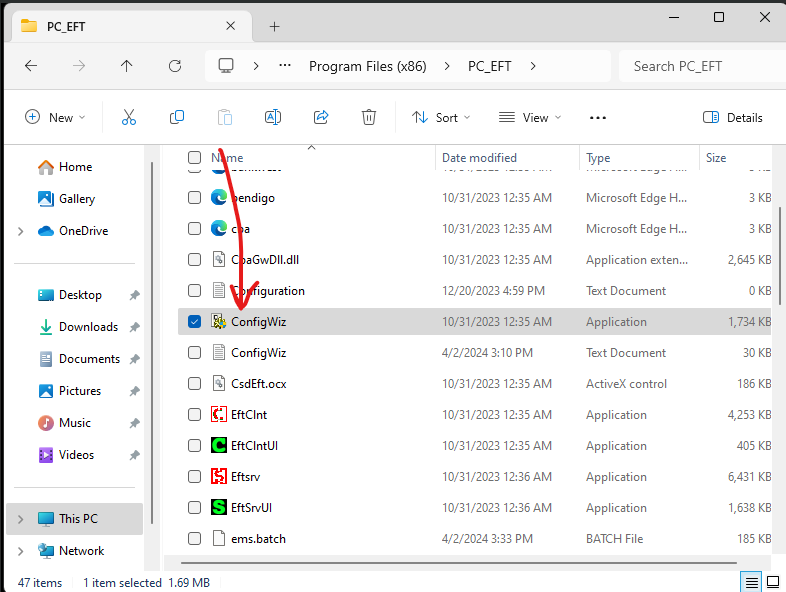
- Follow the prompts.
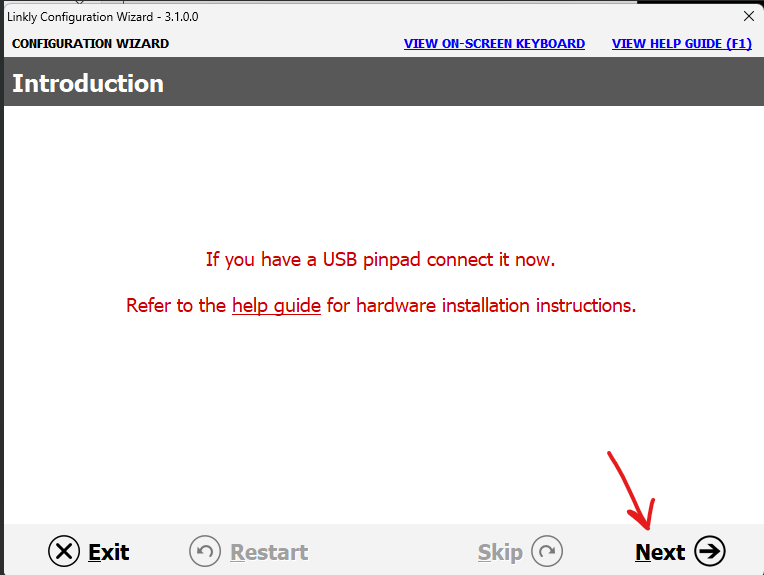
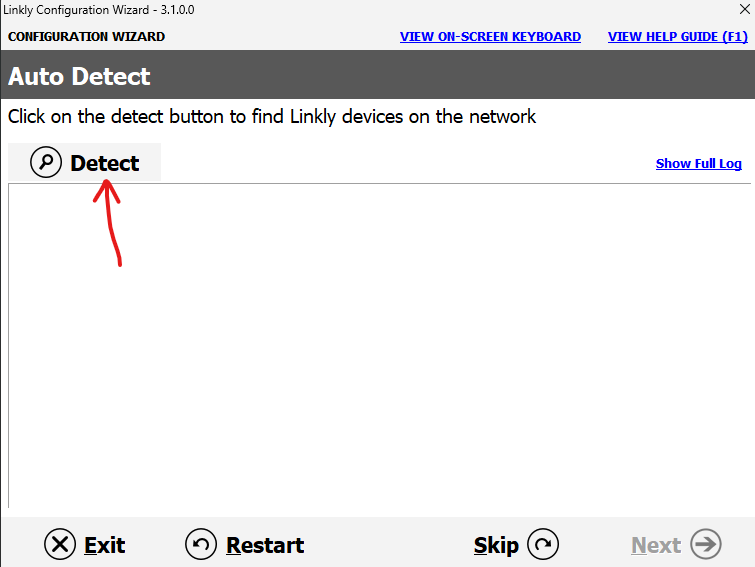
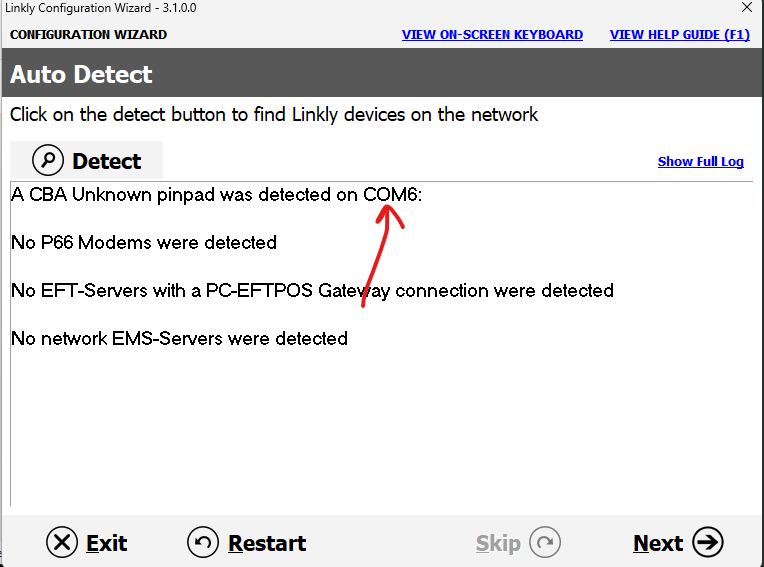
-
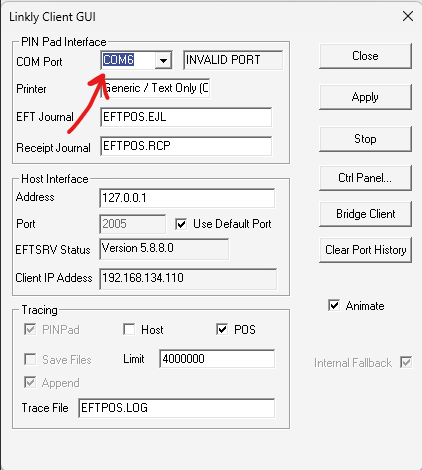
We now know what com port we need to use. Open "EftCintUI" back up and change to the correct com port, then click apply.
- To login, follow this bookstack article, https://bookstack.pbr.org.au/books/eftpos/page/logon-required-is-displayed-on-cba-essential-plus-pin-pad


