
"Waiting For Connection To Cash Register" on Ingenico CBA EFTPOS machine
Step-by-step guide on what to do if this message is displayed on an Ingenico CBA EFTPOS machine.
- Check if the USB B cable (usually red head) is plugged in.
- Unplug and plug USB B cable back in.
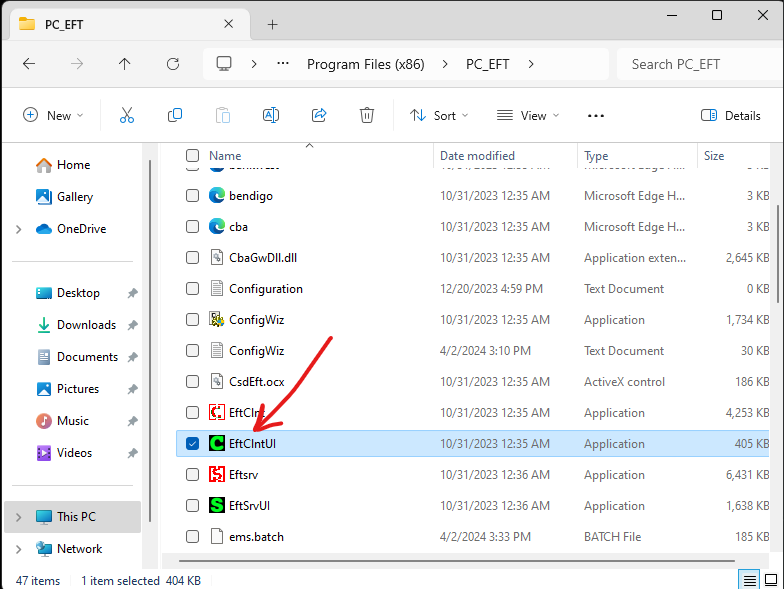
- Open file explorer > "this pc" > "c drive" > "program files (86)" > "PC_EFT" > "EftCIntUi". Double click.
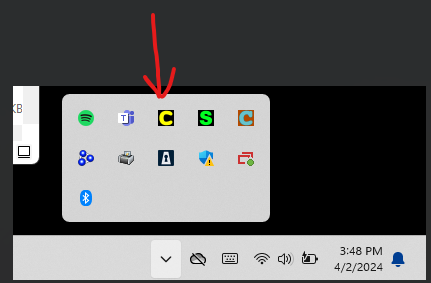
- It wont open, you need to head to the task bar at the bottom right corner and double click the icon.
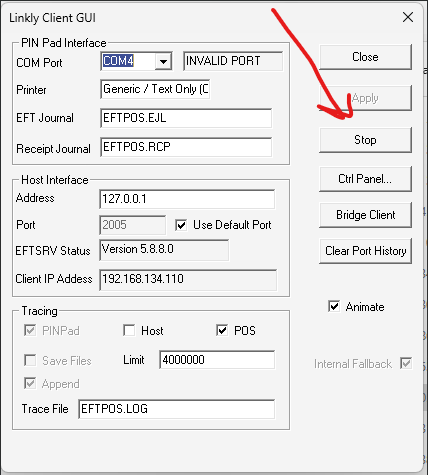
- Hit "Stop" to do a restart of the EFTPOS connection.
- Repeat from step 3 to start up again.
- If that doesn't work, the "com port' needs to be changed.


