
How To Run a Catering Report
This article will show you how to run a catering report.
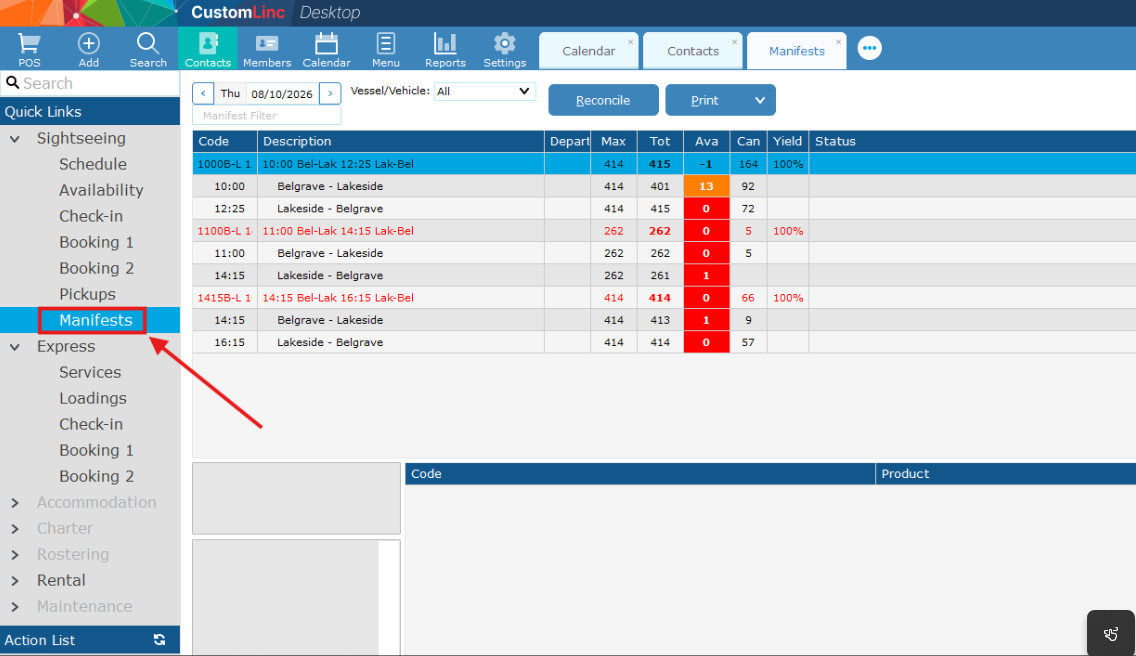
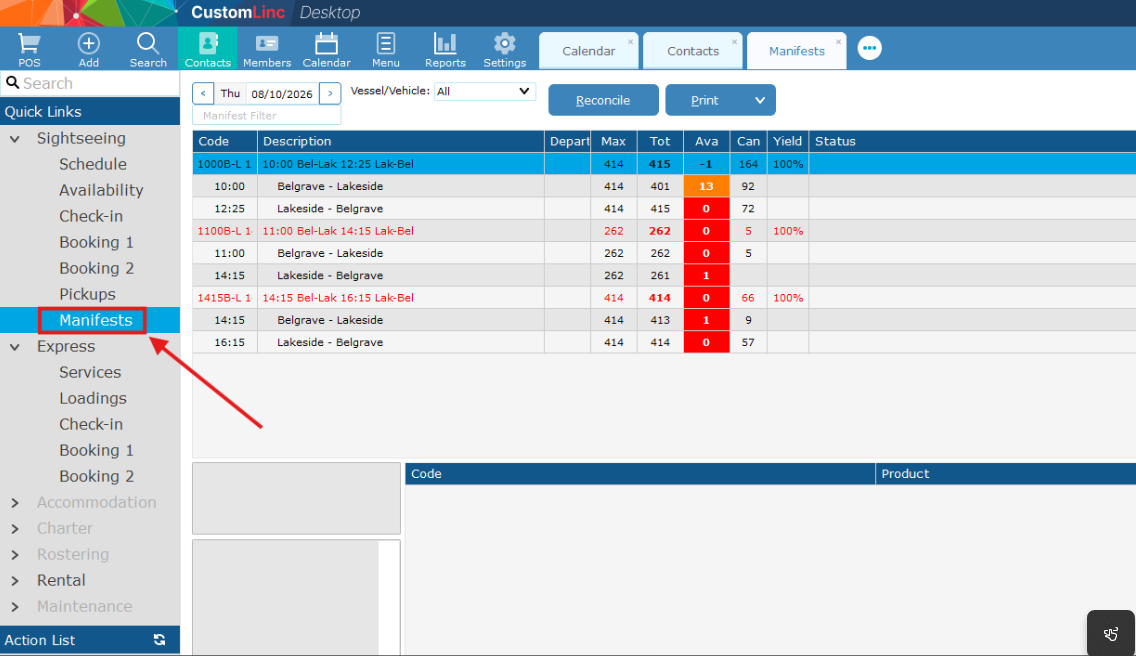
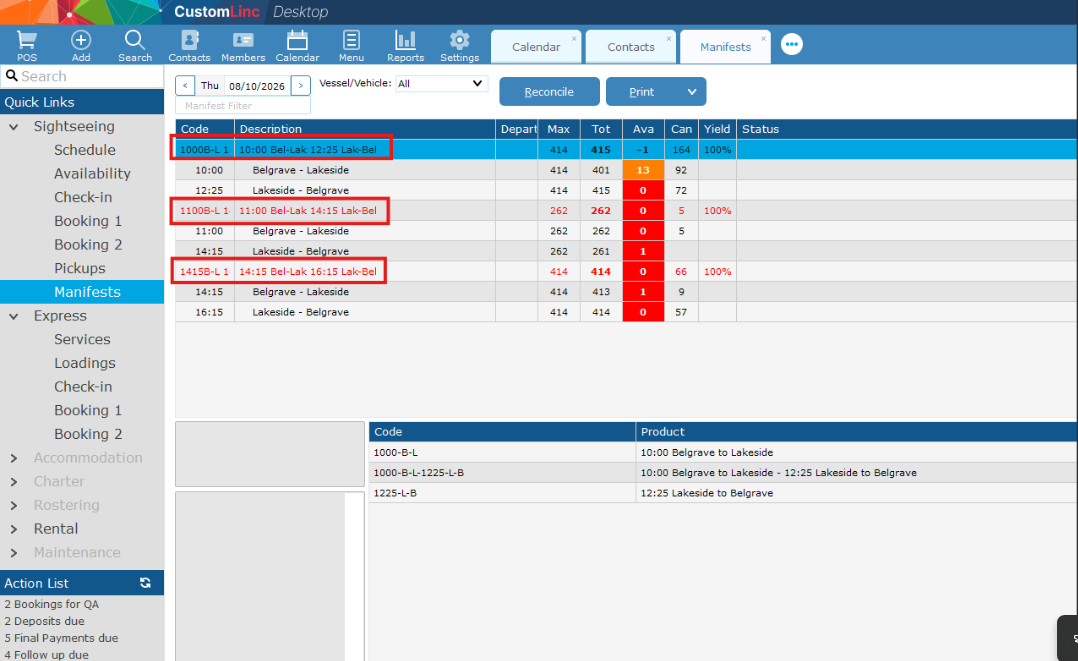
- Once logged into Custom Linc, navigate to Sightseeing > Manifests.
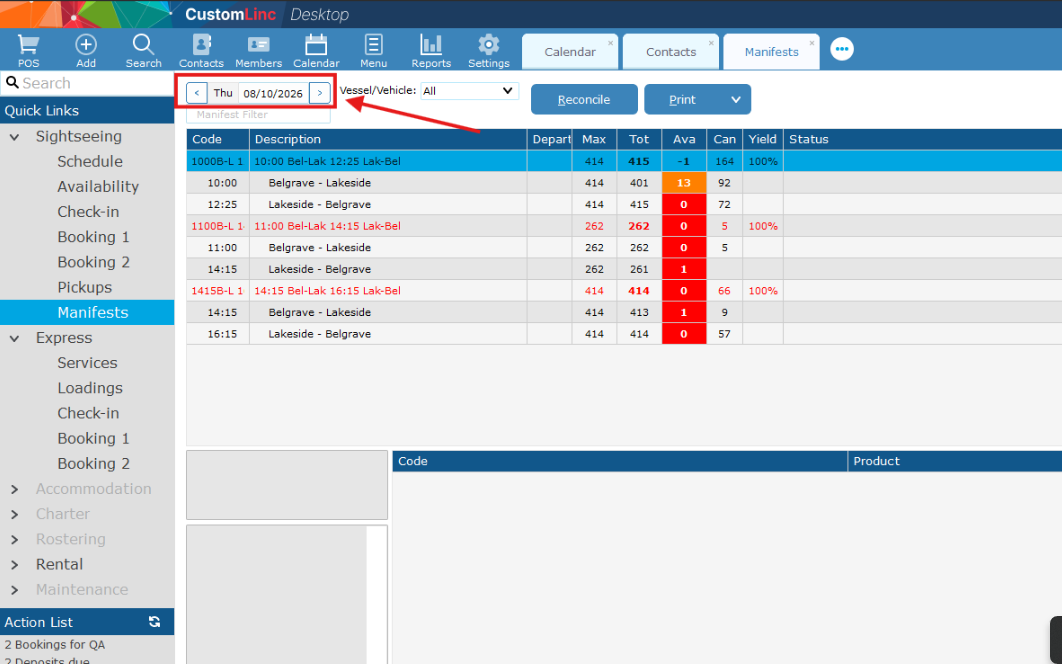
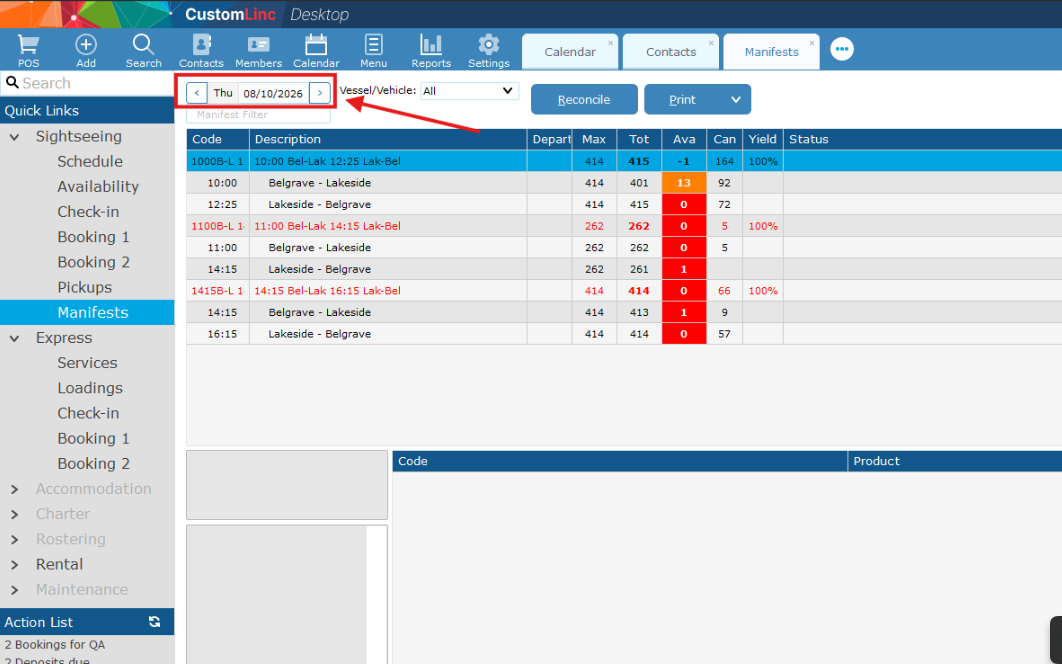
- Select the desired date you would like.
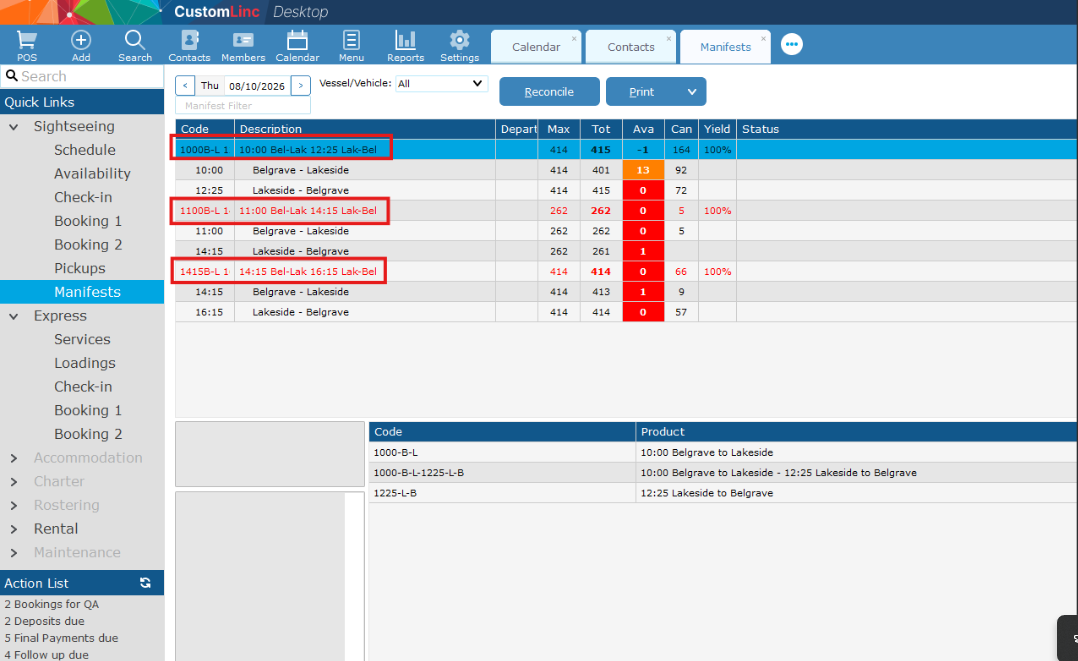
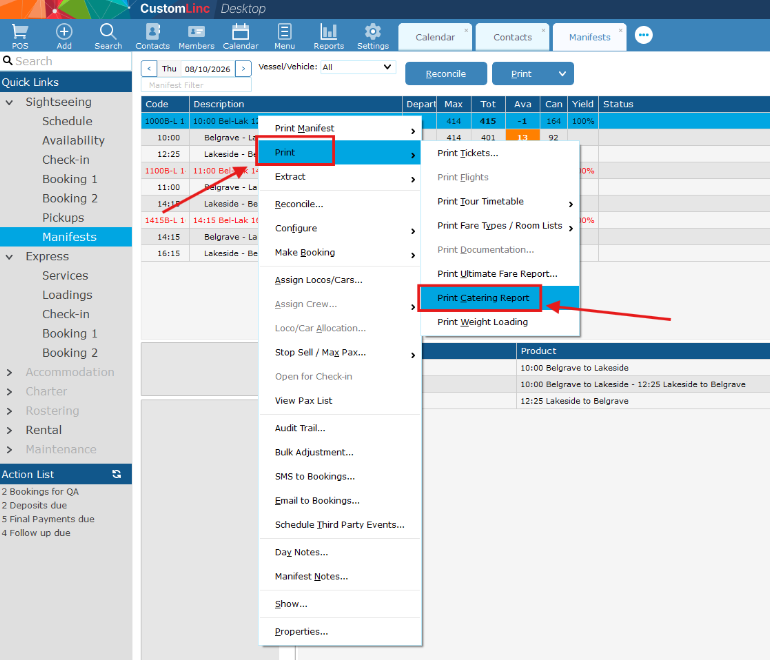
- Right click on a train service (any service will do, the report displays all services on the set date).
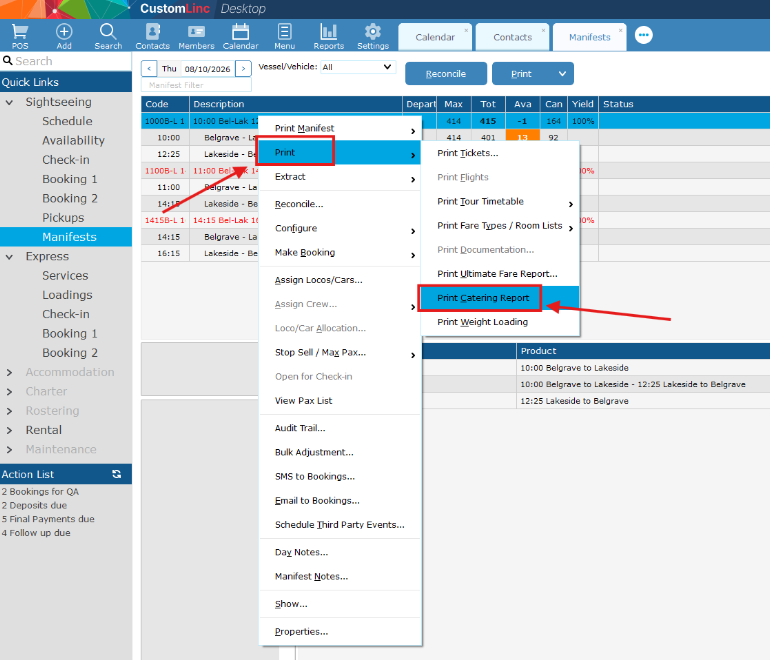
- Select "Print > Print Catering Report".
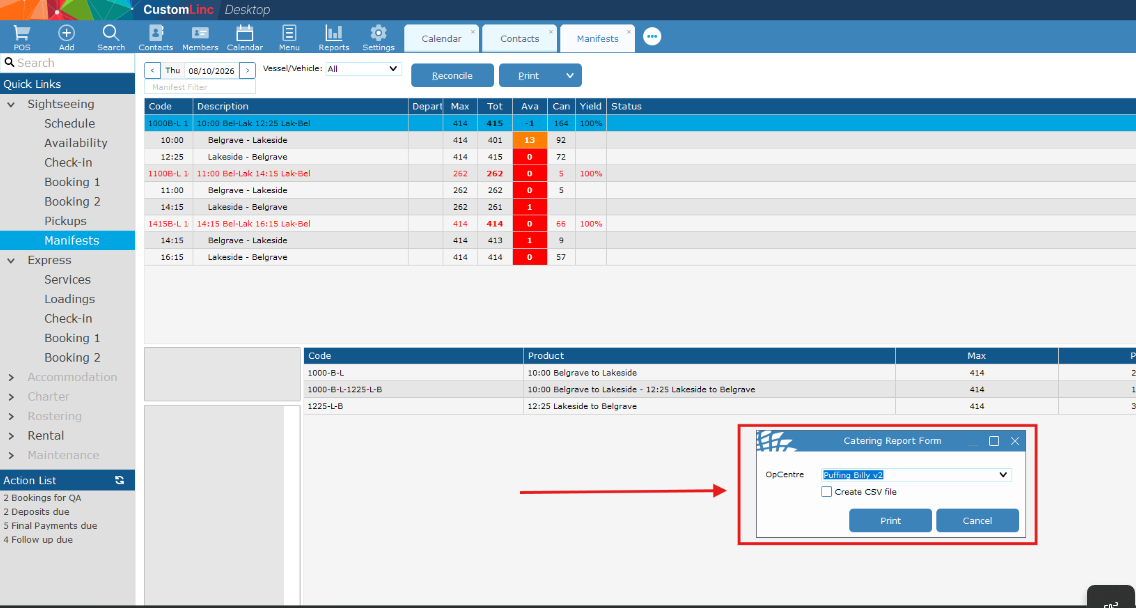
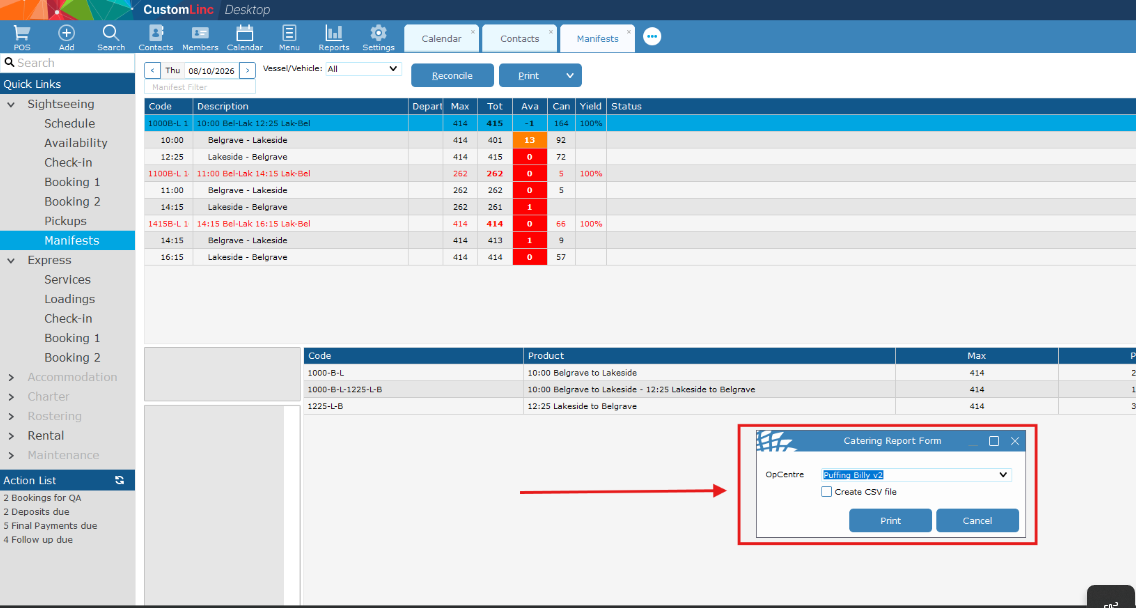
- A dialog box will appear. You can choose to create an excel csv file, or open directly into Custom Linc. (You can print it from Custom Linc, see next step.)
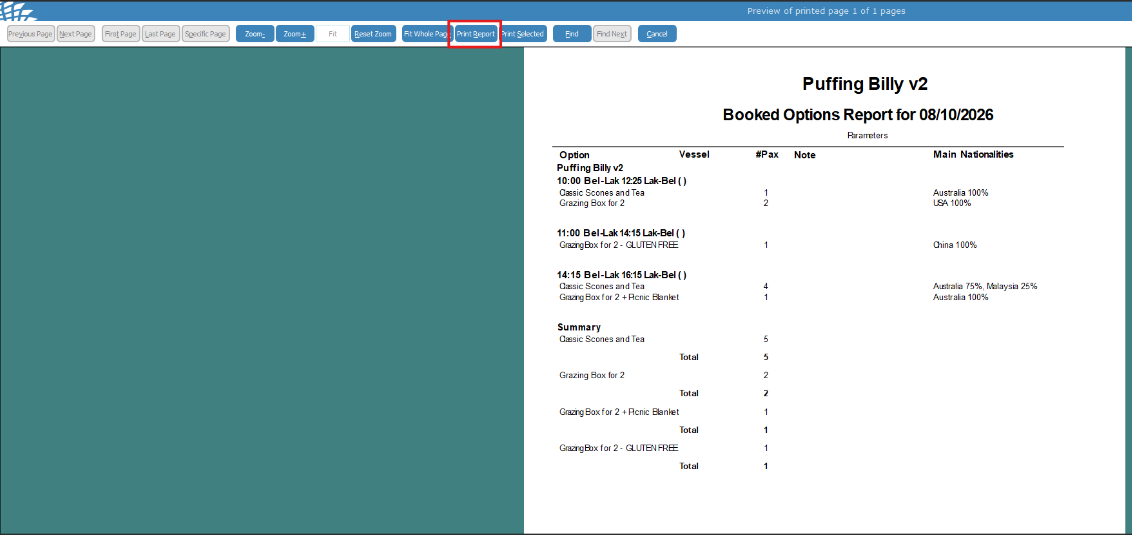
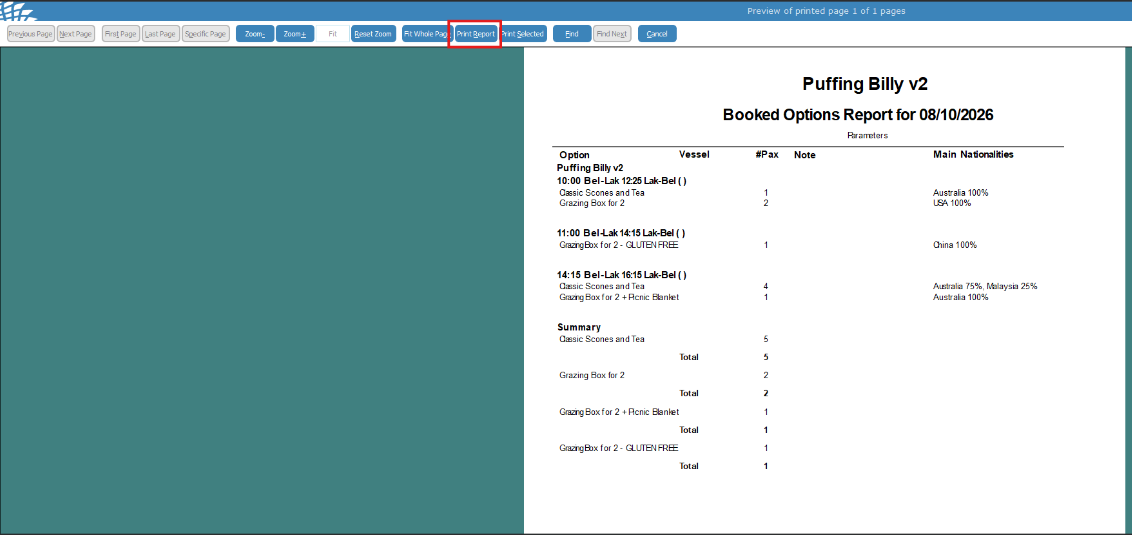
- This will show you the options listed for that day. For each service, and a total at the bottom. To print, select "Print Report" at the top.
No comments to display
No comments to display