
Adjusting the Belgrave–Gembrook Return Allocation
Overview
Use this procedure to change the capacity for the Belgrave – Gembrook Return allocation — the full return journey product, typically set to 56 seats. This procedure includes an extra step: you must also update the Allocation Group to match the new value, otherwise the seat reservation will be out of sync.
How Capacity is Structured
Each leg on a Belgrave–Gembrook service has a total capacity of 176 passengers, made up of two components:
| Component | Capacity | Notes |
|---|---|---|
| Bel - Lak & Lak - Gmb Return / single-journey passengers | 120 | Max Pax of Manifest minus Gembrook Allocation Group (below) Standard is 176 - 56 (120). |
| Belgrave – Gembrook |
56 | Maximum bookings available limited by product. |
| Total per leg | 176 |
Steps
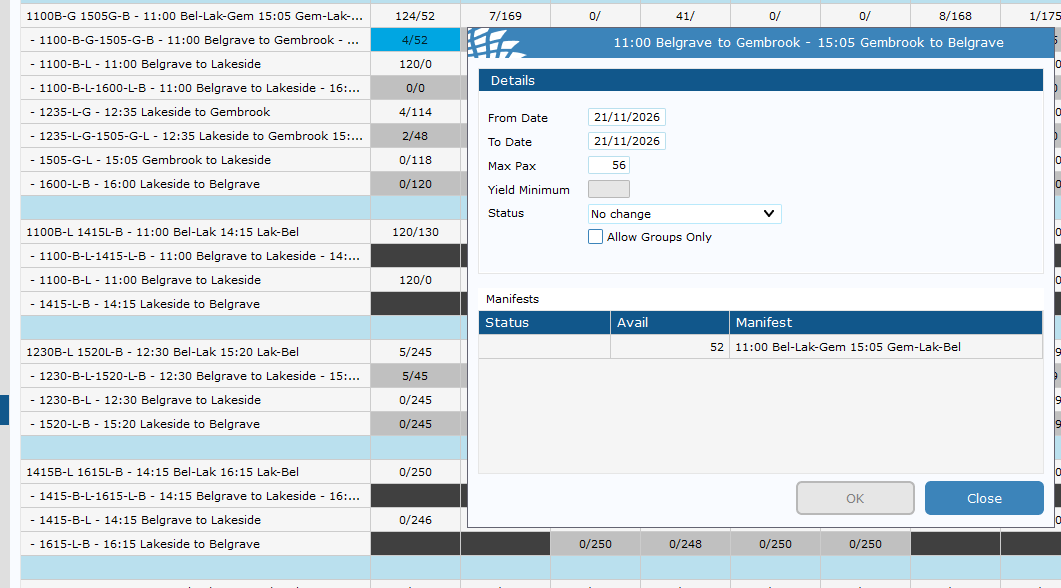
To edit the maximum available of ticket for Belgrave - Gembrook Return product.
Find you're the Belgrave - Gembrook Return product Right Click > Stop Sell/Max Pax Change Product Max Pax to new amount.
If you also need to increase the max capacity of the train (e.g. an extra carriage has been added), go to Sightseeing > Manifest and change the Manfiest max pax to the appropriate number.
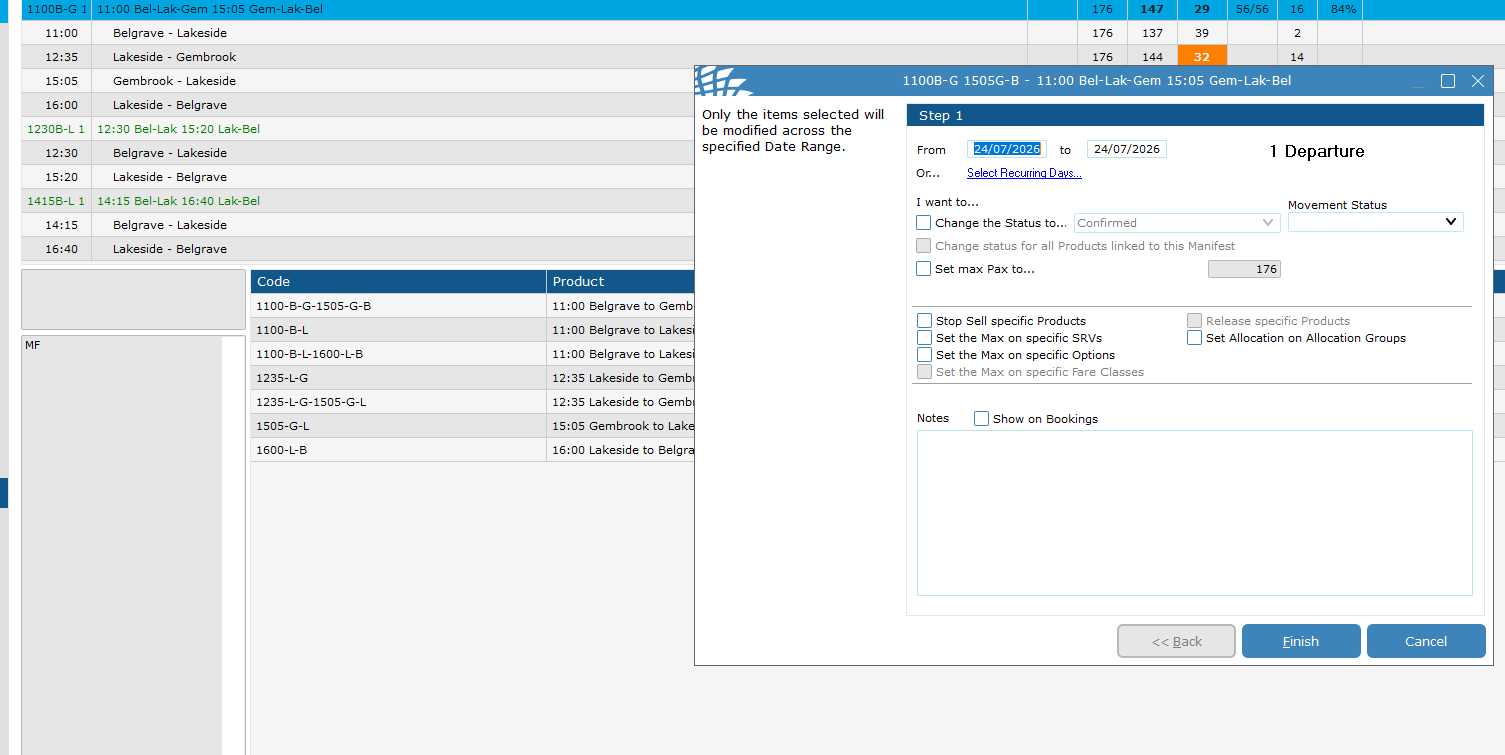
To edit the HELD amount of pax for the Belgrave - Gembrook product.
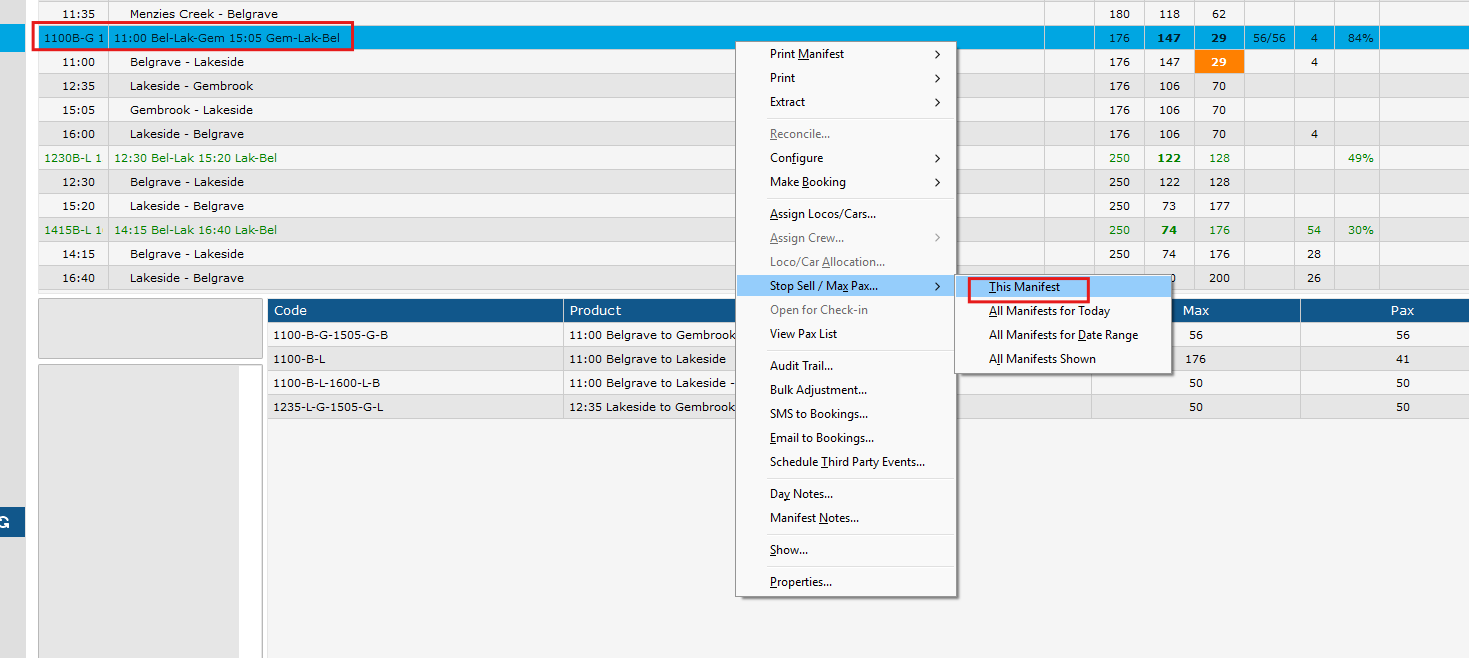
In the dialog:
- Set the From and To date range, or use Select Recurring Days… as needed.
- Tick Set
max Pax to…and enter the new capacity value.
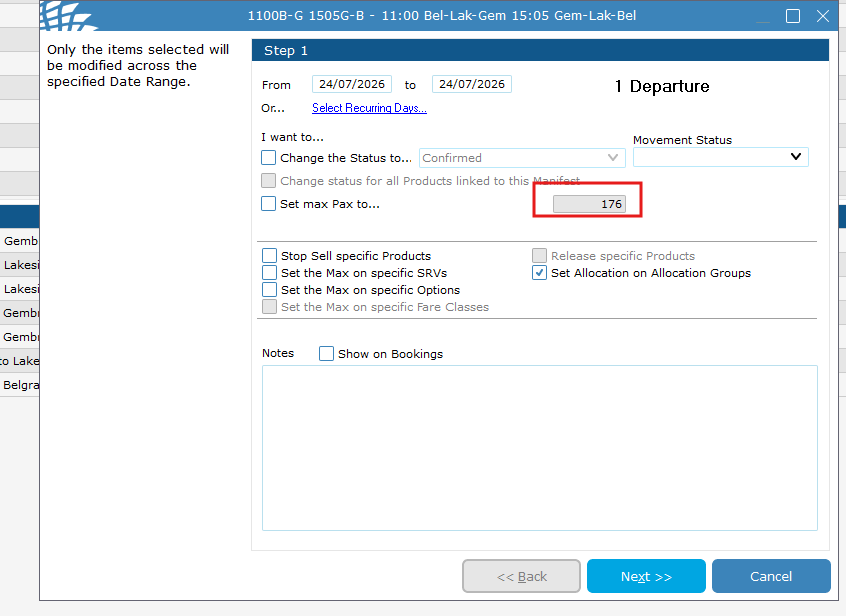
Click Finish. The Allocation Groups screen will appear. On the Allocation Groups screen, find Belgrave to Gembrook Return and set its Allocation
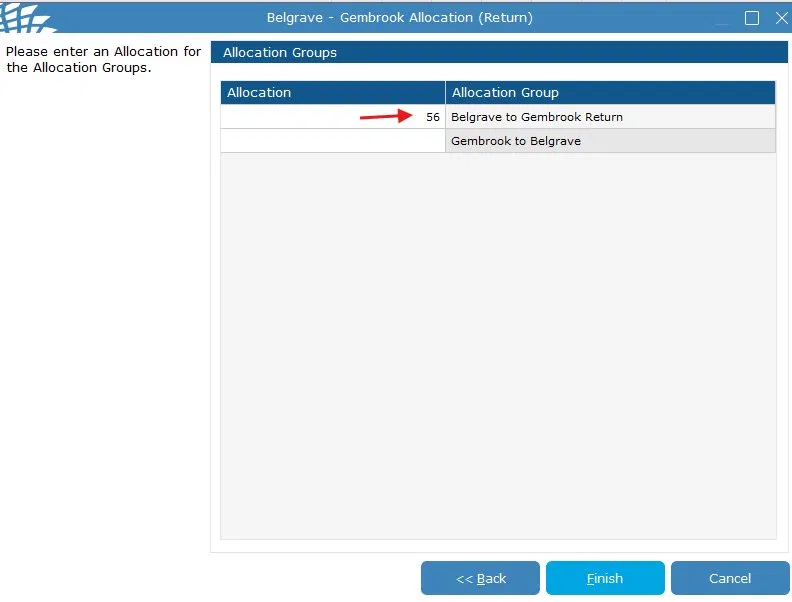
Click Finish to save. Change Does the entire train capacity need to be increased because of this?
If yes, please also adjust the manifest accordingly — see the Adjusting the Main Manifest Capacity guide.
An example of this would be an extra carriage being added to the carriage set specifically for Bel-Gmb.
Important Notes
-
The "Set Allocation on Allocation Groups" checkbox must always be ticked when changing this leg. Skipping it will cause a mismatch between the max Pax limit and the reserved seat allocation, which may result in overbooking.
- Only update the Belgrave to Gembrook Return allocation group. Leave Gembrook to Belgrave blank unless specifically instructed otherwise.
- This leg's capacity does not change automatically when you adjust the main manifest — both procedures must be performed independently if both values need updating.