
Adjusting the Belgrave–Gembrook Return Allocation
Overview
Use this procedure to change the capacity for the Belgrave – Gembrook Allocation (Return) product — the full return journey product, typically set to 56 seats. This procedure includes an extra step: you must also update the Allocation Group to match the new value, otherwise the seat reservation will be out of sync.
Steps
- In Sightseeing > Manifests, locate the relevant service and find the Belgrave – Gembrook Allocation (Return) row at the bottom of the manifest's legs.
- Right-click on the Belgrave – Gembrook Allocation (Return) leg row.
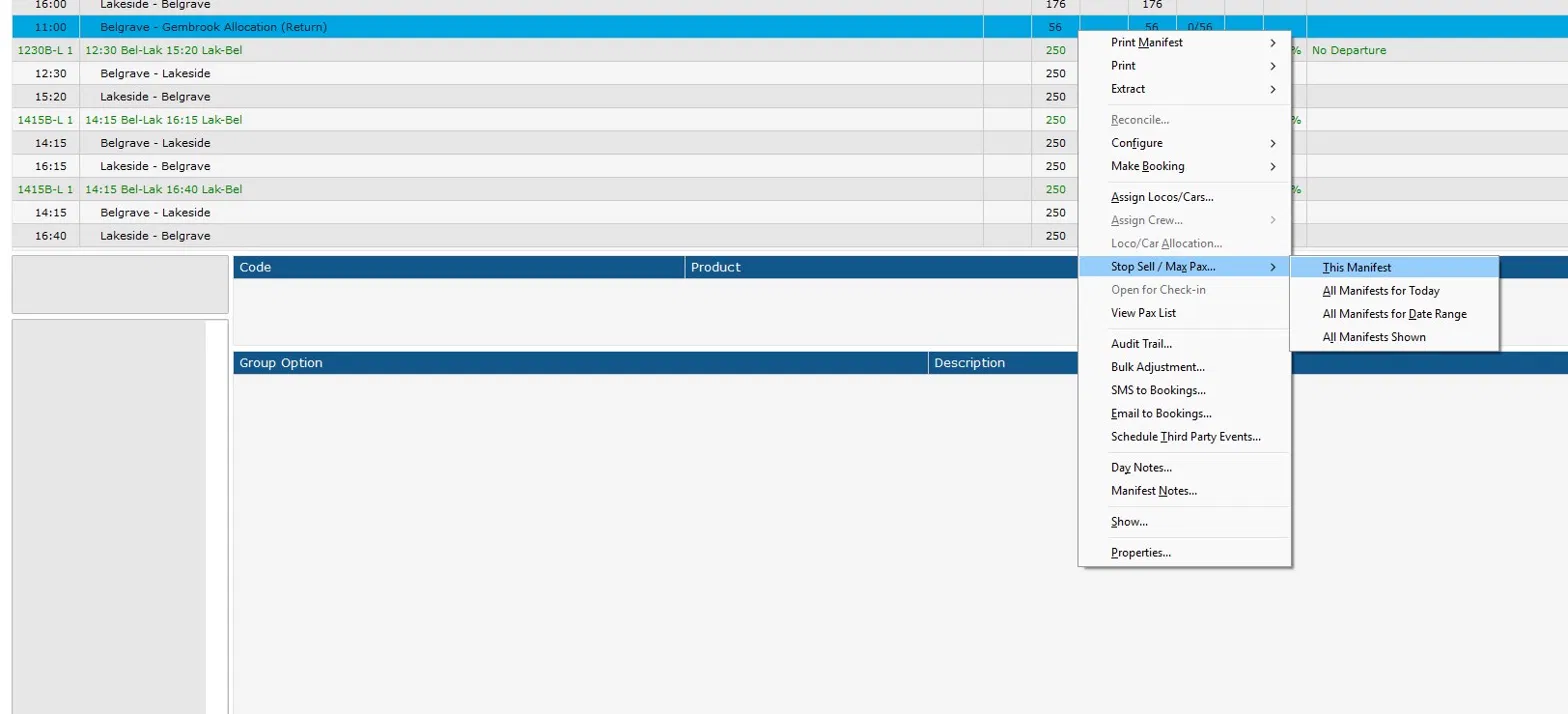
- Hover over Stop Sell / Max Pax… and select This Manifest.
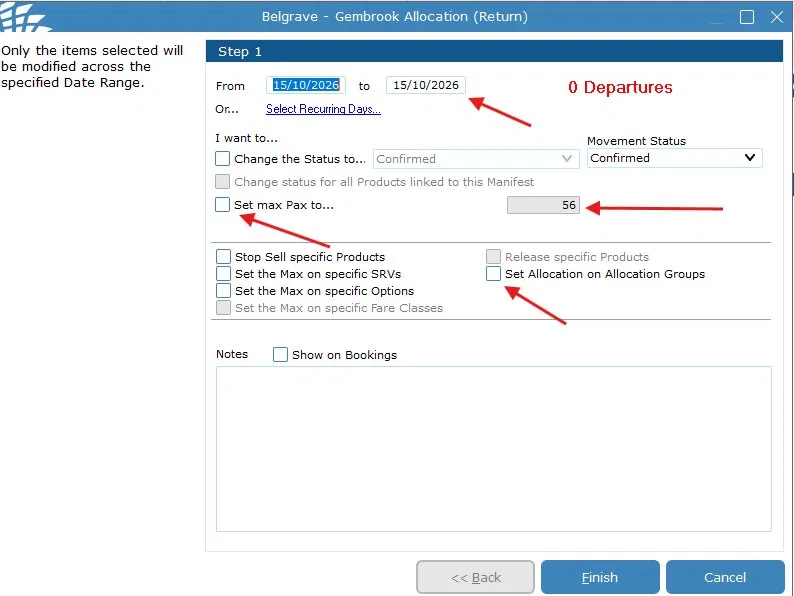
- In the dialog:
- Set the From and To date range, or use Select Recurring Days… as needed.
- Tick Set max Pax to… and enter the new capacity value.
- Tick Set Allocation on Allocation Groups — this is critical and must not be skipped.
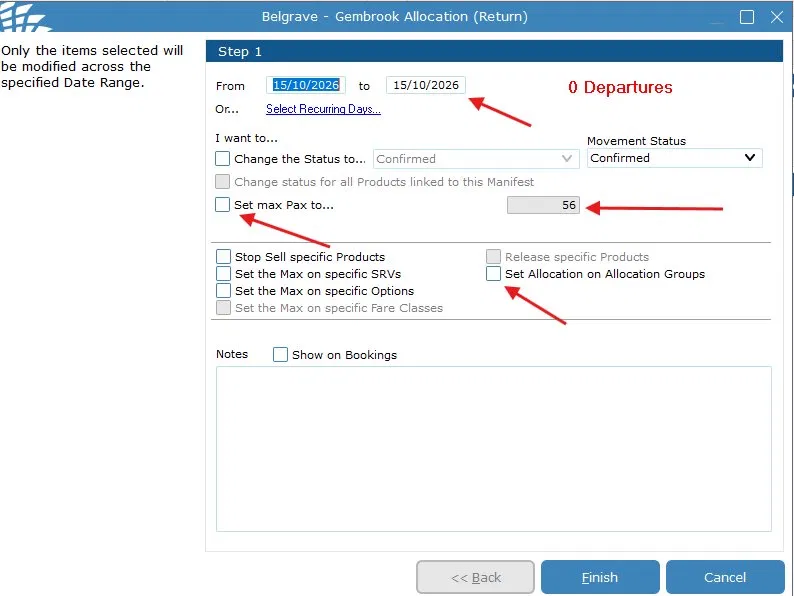
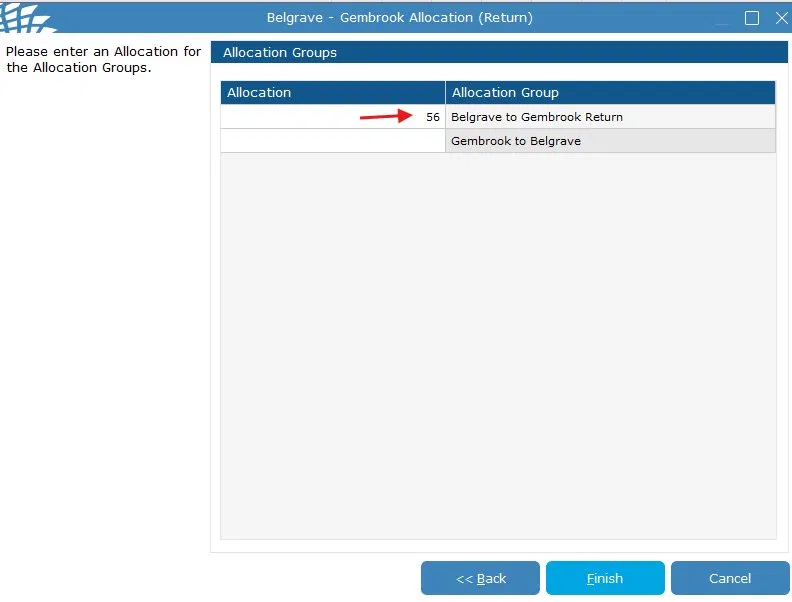
- Click Finish. The Allocation Groups screen will appear.
- On the Allocation Groups screen, find Belgrave to Gembrook Return and set its Allocation value to the same number entered for max Pax in the previous step.
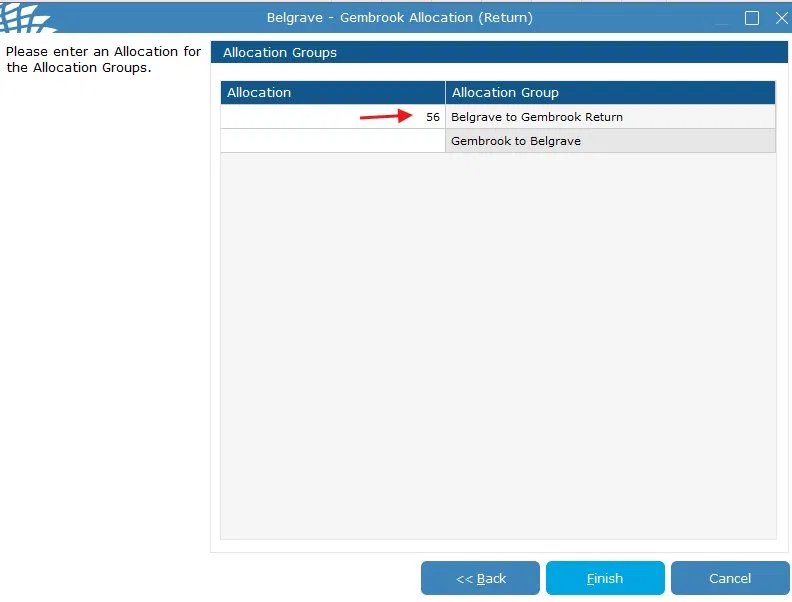
- Click Finish to save.
- Does the entire train capacity need to be increased because of this?
If yes, please also adjust the manifest accordingly — see the Adjusting the Main Manifest Capacity guide.
An example of this would be an extra carriage being added to the carriage set specifically for Bel-Gmb.
Important Notes
The "Set Allocation on Allocation Groups" checkbox must always be ticked when changing this leg. Skipping it will cause a mismatch between the max Pax limit and the reserved seat allocation, which may result in overbooking.
- Only update the Belgrave to Gembrook Return allocation group. Leave Gembrook to Belgrave blank unless specifically instructed otherwise.
- This leg's capacity does not change automatically when you adjust the main manifest — both procedures must be performed independently if both values need updating.