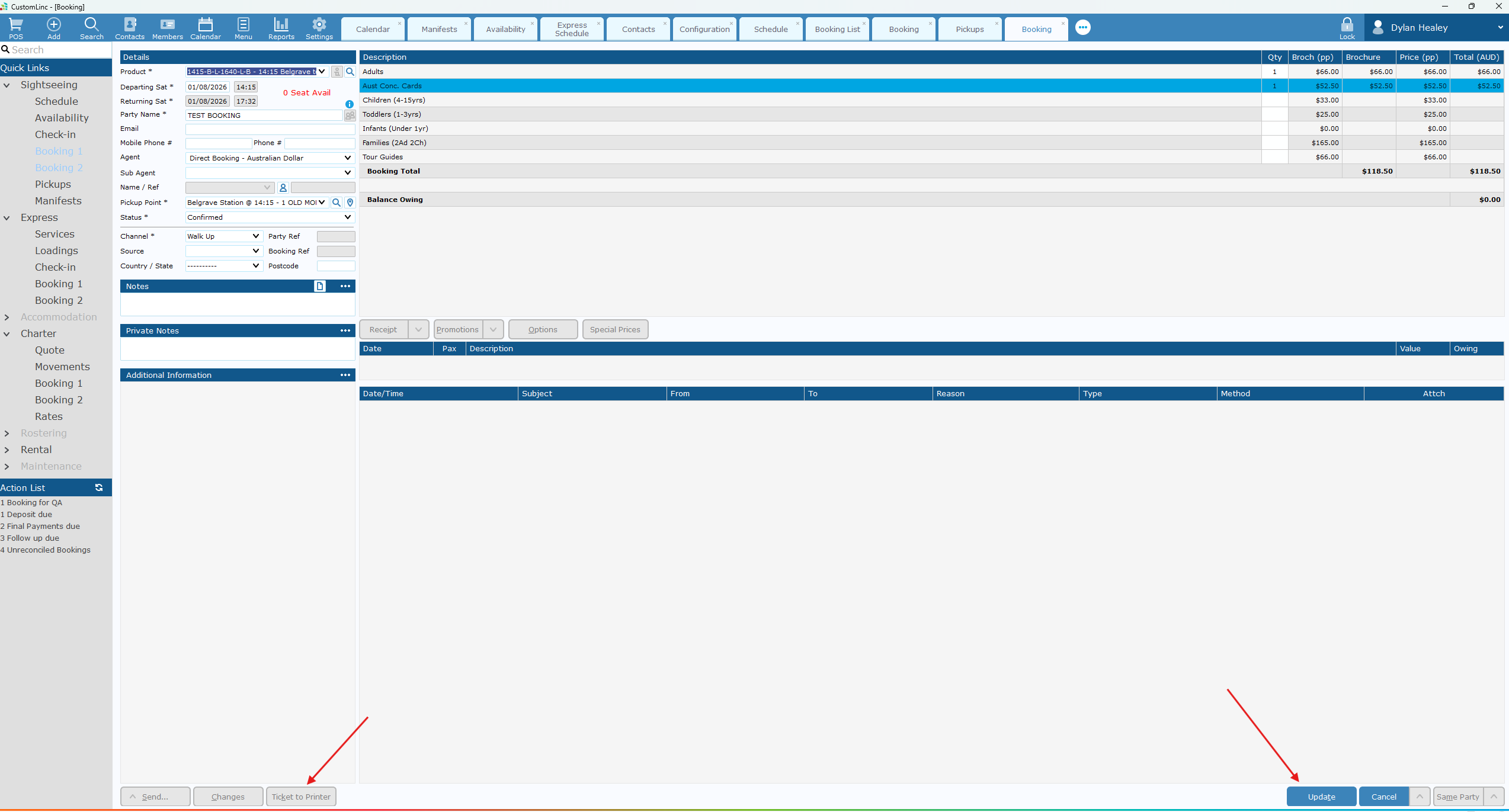
How to: Make a Booking for a Walk-Up
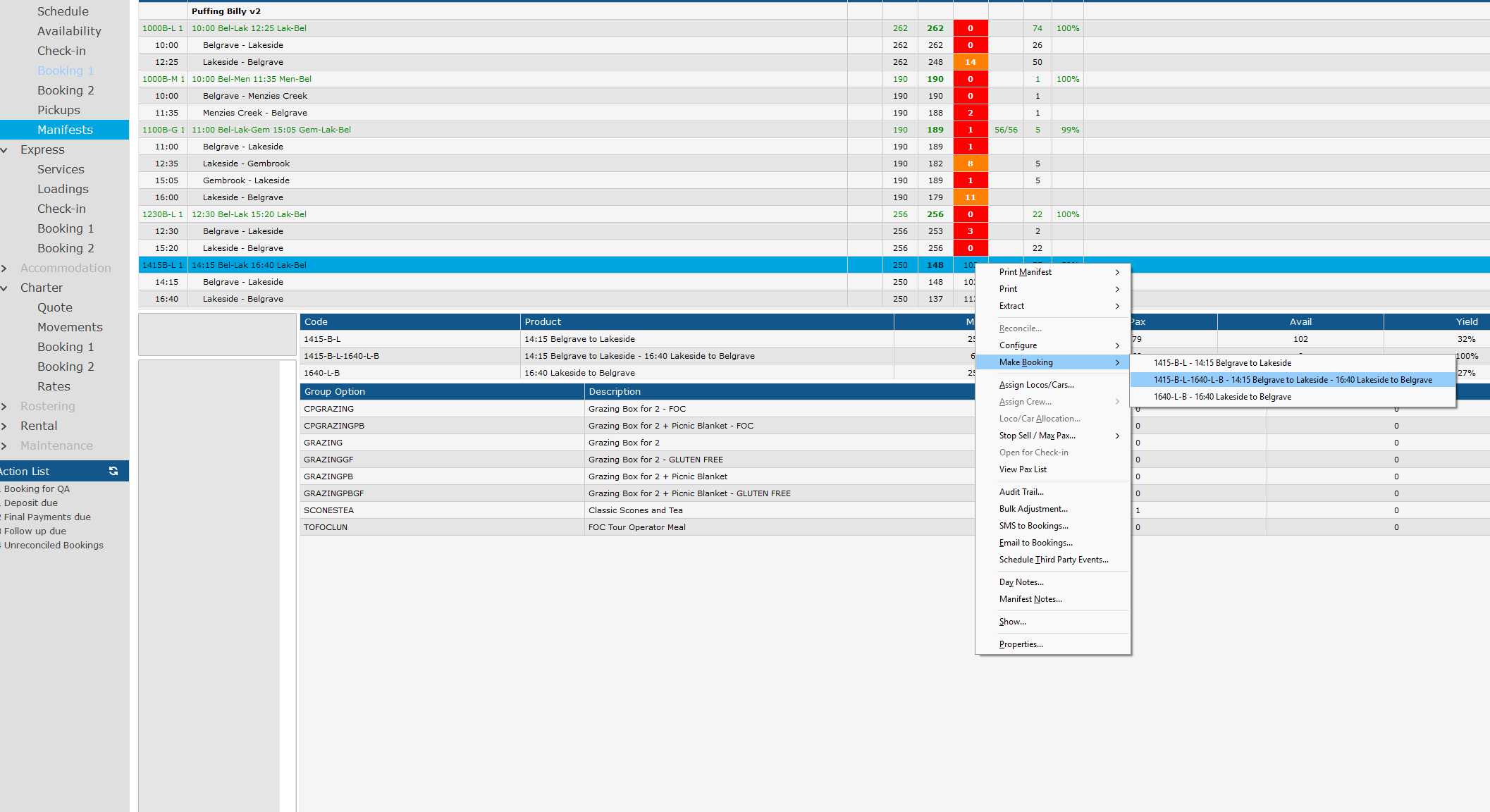
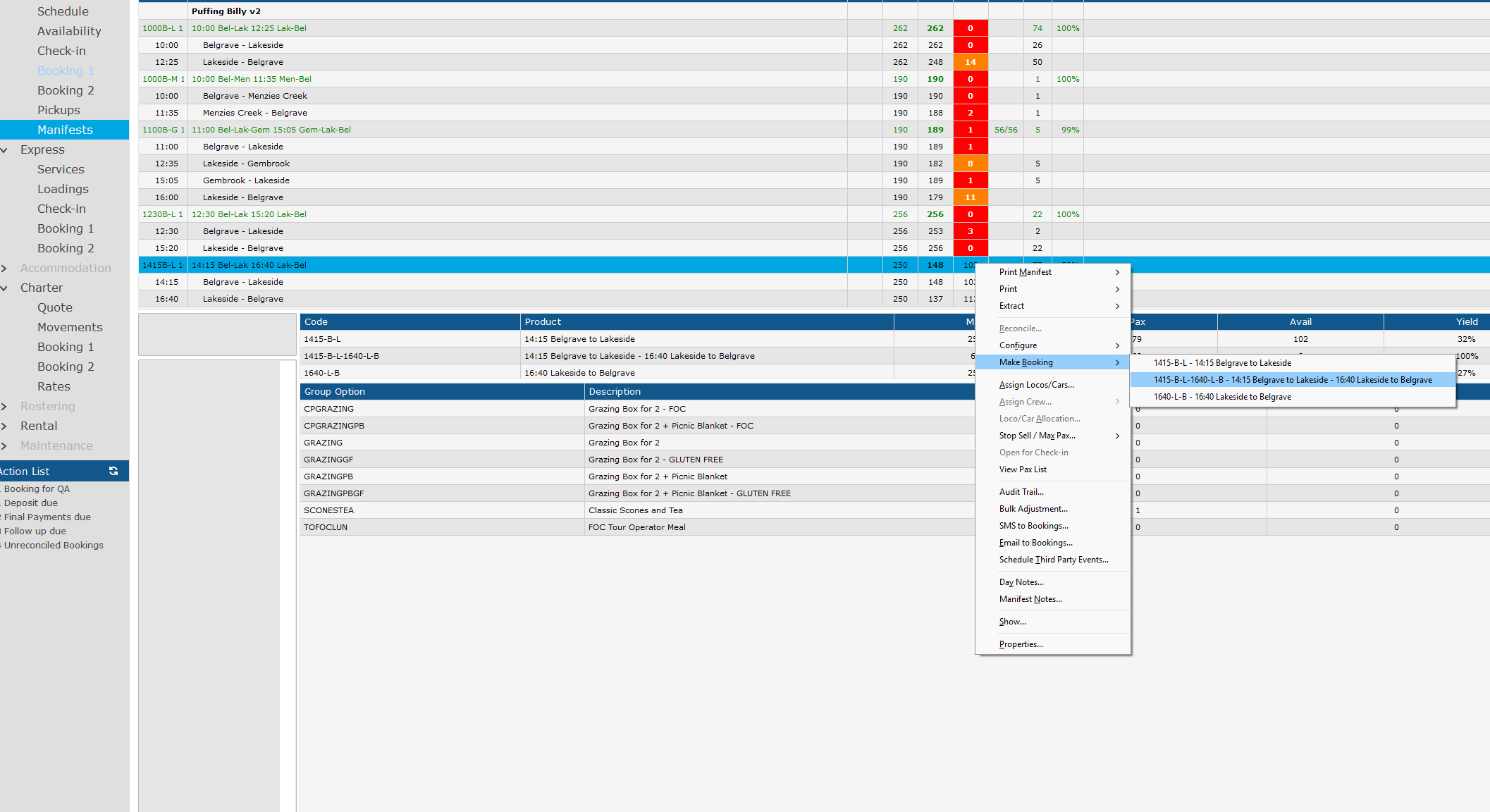
- Go to Sightseing > Manifest
- Right click the Manfiest you would like to book a product for. (The manifest will have Green Text)
In this example we will make a booking for the 14:15 Bel - Lak with a 16:40 Lak - Bel Return. - Go to Make Booking, click on the product you wish to sell.
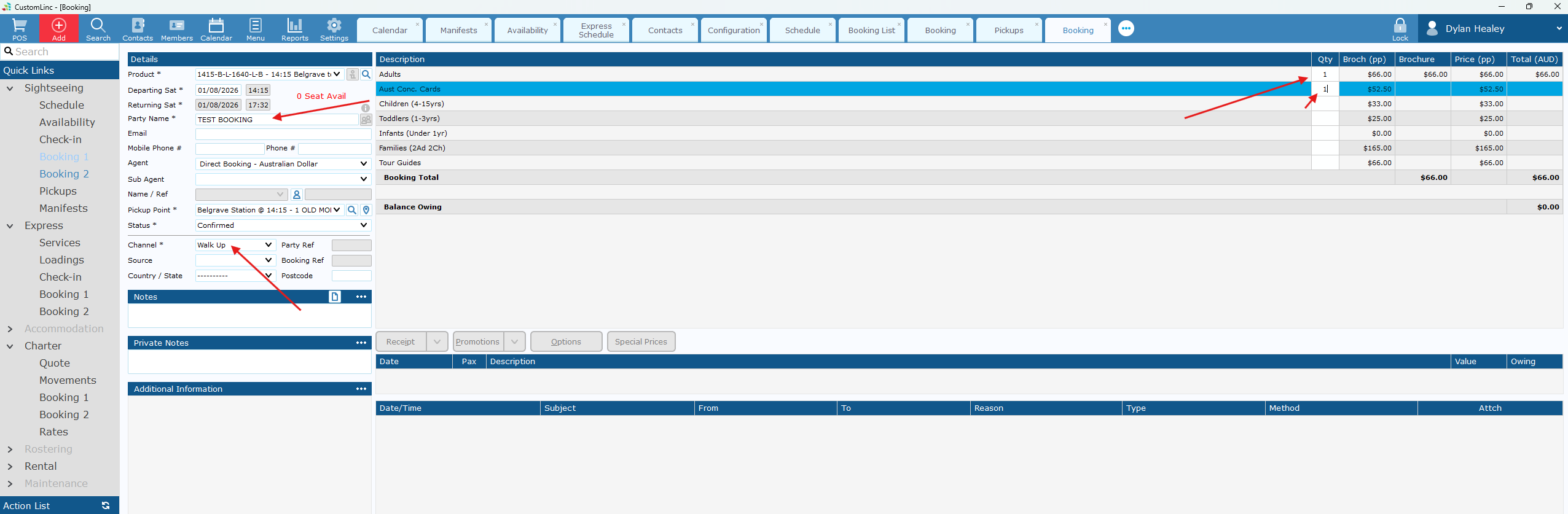
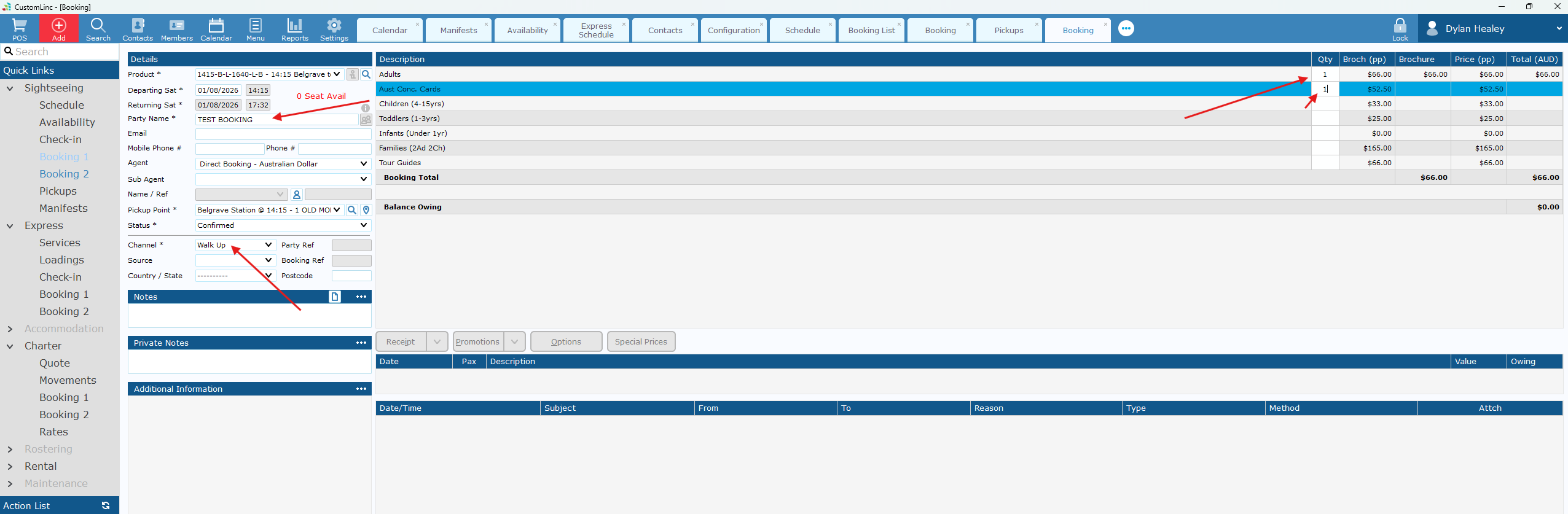
- Fill in Party Name, Select Walk Up in Channel and input the fares you would like to sell.
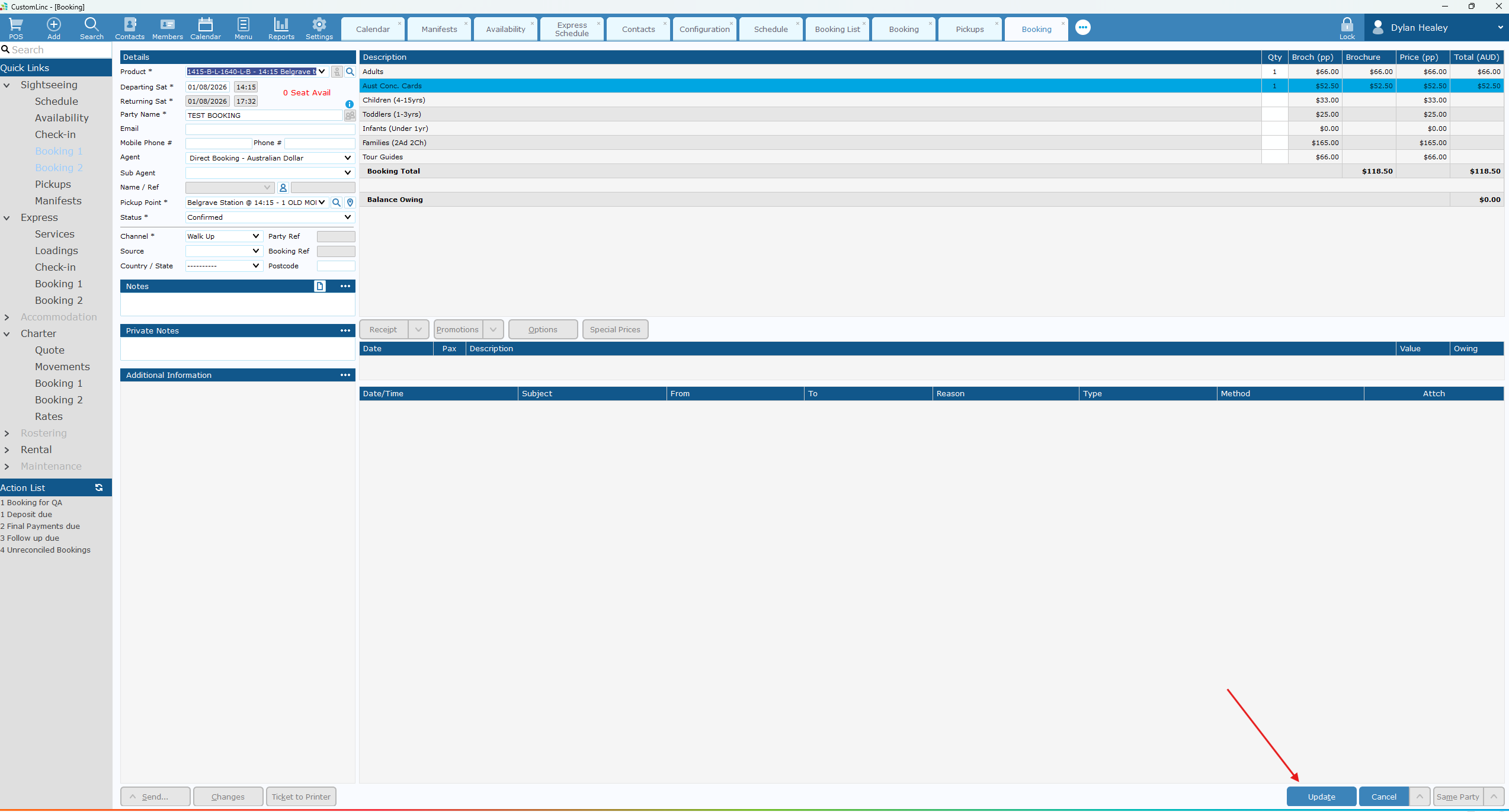
- Click Update in the bottom
rightright.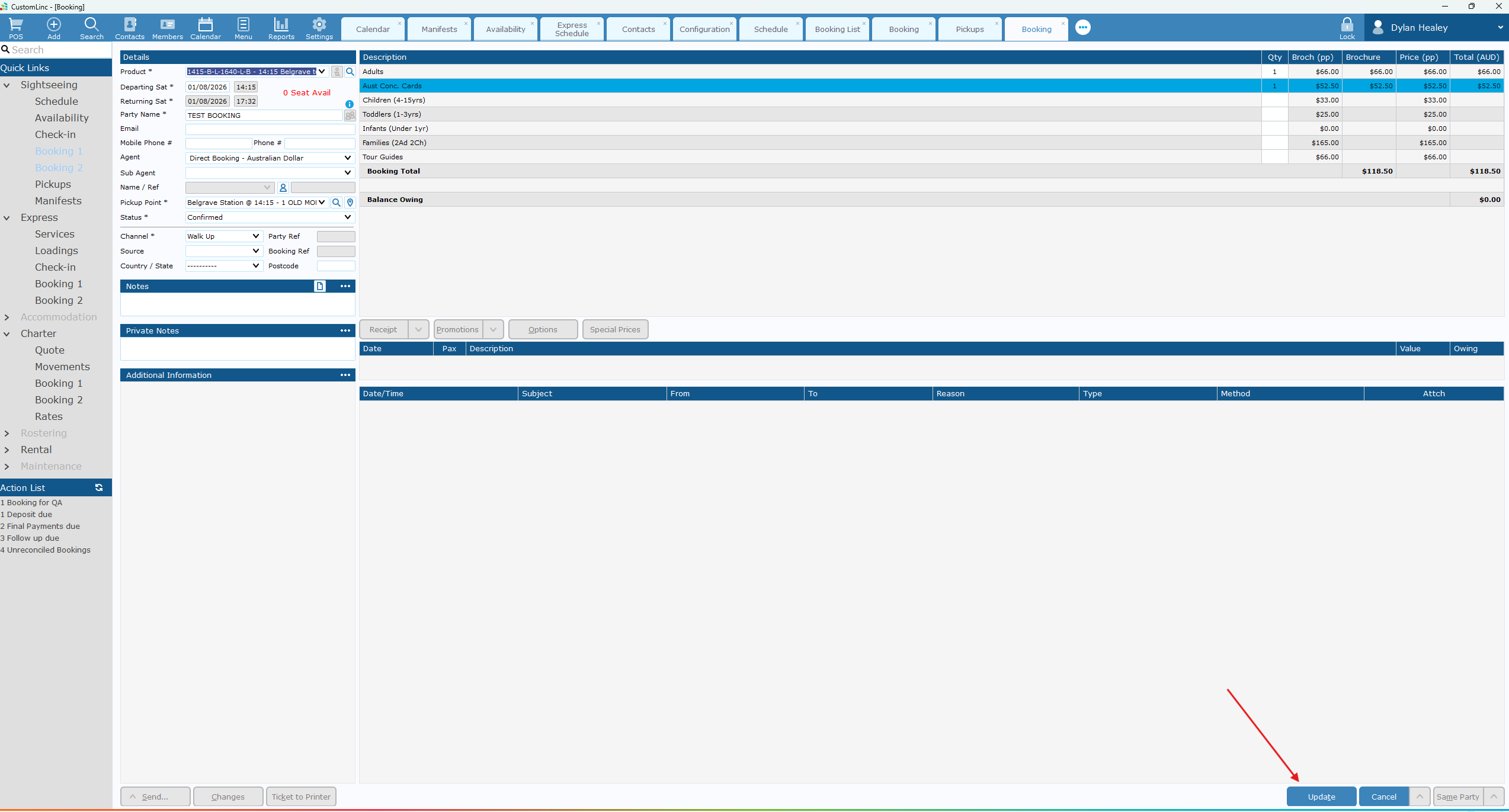
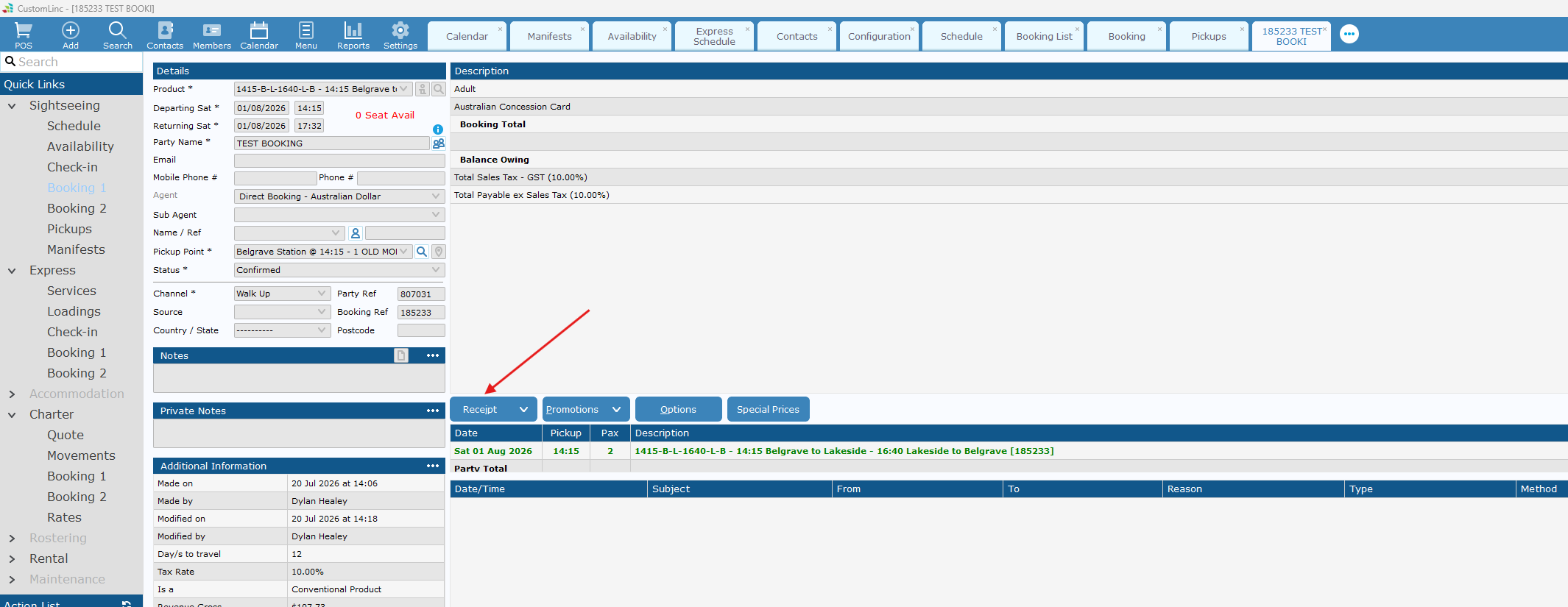
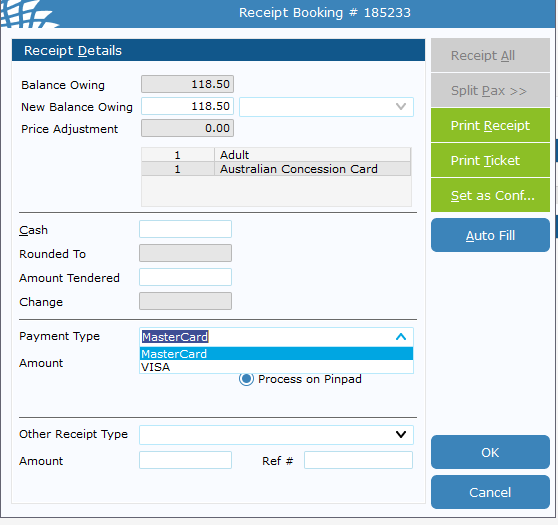
Click the Payment Type dropdown and Select Visa or Mastercard.
It does not matter which one you choose.
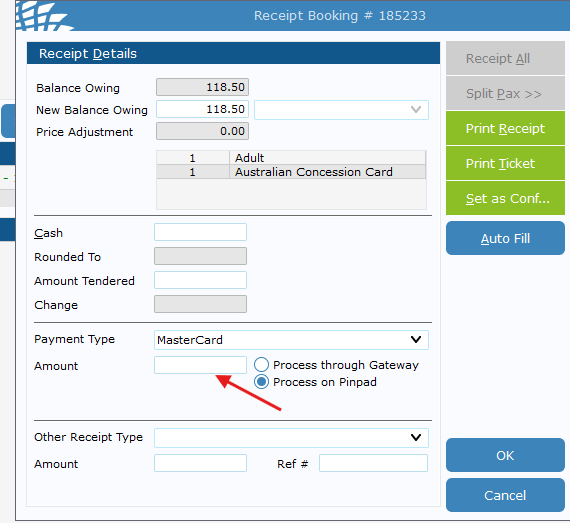
Double left click the amount, it will auot fill with the total balance owing.
Click Ok, then finish the transaction on the EFTPOS machine.
It may take 20-30 seconds the first time of the day to logon.
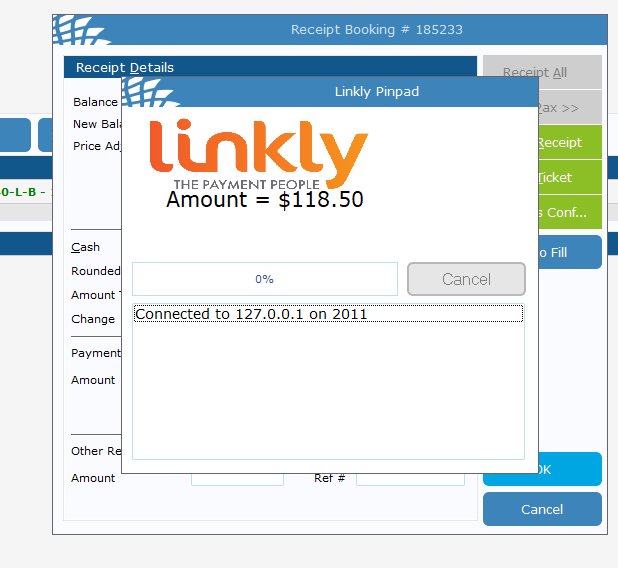
Once complete, it should auto exit out. Then you can