Skip to main content
How to: Make a Booking for a Walk-Up
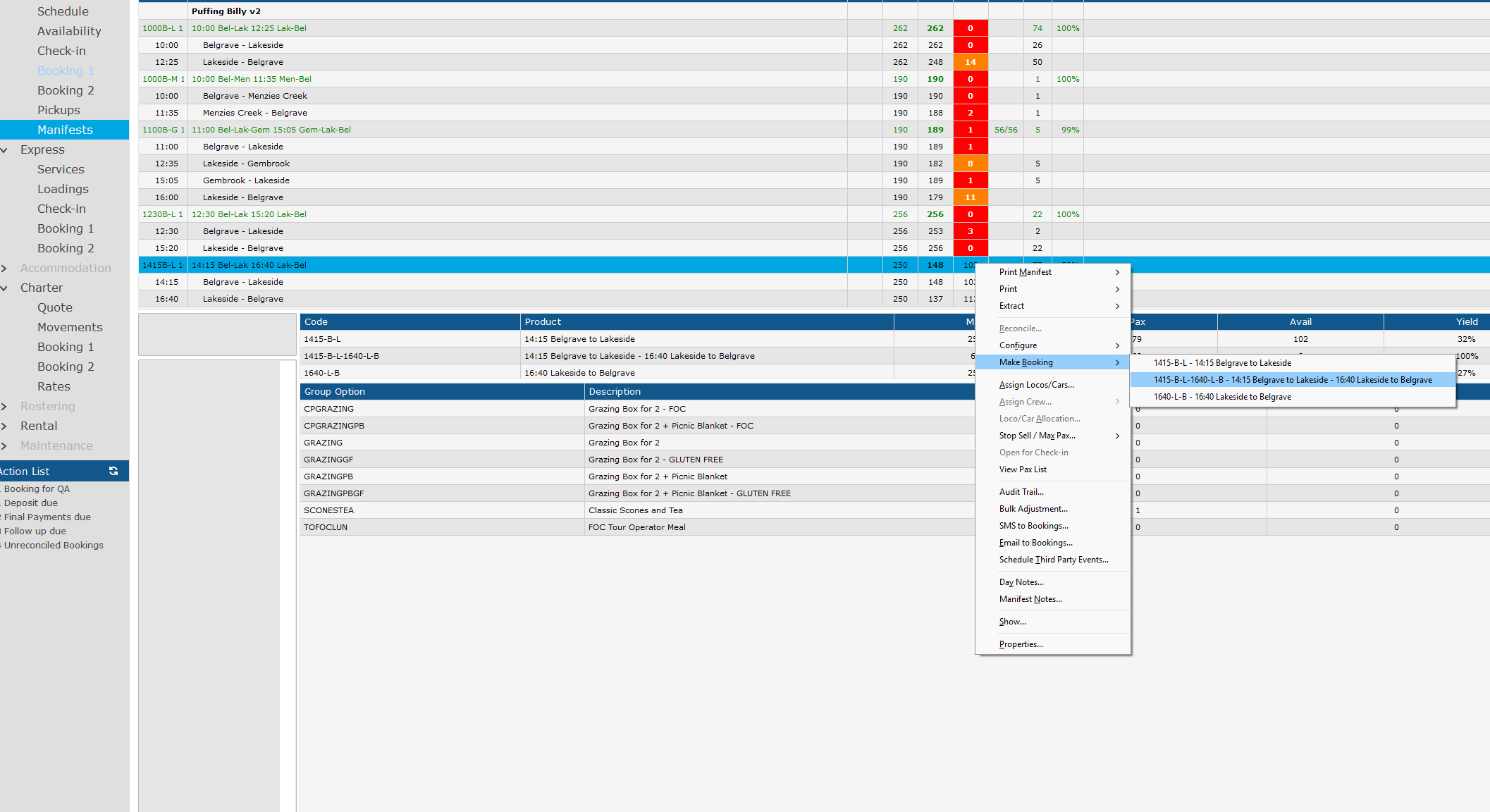
- Go to Sightseing > Manifest
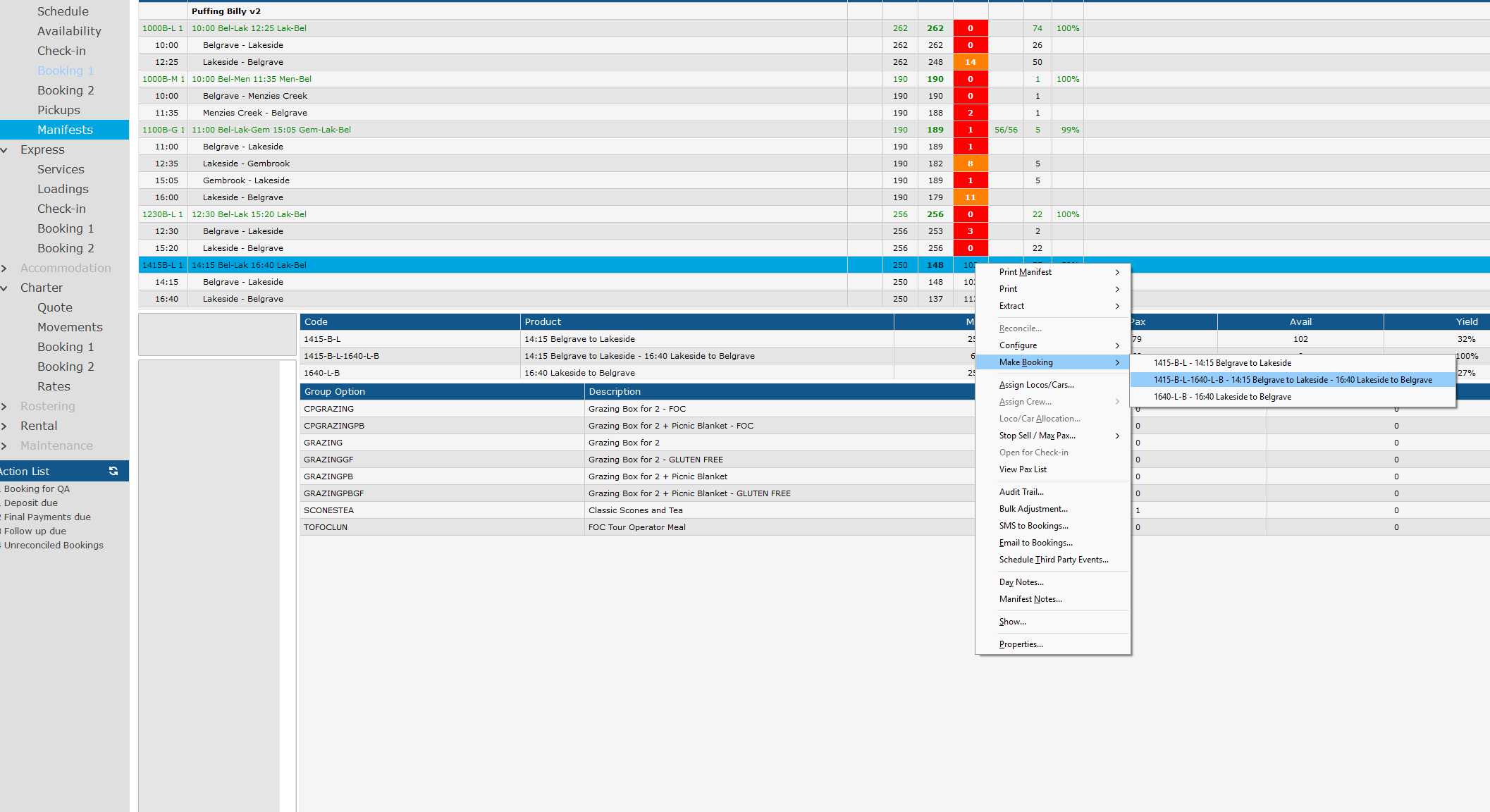
- Right click the Manfiest you would like to book a product for. (The manifest will have Green Text)
In this example we will make a booking for the 14:15 Bel - Lak with a 16:40 Lak - Bel Return.
- Go to Make Booking, click on the product you wish to sell.
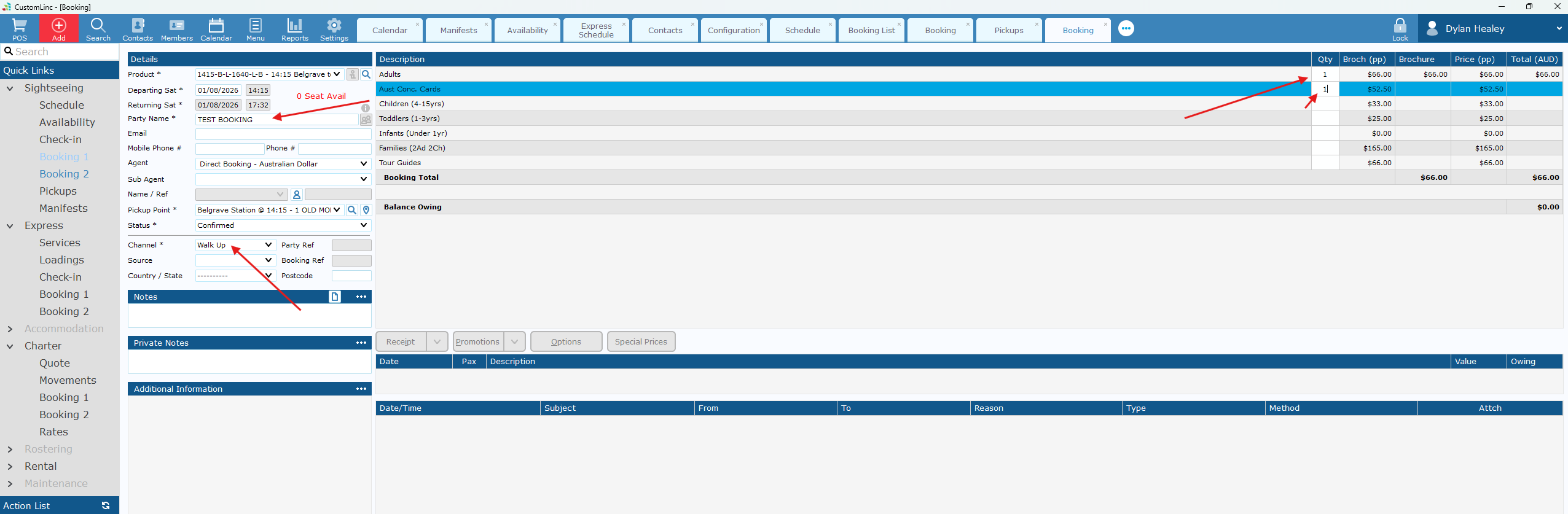
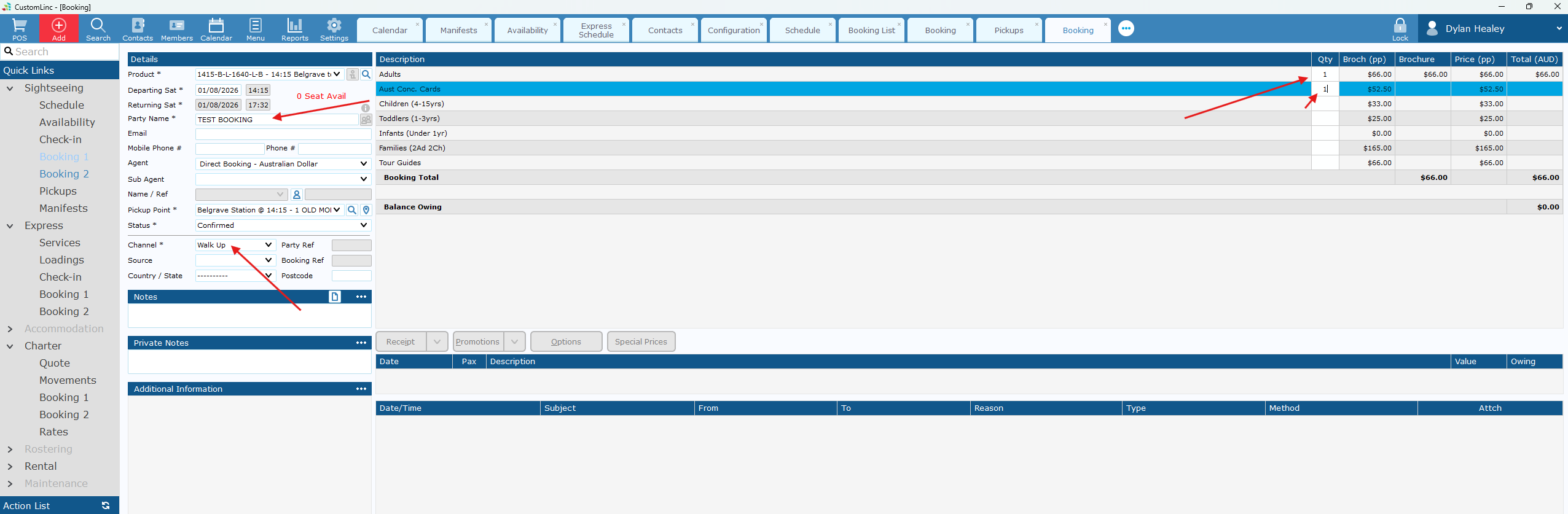
- Fill in Party Name, Select Walk Up in Channel and input the fares you would like to sell.
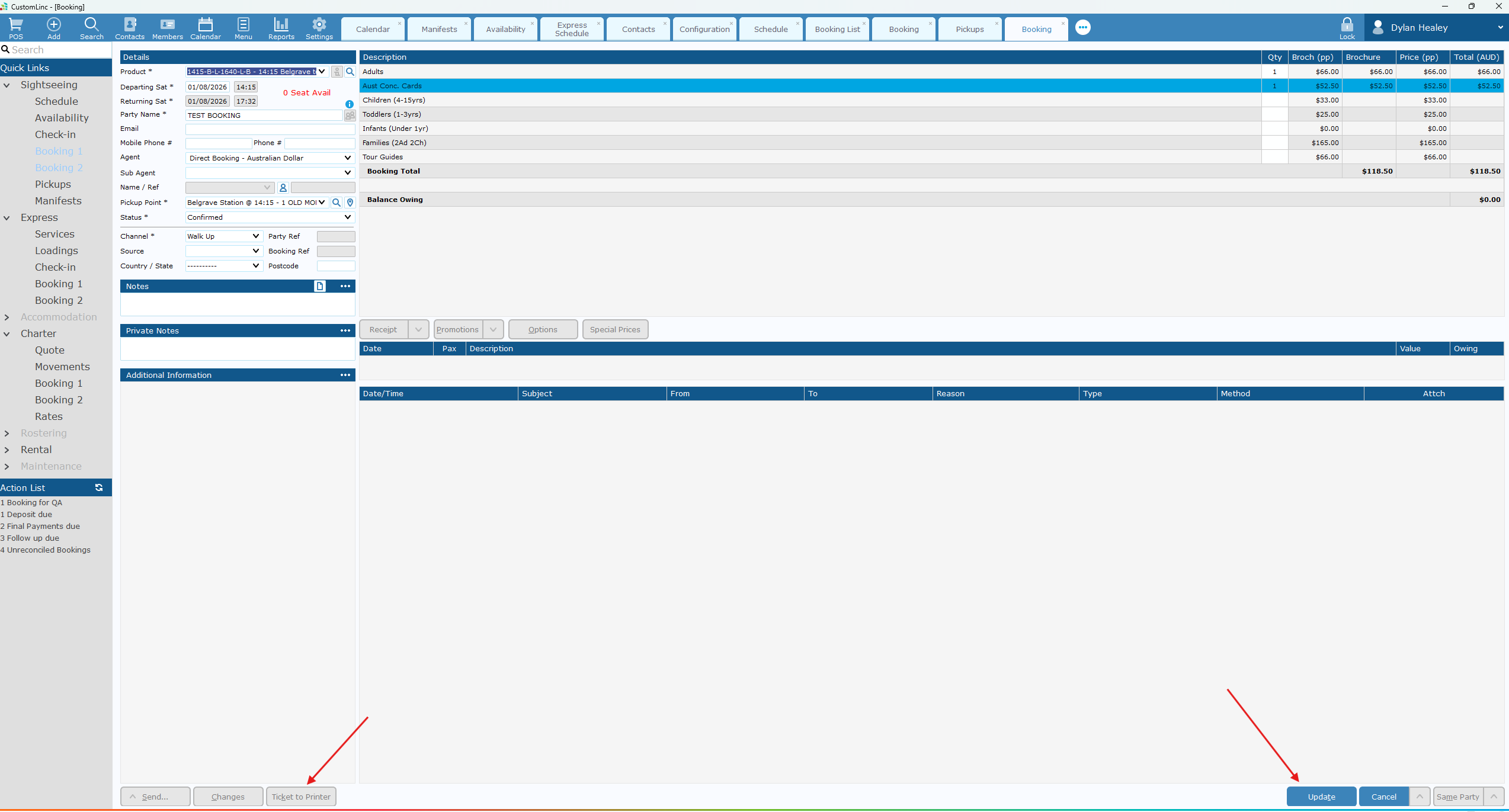
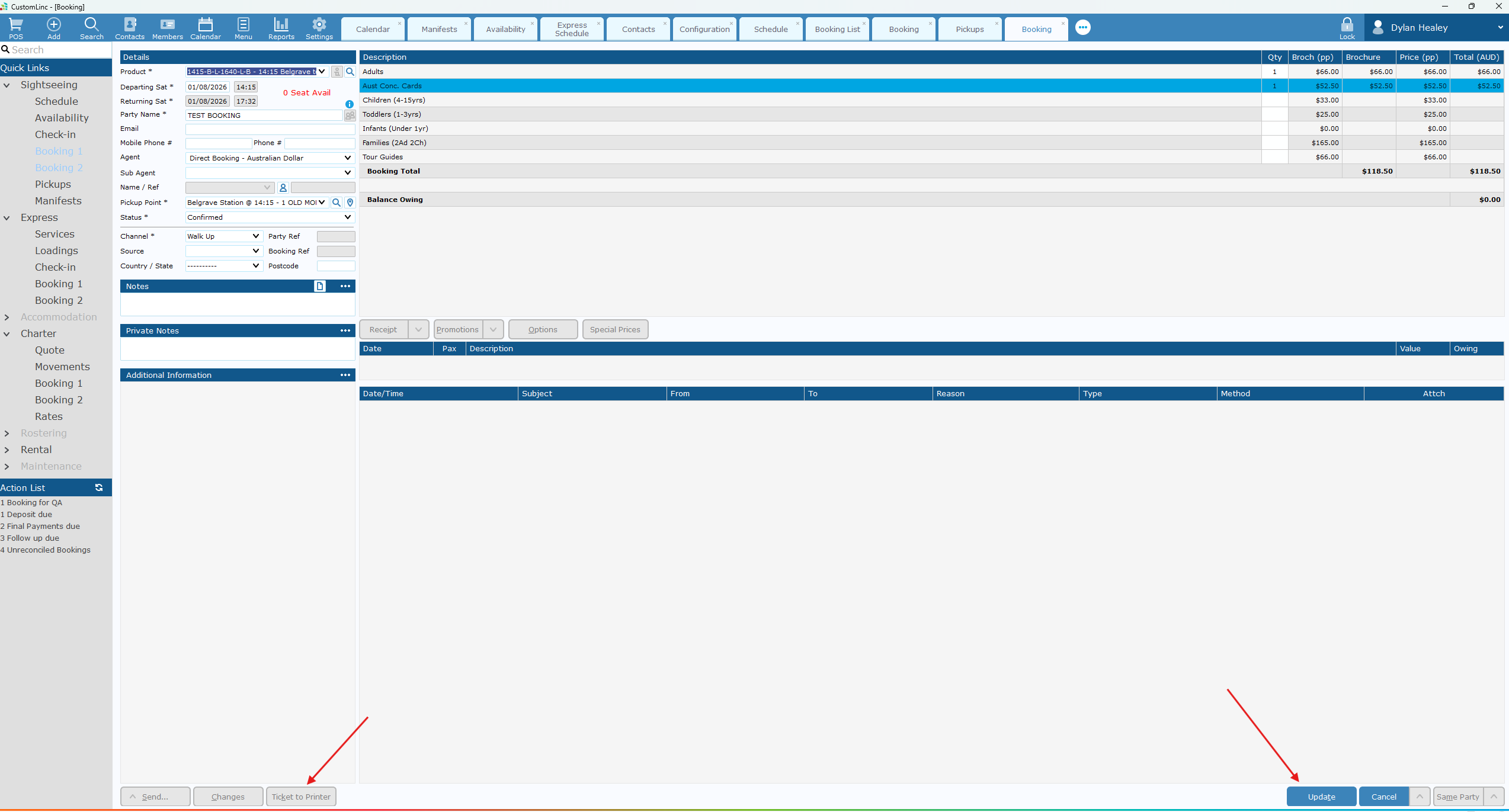
- Click Update in the bottom right then you can clikc Ticket to Printer to print the tickets as normal.