WiFi
Connecting to PBR corporate and guest WiFi networks.
Connecting to PBR Corporate WiFi Network
For those with a Puffing Billy username and password, you can connect to corporate with your username and password.
Step-by-step guide
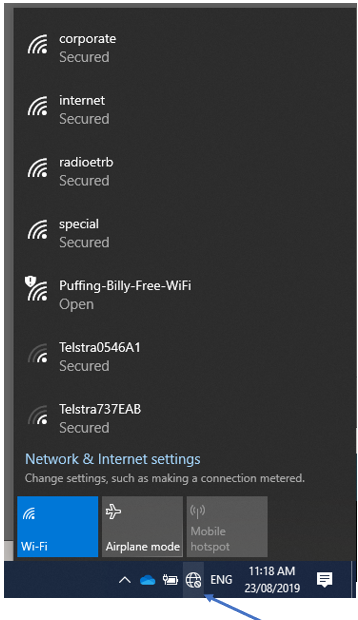
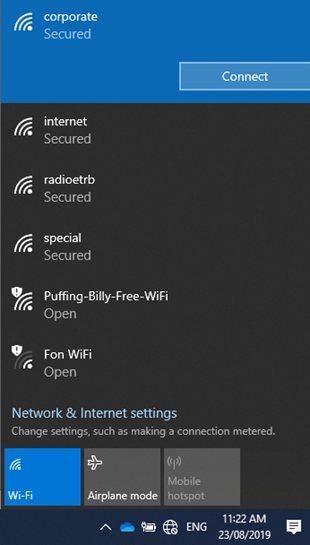
- Bring up the available WiFi networks by clicking the WiFi button (globe or radio wave symbol depending on your version of Windows).

- Select corporate and click connect. You should automatically be connected. If you are asked to enter in credentials enter in your PBR login and password.

WiFi Setup (iPhone)
Step-by-step guide
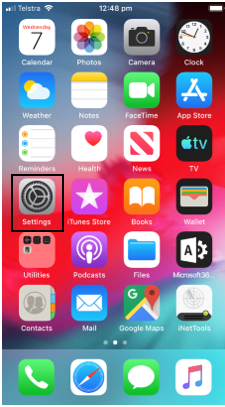
- On the main menu click on Settings.

-
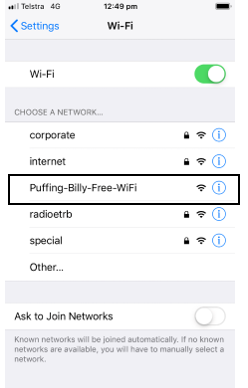
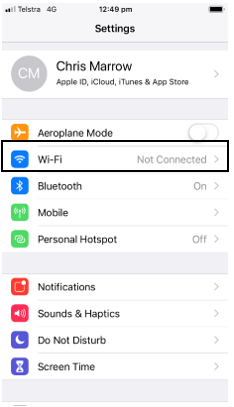
Click on Wi-Fi.

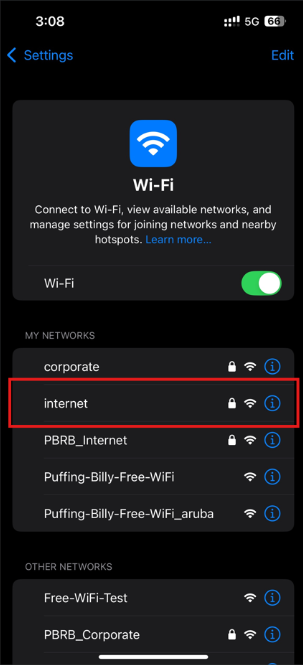
For those with a Puffing Billy username and password, you can connect to corporate with your username and password, those without Puffing Billy credentials will need to use the Puffing-Billy-Free-WiFi.
Internet
- Select internet.

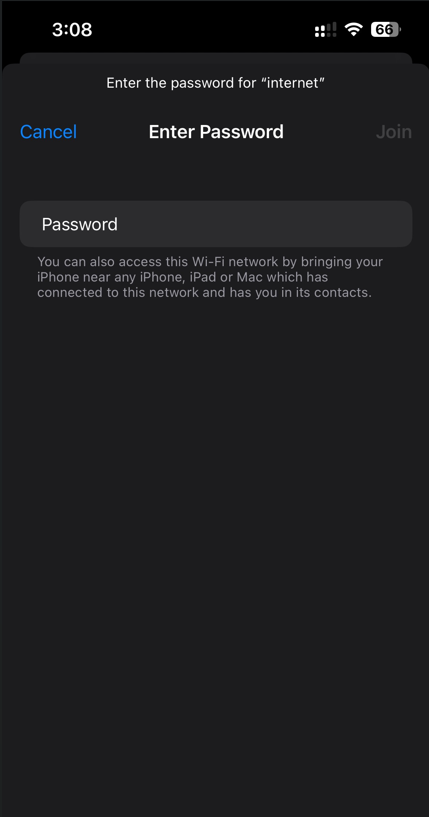
- The password is Belgravegate5

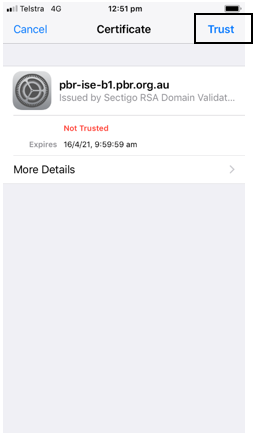
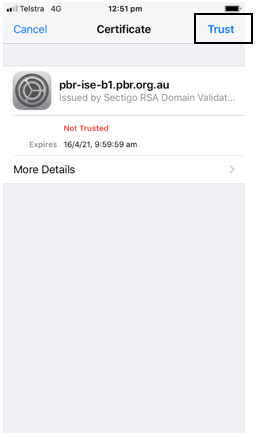
- Click on Trust in the top right corner. You will now be connected to the corporate WiFi.
Free WiFi
- Select Puffing-Billy-Free-WiFi.

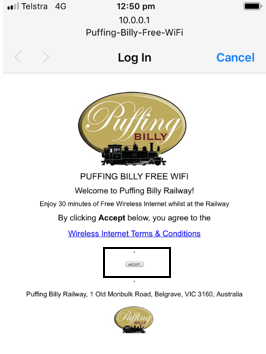
- A screen will appear and ask you to Accept the terms & conditions. Click the Accept button.

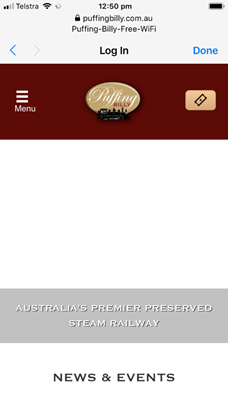
- The PBR website will appear. You will now be able to use the Internet.