# How to Install ScreenToGif
# Step-by-Step Guide
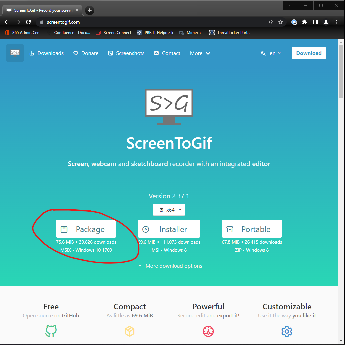
1\) Go to the website **[https://www.screentogif.com/](https://www.screentogif.com/)**
2\) Select the 'Package' button to download
[](https://bookstack.pbr.org.au/uploads/images/gallery/2022-10/Cesimage.png)
3\) Once the file is downloaded open it by clicking the document in your browser or go to downloads folder
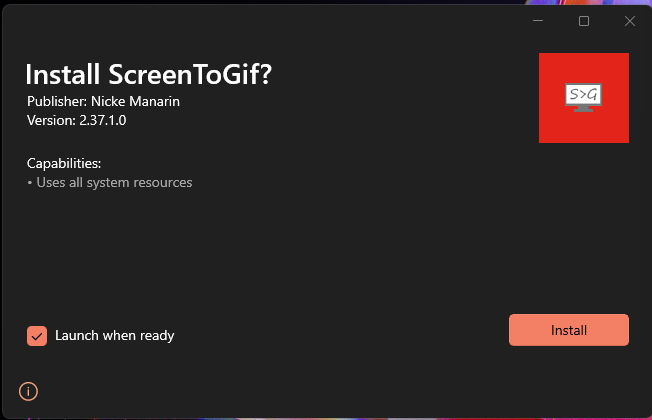
4\) Click 'Install' on the application popup
[](https://bookstack.pbr.org.au/uploads/images/gallery/2022-10/wDaimage.png)
5\) It's Installed!! Now enjoy and check out our how to use guide here: **[How to use ScreenToGif](https://confluence.pbr.org.au/display/ITD/How+to+use+ScreenToGif)**