Removing Access to a File (Web)
Step-by-step guide
Select the file and click on the
Shared
button.
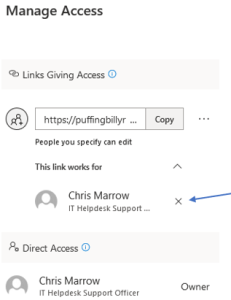
The manage access window will appear. Click on the
X
to remove the user’s access.
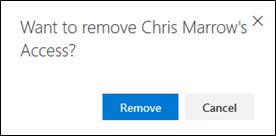
You will receive a confirmation popup. Press on
Remove.
Revision #3
Created 2022-09-29 11:03:35 UTC by Mitch Fraser
Updated 2026-05-08 05:39:39 UTC by PBR_Documentation