# Renewing Apple Tokens in Intune
There are 3 Apple Tokens that need to be renewed in Intune
Refer [https://c7solutions.com/2024/01/renewing-apple-tokens-in-intune](https://c7solutions.com/2024/01/renewing-apple-tokens-in-intune) for instructions
#### Apple MDM Push Certificate
This certificate expires ever 365 days and must be renewed prior, otherwise all iOS devices will need to be reenrolled.
there's lots of documentation out there about how to do this, such as the below, the main things to remember is to log into Apple Push Certificates Portal with
and to renew the existing certificate, rather than creating a new one[https://www.recastsoftware.com/resources/renewing-your-apple-mdm-certificate-for-intune/](https://www.recastsoftware.com/resources/renewing-your-apple-mdm-certificate-for-intune/)
[https://learn.microsoft.com/en-us/mem/intune/enrollment/apple-mdm-push-certificate-get](https://learn.microsoft.com/en-us/mem/intune/enrollment/apple-mdm-push-certificate-get)
##### Apple Business Manager Enrolment Program Token (DEP)
This token expires ever 365 days and must be renewed prior
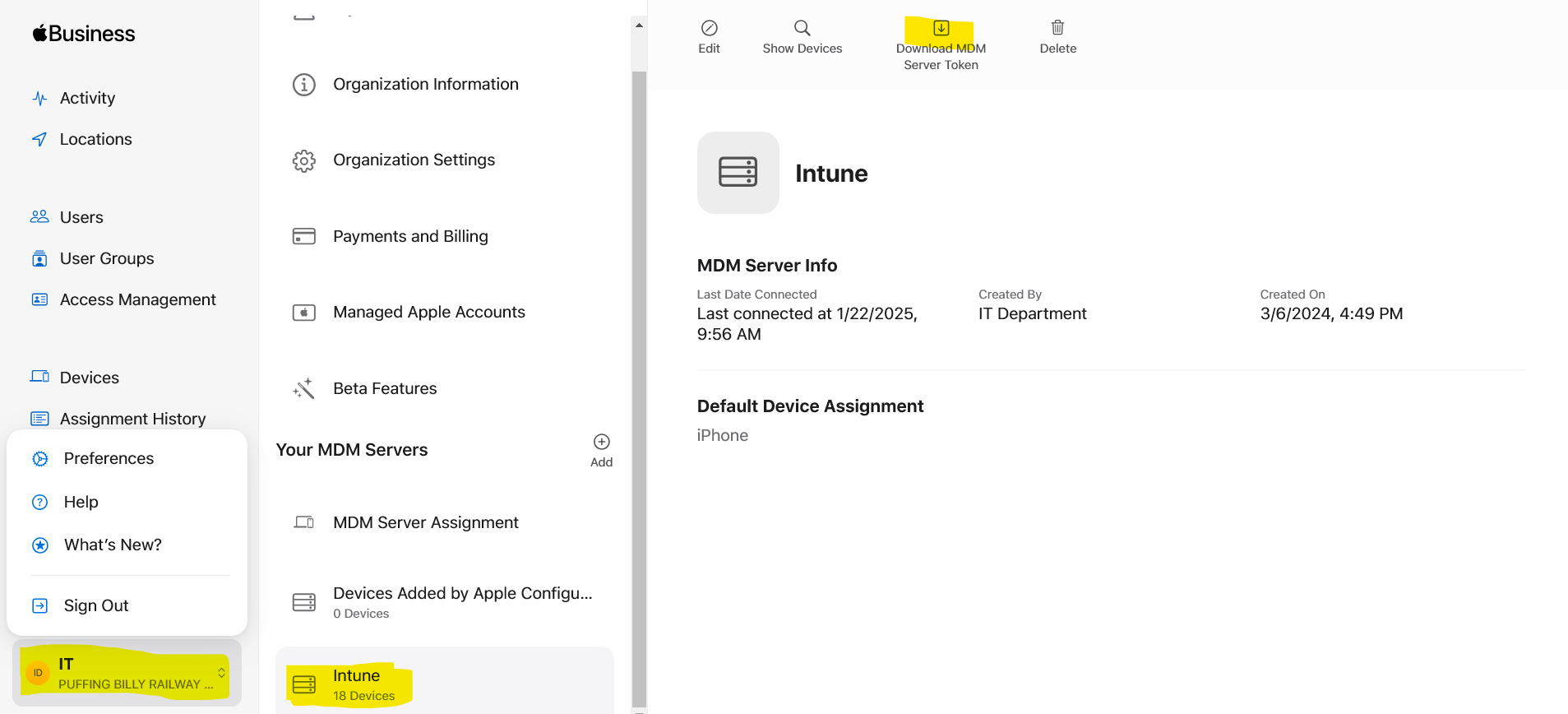
In Apple Business Manager, on the LHS click on IT - Puffing Billy Railway and select Preferences
Scroll to the bottom and Select Intune under Your MDM Servers
Then select Download MDM Server Token
[](https://bookstack.pbr.org.au/uploads/images/gallery/2025-01/2Nzimage.png)
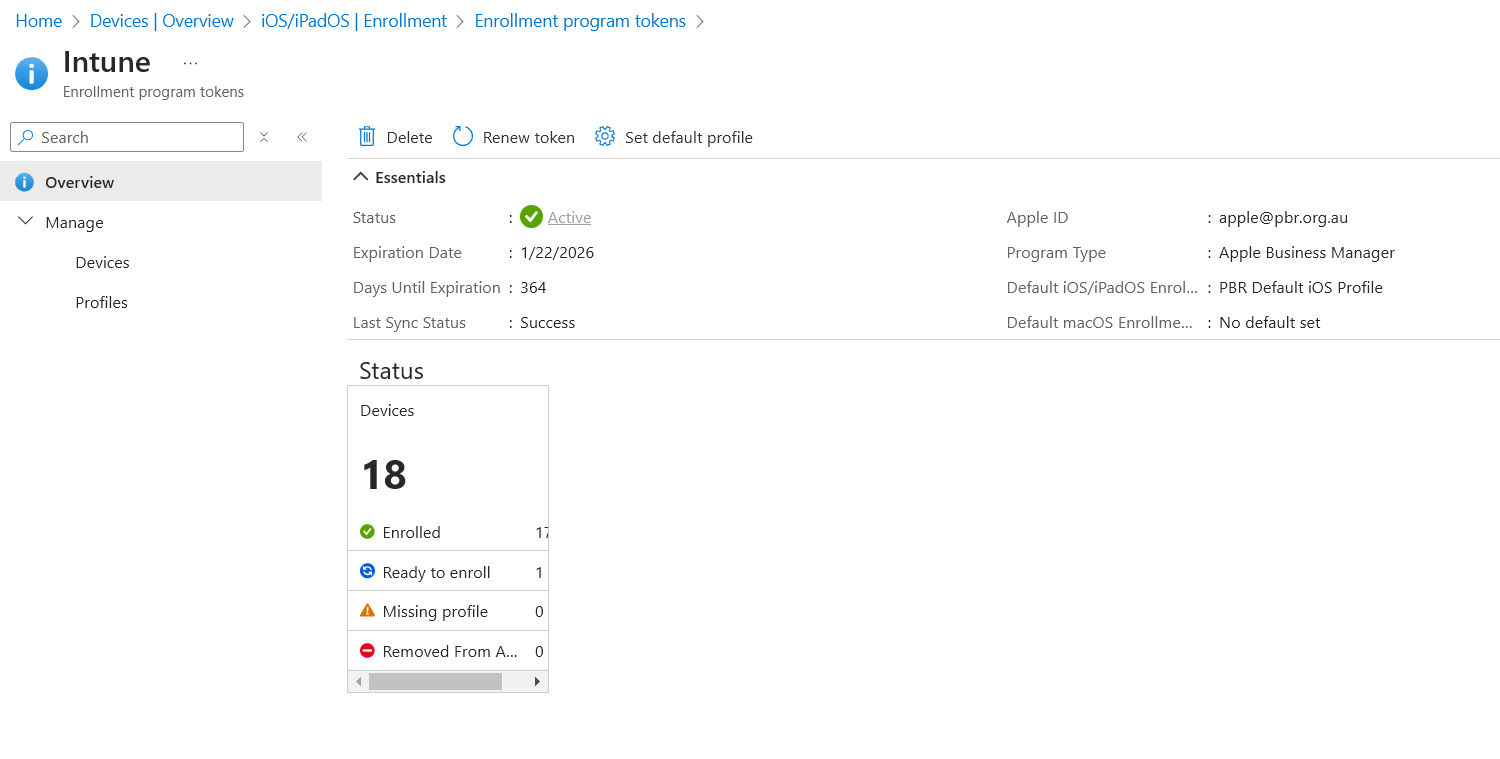
In Intune navigate to Devices | Overview > iOS/iPadOS | Enrollment > Enrollment Program Tokens
[](https://bookstack.pbr.org.au/uploads/images/gallery/2025-01/0s6image.png)
Click on Renew Token
Apple ID
Select the token you downloaded from Apple Business Manager
The expiry date should now updated and the token renewed
##### Apple VPP Token
There is a recurring ticket in helpdesk for this to be done
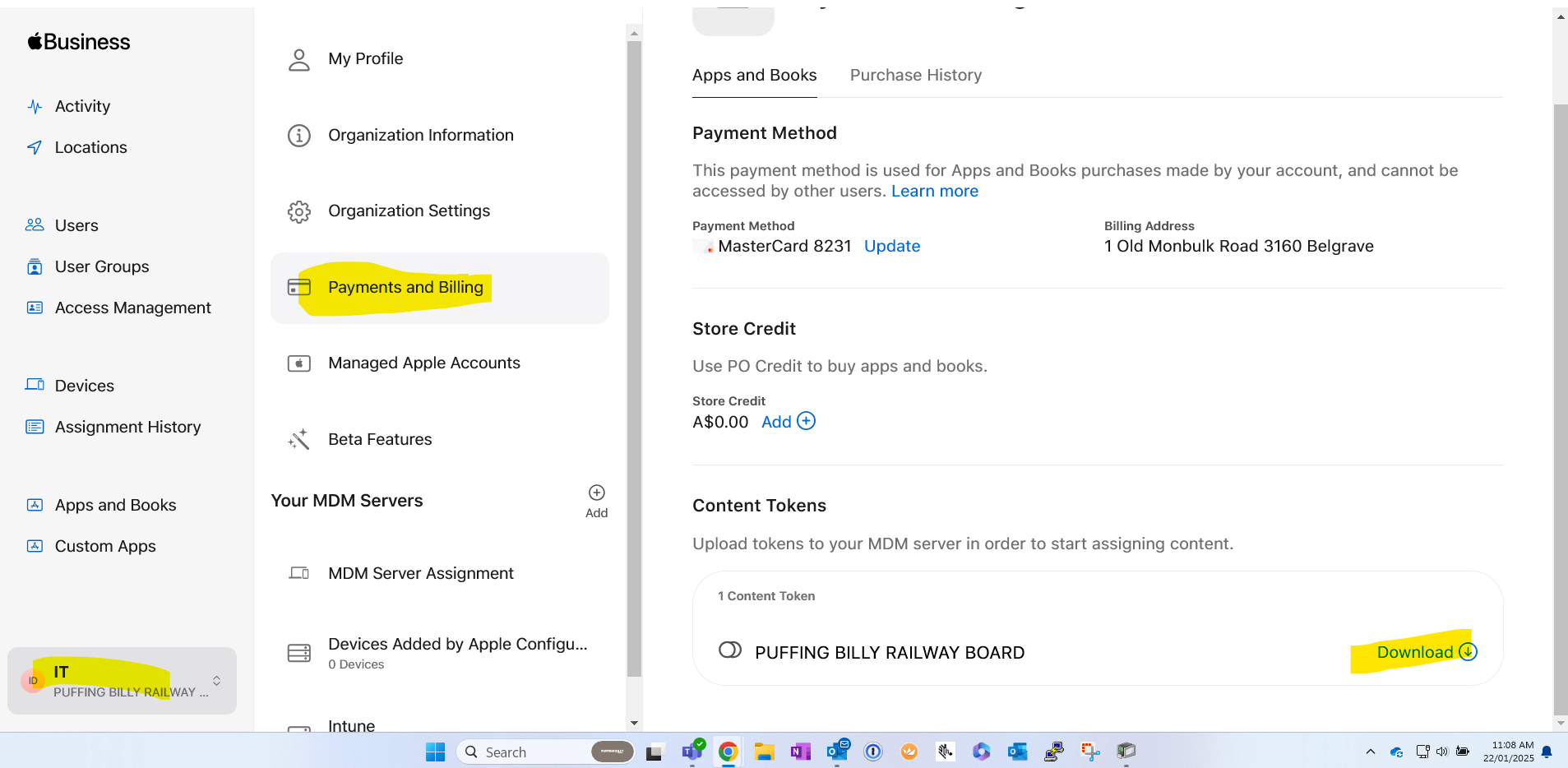
In Apple Business Manager, download content token
[](https://bookstack.pbr.org.au/uploads/images/gallery/2025-01/yhPimage.png)
in Intune
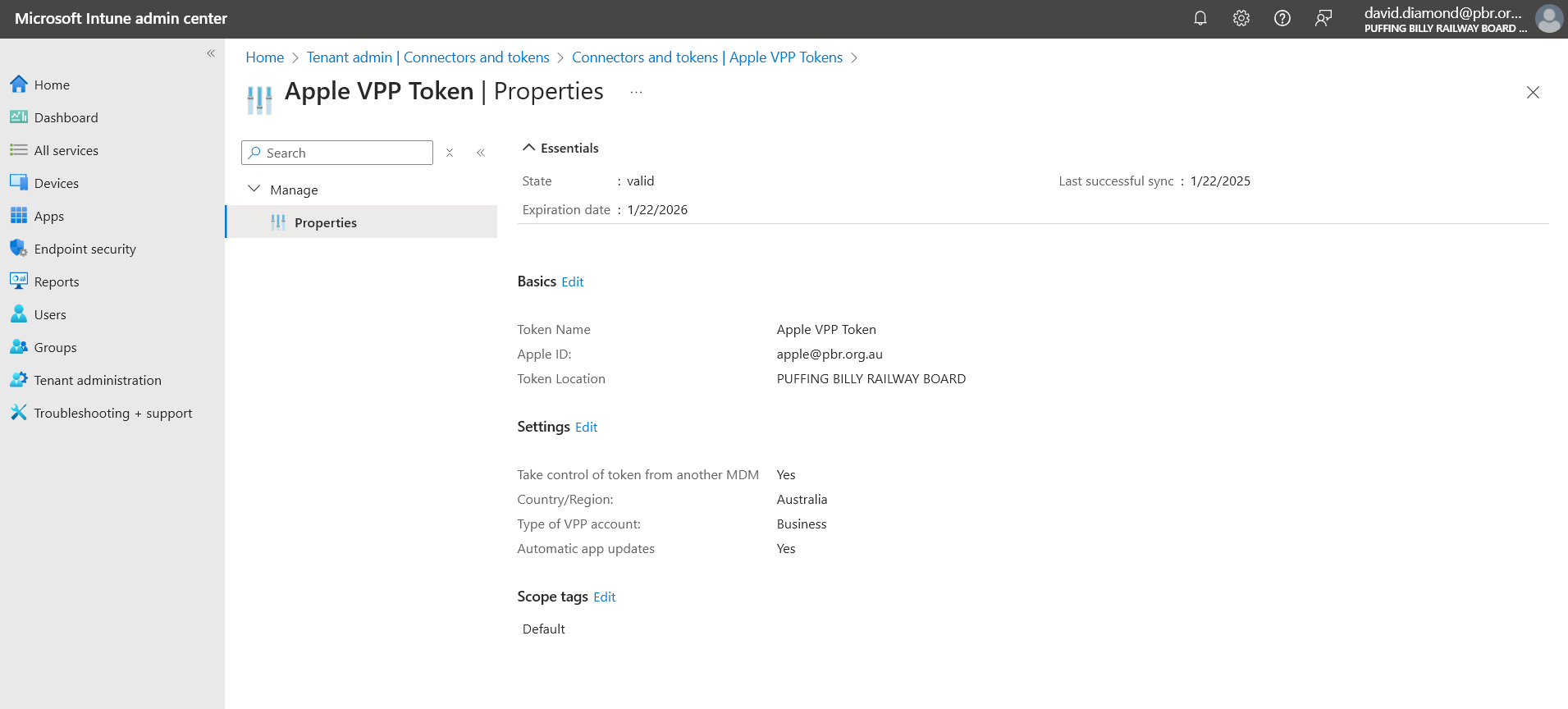
Tenant Administration > Connectors and Tokens > Apple VPP Tokens
select the token, and click edit next to basics
[](https://bookstack.pbr.org.au/uploads/images/gallery/2025-01/DSnimage.png)
Browse to the token file you downloaded
[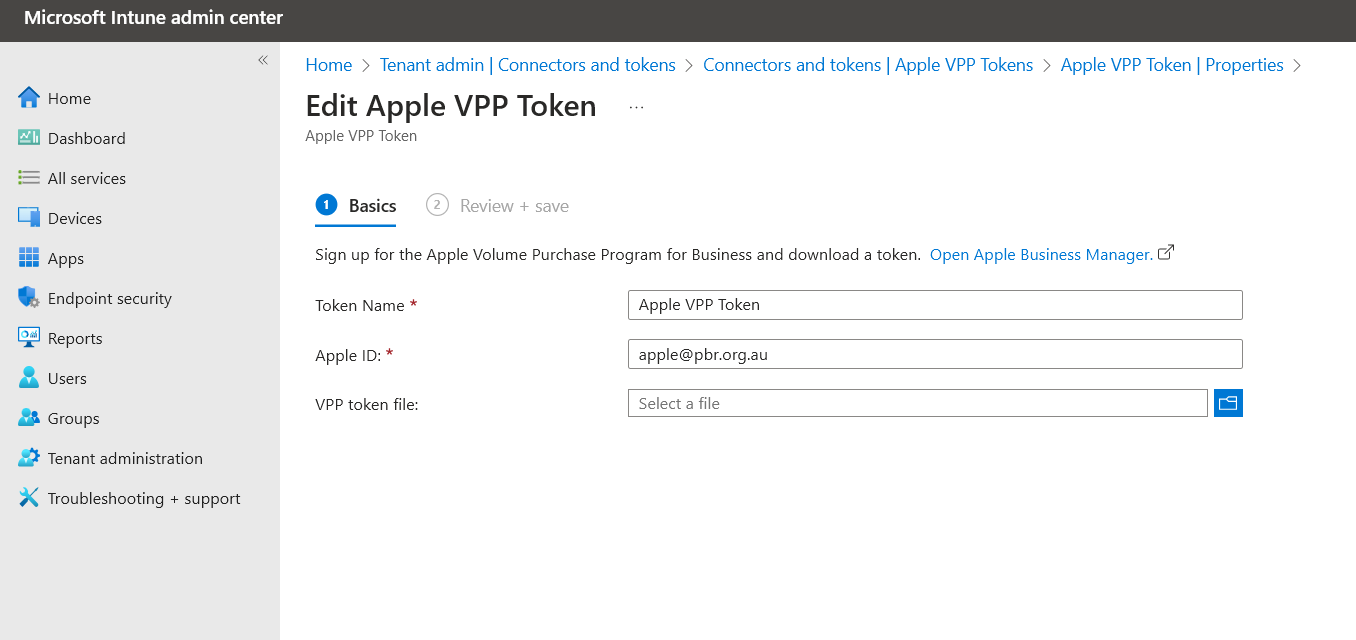](https://bookstack.pbr.org.au/uploads/images/gallery/2025-01/DkMimage.png)