Idealpos Password Change
This article will show you how to change your password in idealpos.
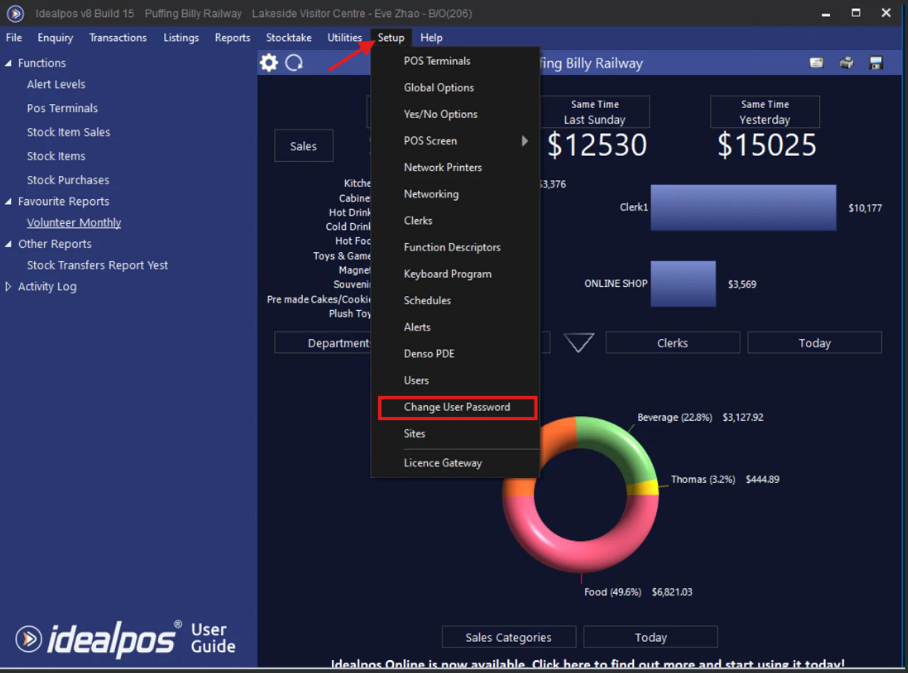
- Open idealpos and navigate to "Setup" & "Change User Password".

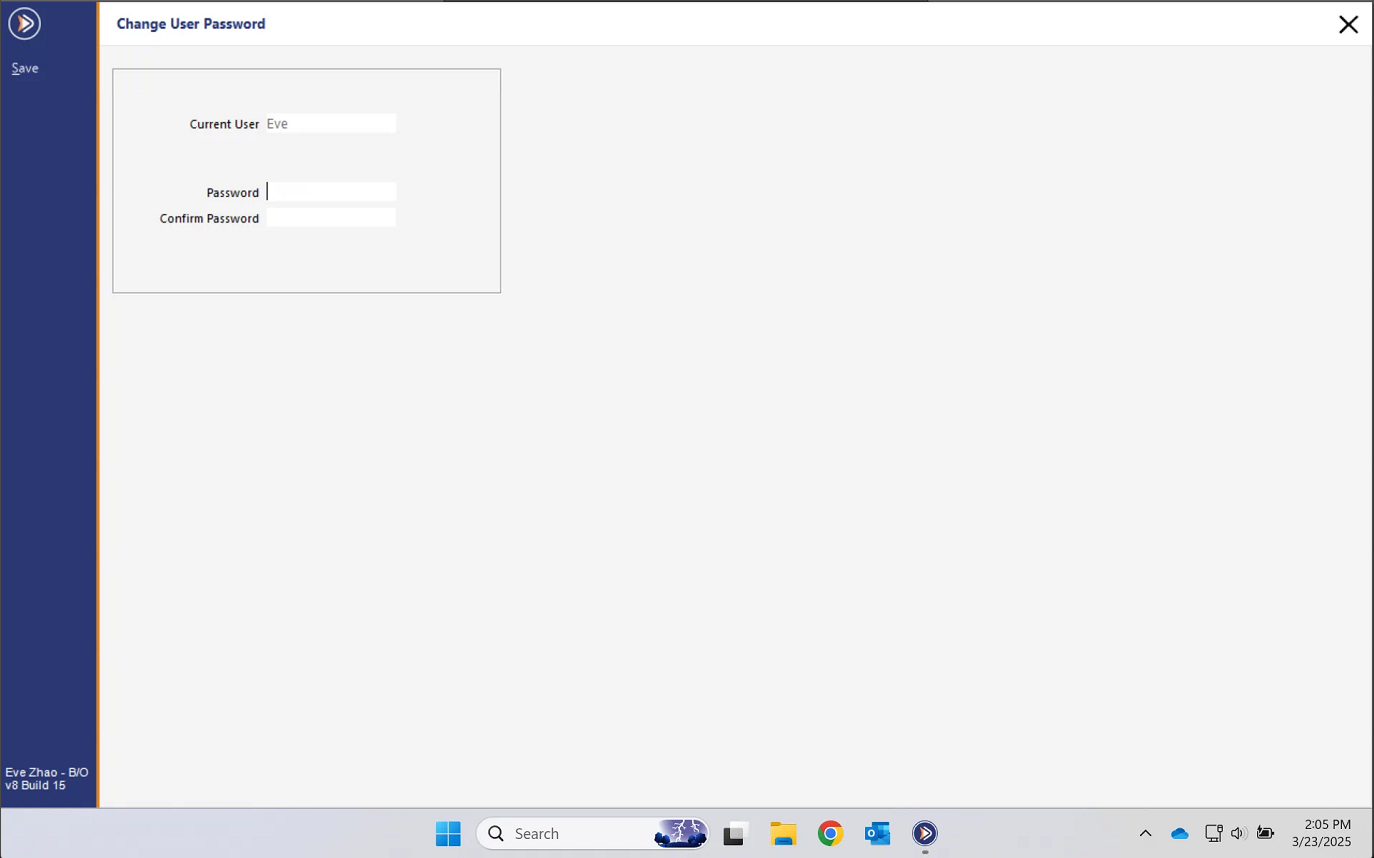
- Here you can change your password. The password has to be less than 10 characters as per idealpos standard.