As of 09/10/2024 Meal Requests are only enabled and required on Paint & Sip and Murder Mystery products
1. They will go through the normal webpages and select a product, in this example Murder Mystery.[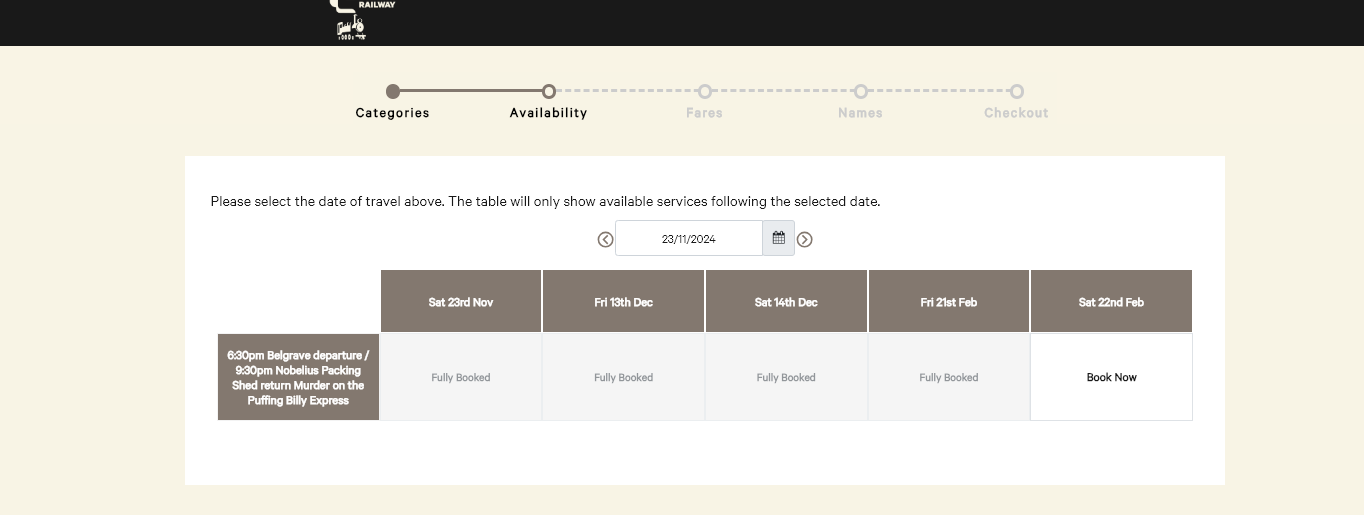](https://bookstack.pbr.org.au/uploads/images/gallery/2024-10/jczimage.png) 2. They will then select what fares and how many they would like as usual. [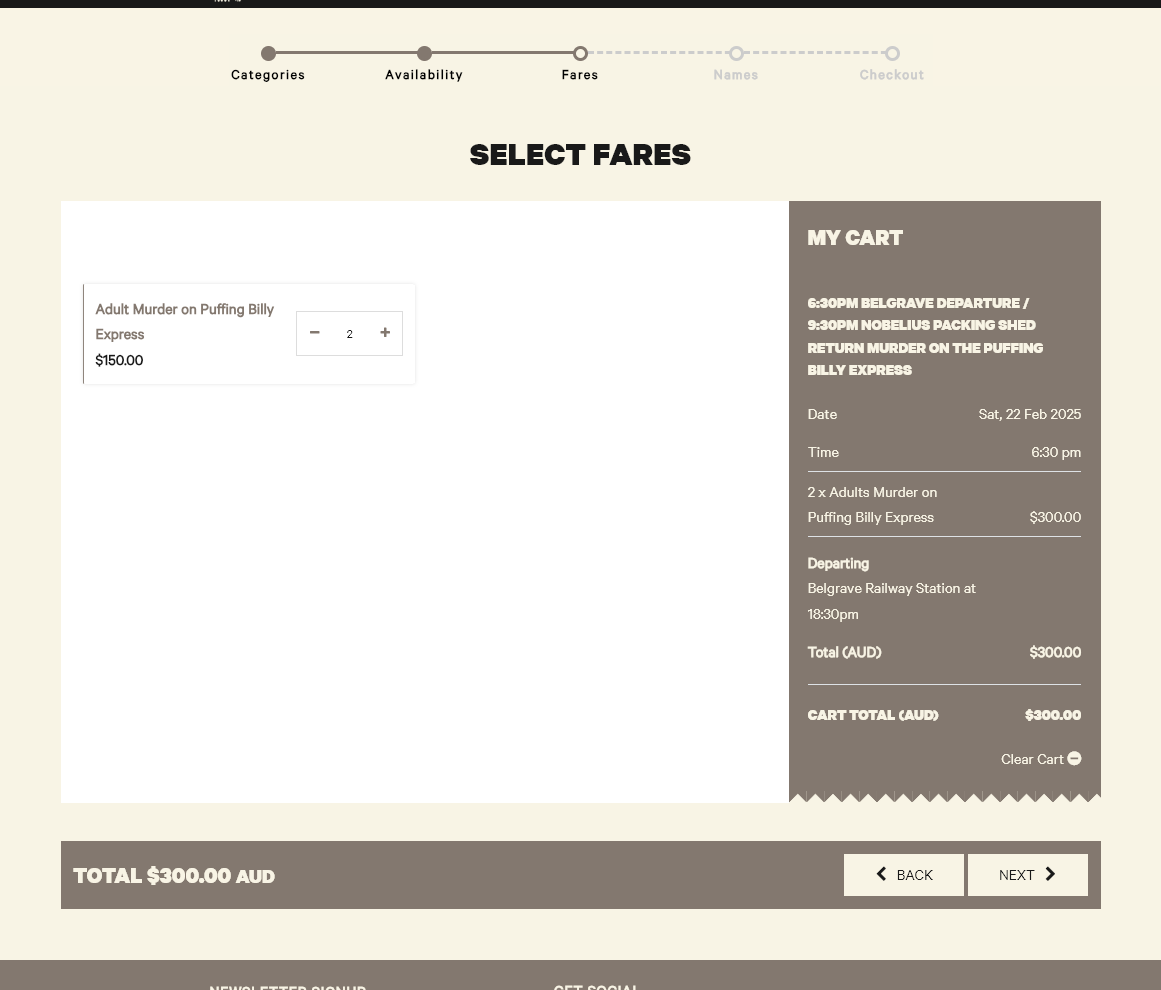](https://bookstack.pbr.org.au/uploads/images/gallery/2024-10/2EBimage.png) 3. If the product they have selected has a dietary selection they will be prompted to fill in the **Name**, and **Dietary Request** for each person they have booked for.As of writing this document both of these fields are **Mandatory.**
[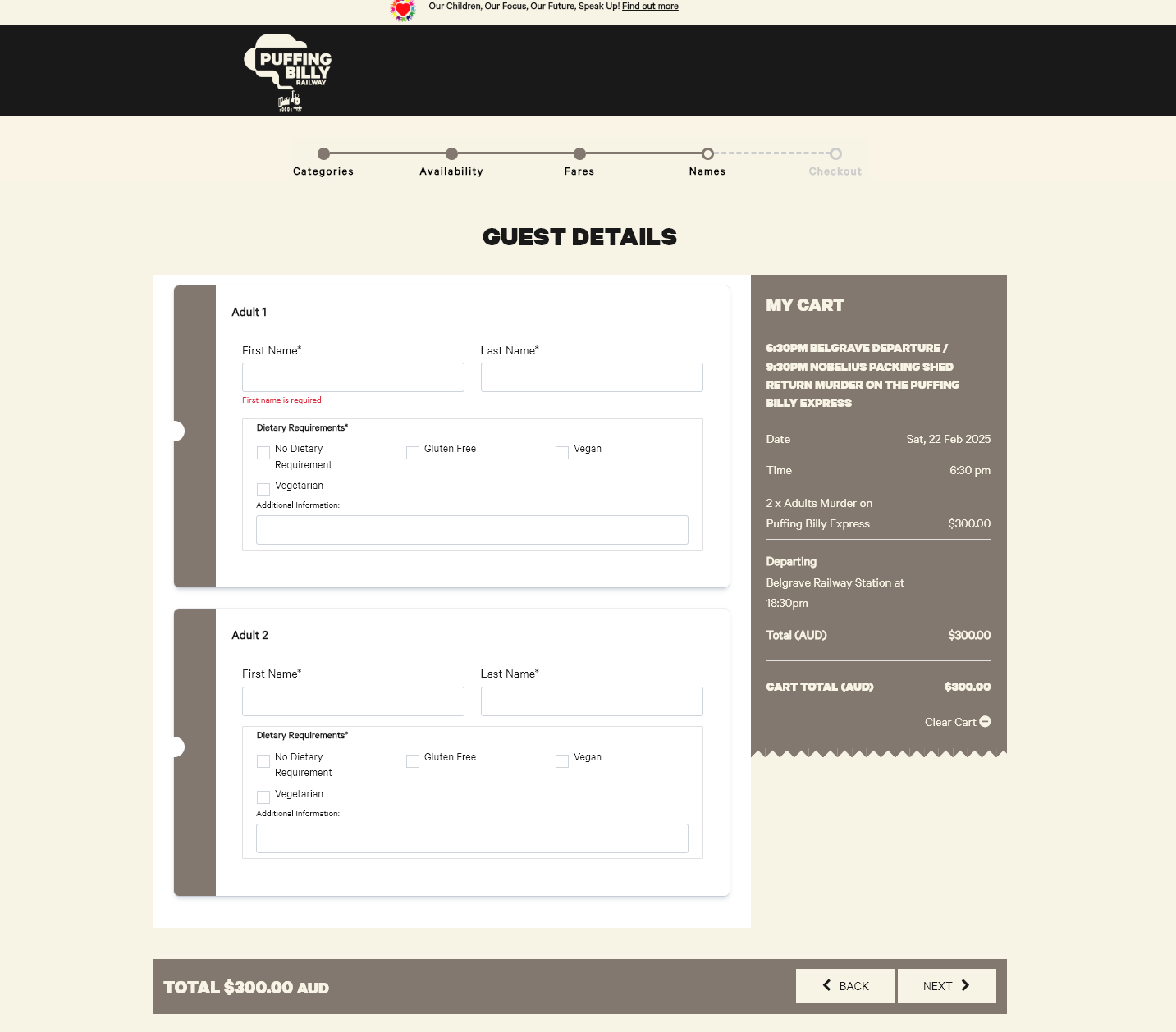](https://bookstack.pbr.org.au/uploads/images/gallery/2024-10/tEJimage.png) 4. They have the ability to select one or multiple options AND can fill in Additional Dietary Information. [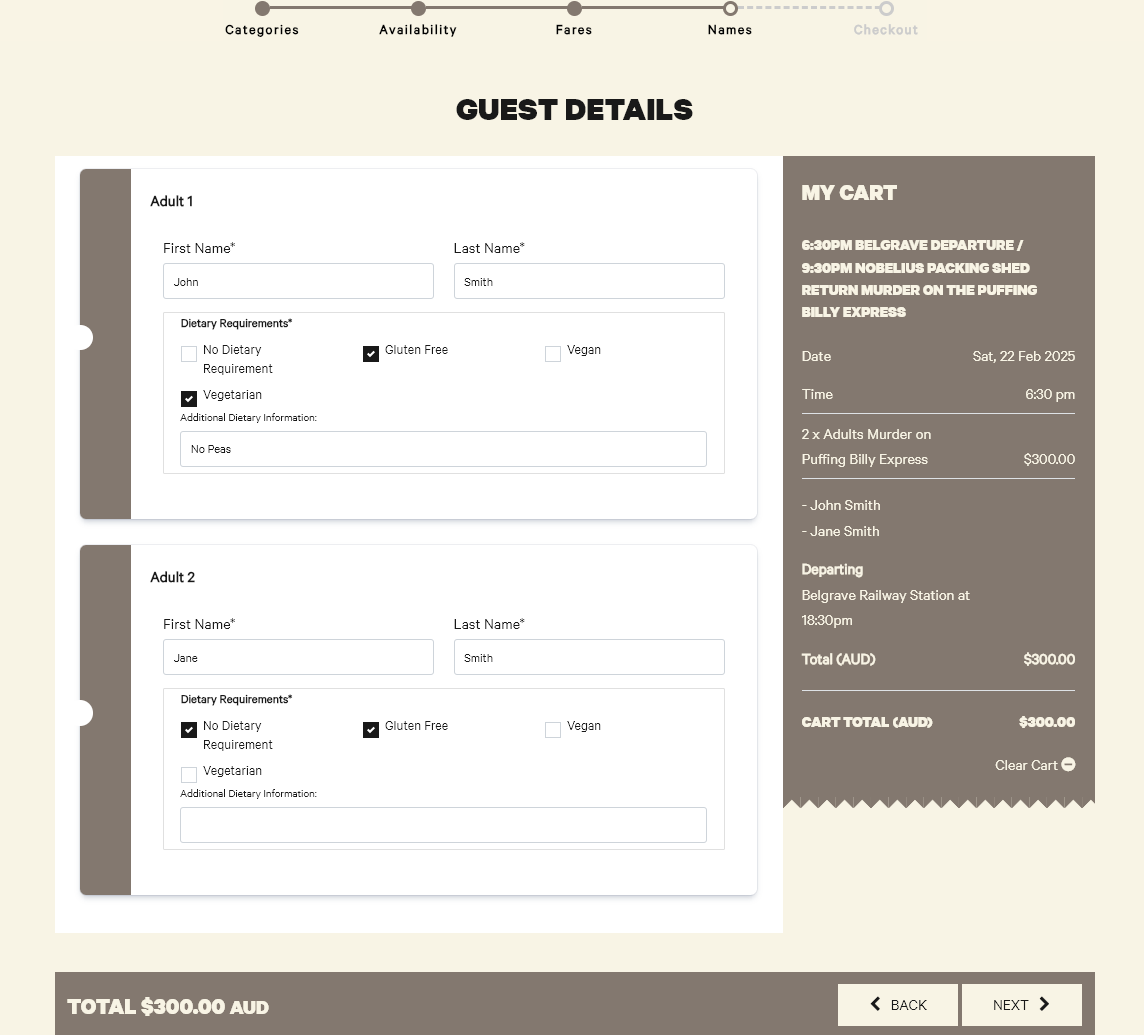](https://bookstack.pbr.org.au/uploads/images/gallery/2024-10/7Zuimage.png) 5. They can then hit next and go through the normal payment process