Creating a Special Guest Pass Booking
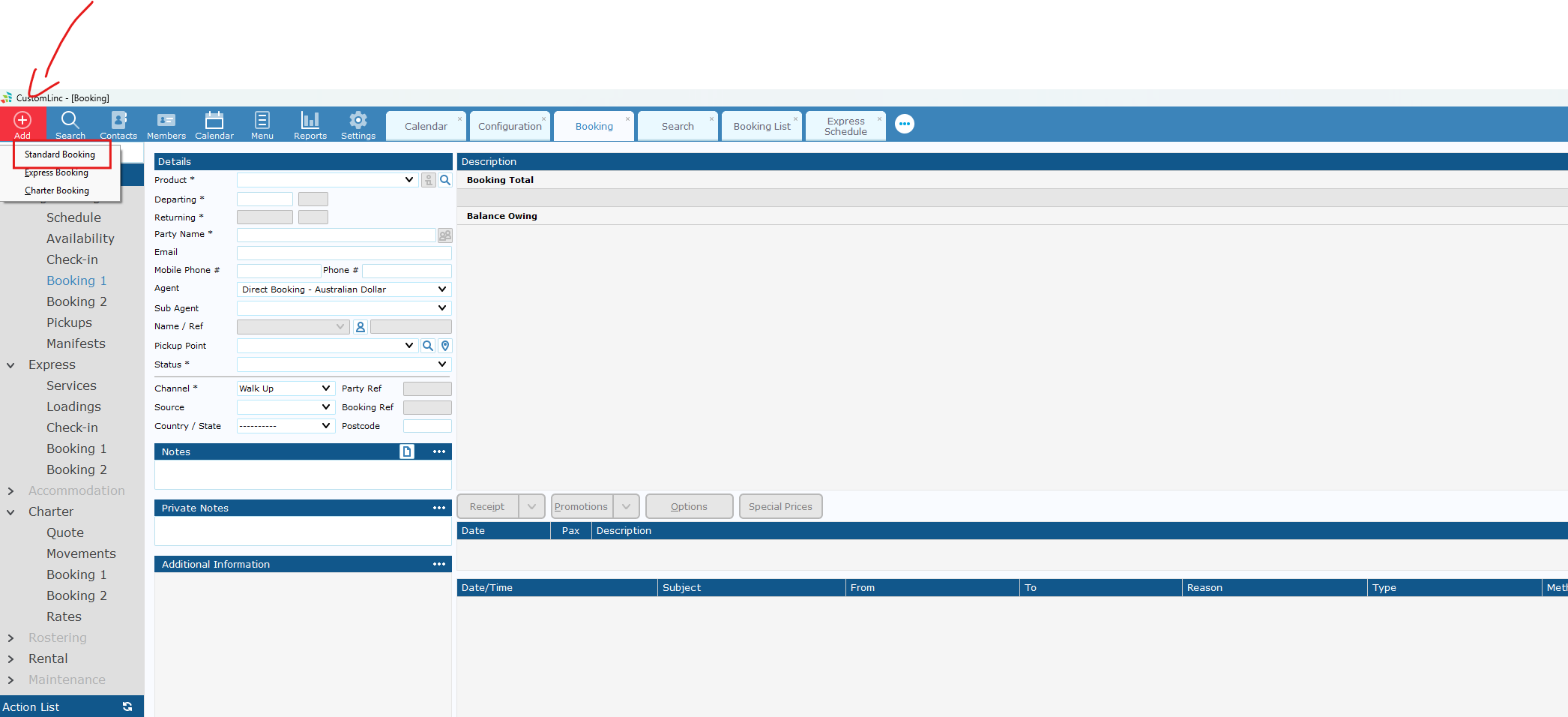
- Go to Add Booking > Make a Standard Booking

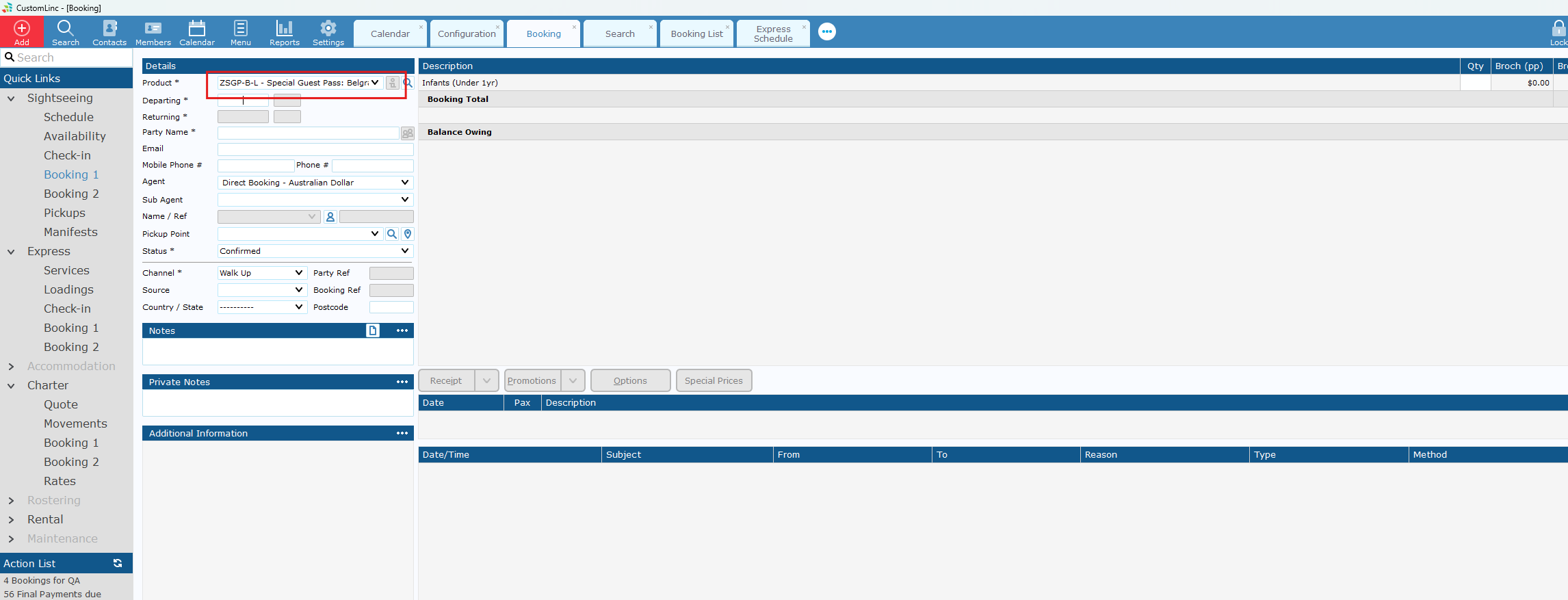
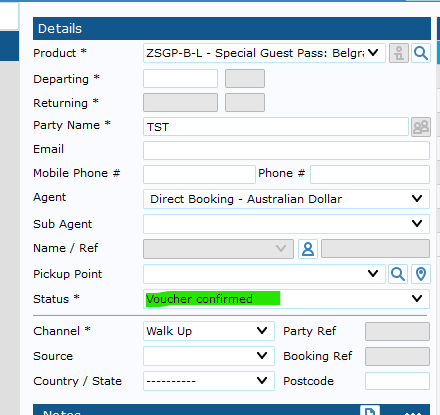
- Select the applicable SGP product, if unsure consult with team.

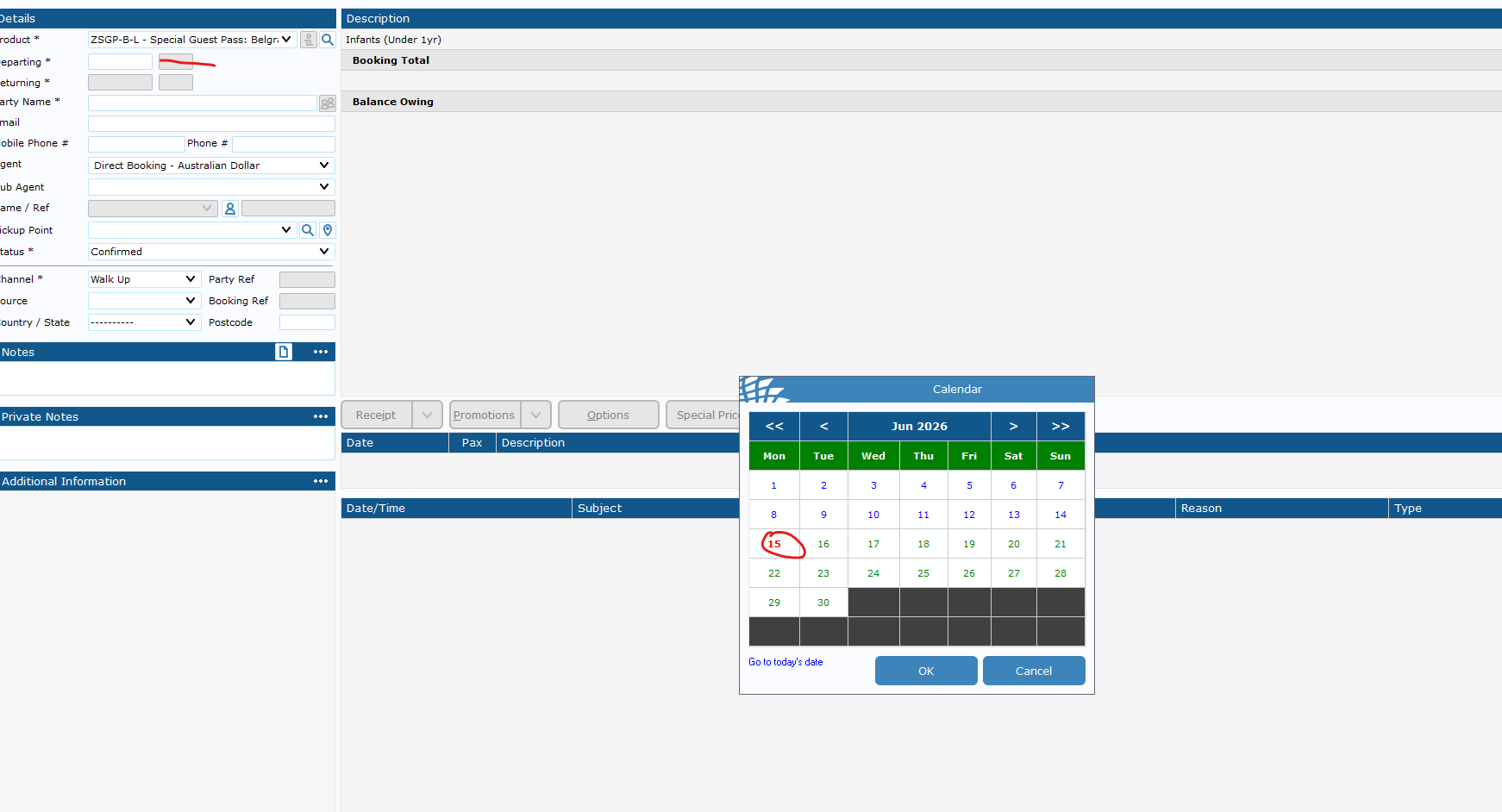
- The departure date is the Expiry date of the booking/voucher.
If you do not set a date, it will default to 1 Year in the future.

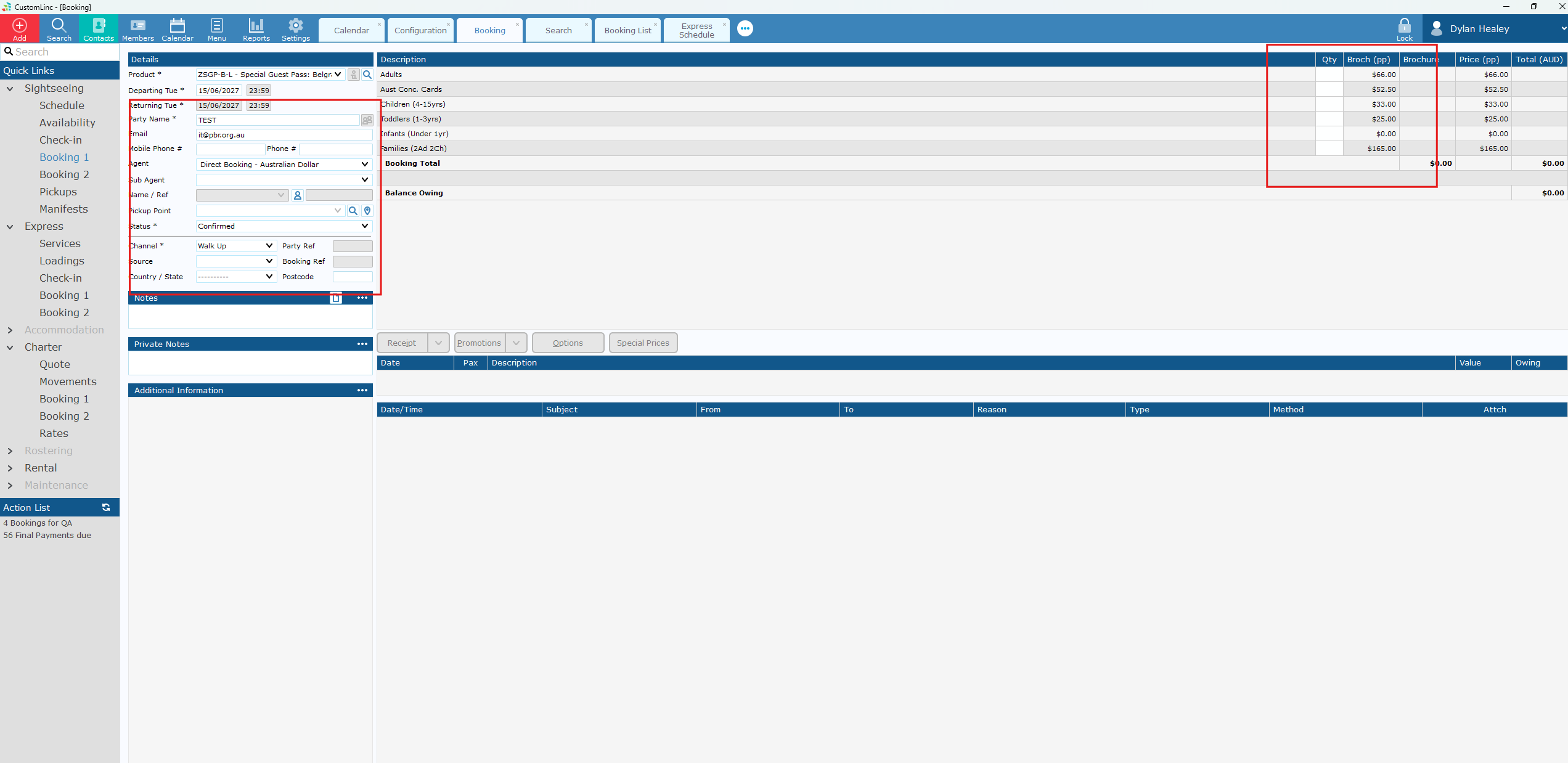
- Input booking details & fare amounts.

- The Default Status should be "Voucher confirmed". If it is not please set it to this and contact system configurators to fix.

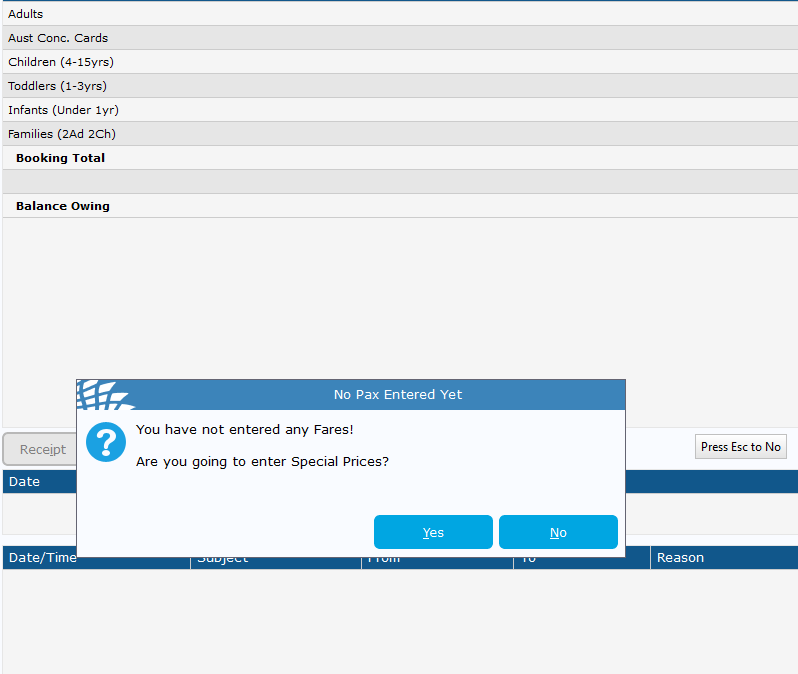
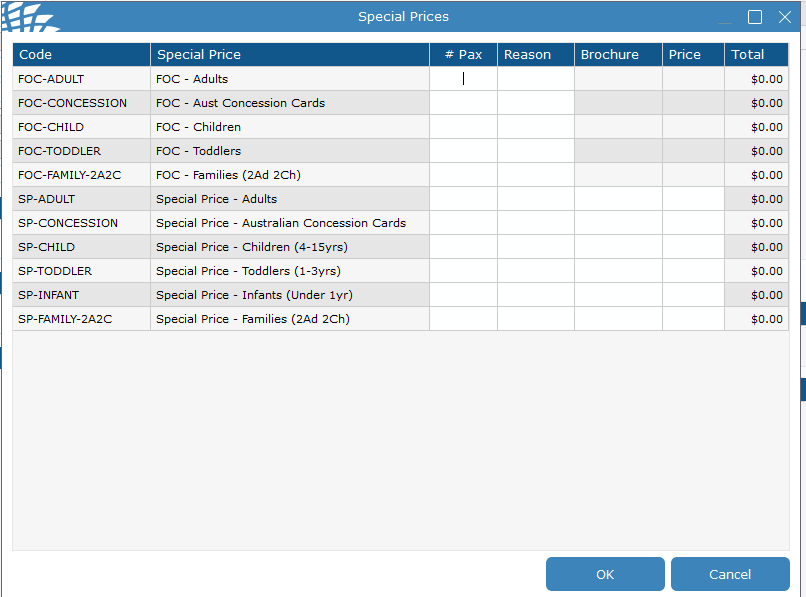
- If you need Special Fares like Free of Charge (FOC). Click update without placing in any fares. You will see a prompt to enter special fares - Click Yes.

- Enter amount and reason.

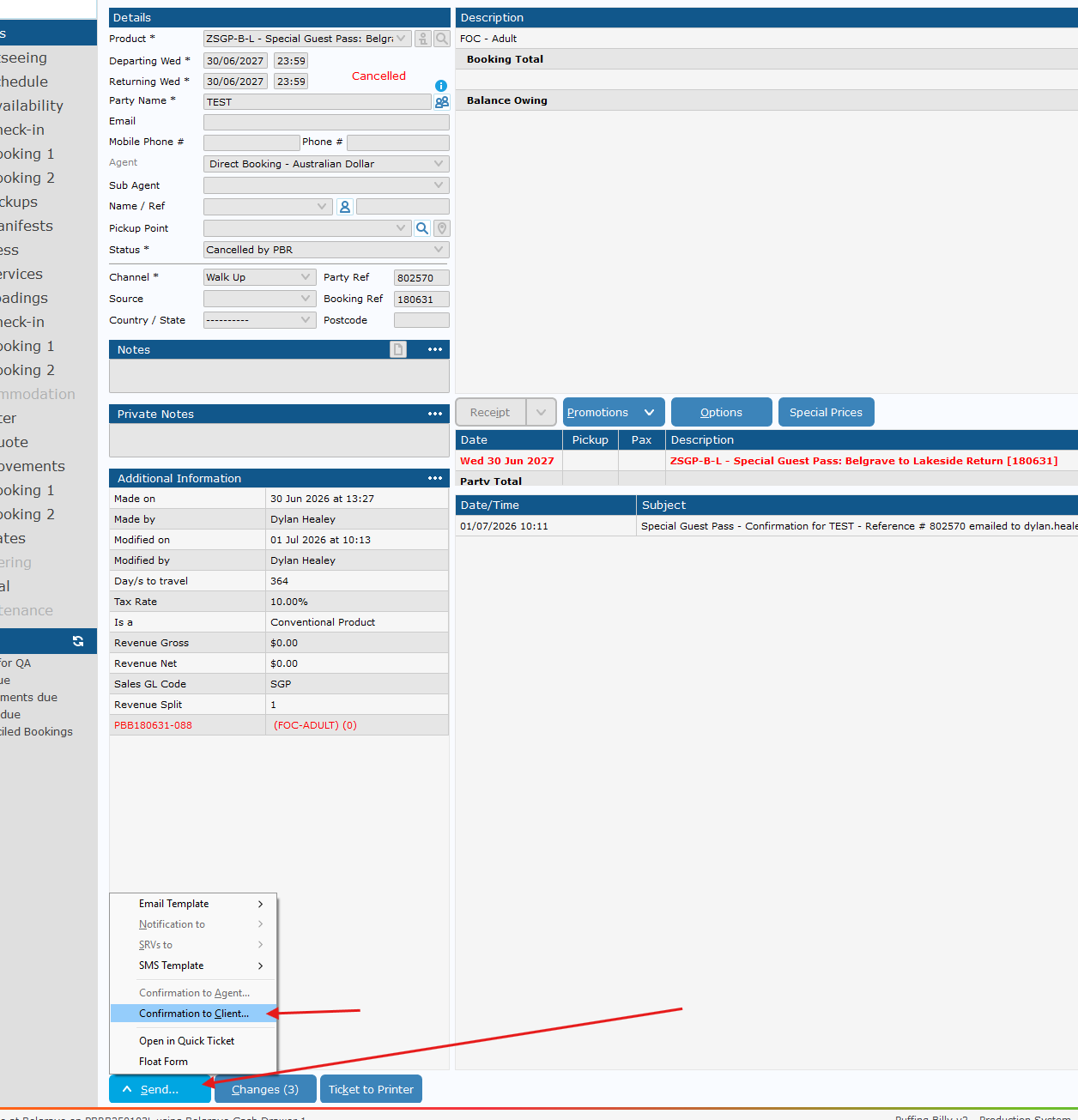
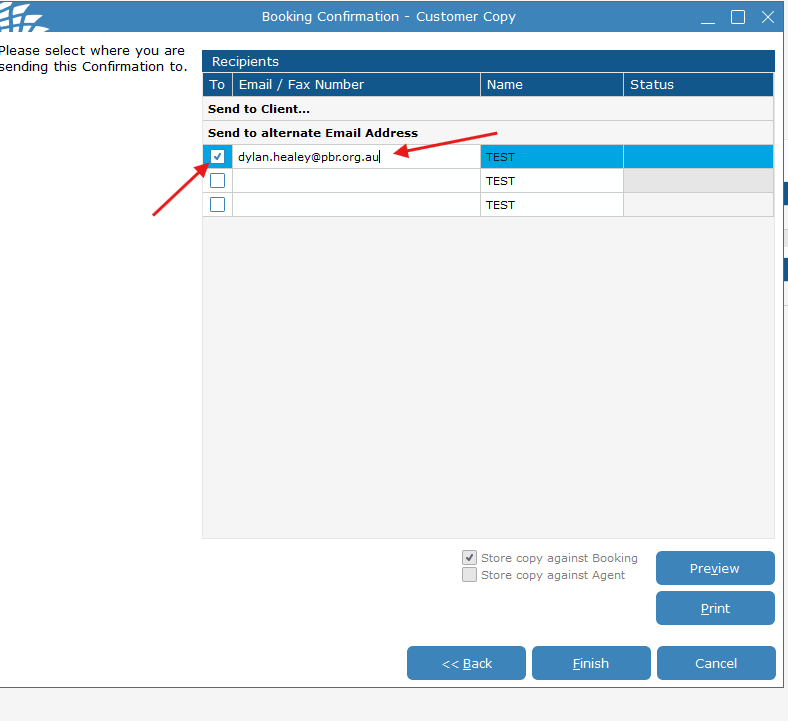
- Send Confirmation to Client to email in booking, or required address

If you need to send to a different email address, place the email in the alternate email address area and make sure the button to the left is ticked.

- Click finish and it will queue an email to be sent - this should be sent within 5 minutes or so.