How to: Make a take an Integrated - EFTPOS payment for a booking
The workstation you are trying to do this from needs to be setup to sell tickets via 'Quick Ticket' if the POS option in step 1 is not visible. Please contact IT and request for access.
Currently the booking made will not receive a Carriage Allocation. Please confirm there is room on a carriage prior to booking.
-
Make a booking.
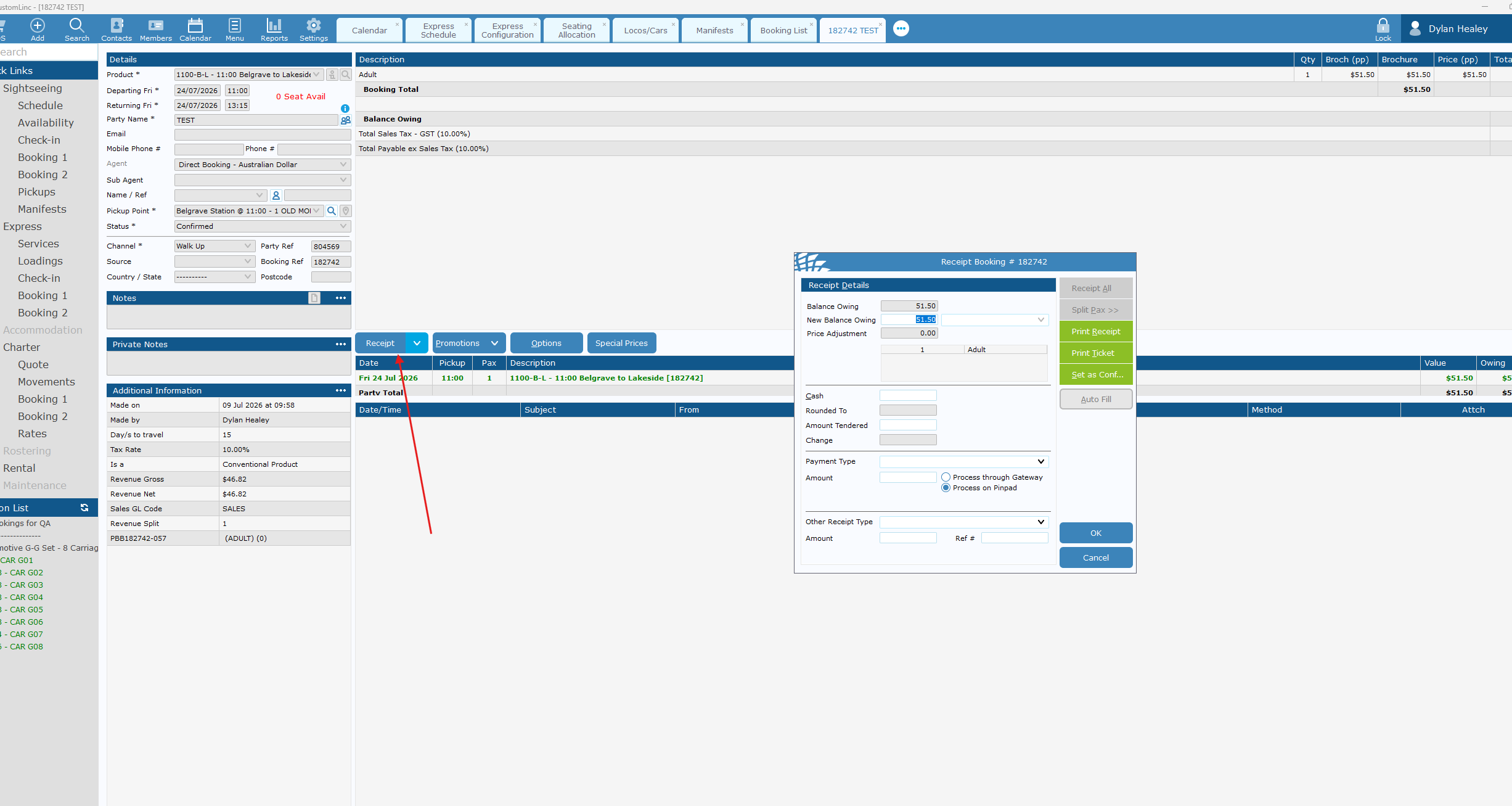
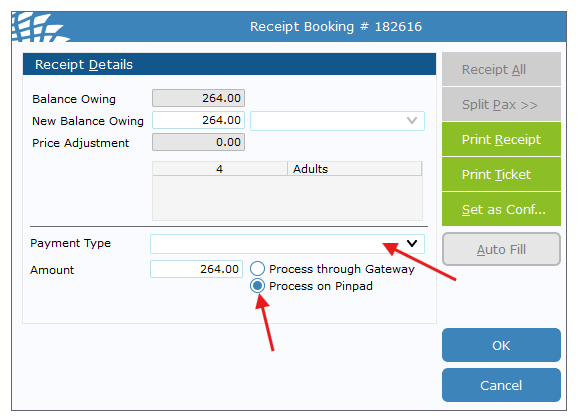
- Click Receipt and the Receipt Booking window will pop up.

- Select Payment Type - Mastercard or Via and confirm that Process on Pindpad is selected and click OK

- The connected EFTPOS terminal should now prompt for payment. Complete payment.
- Once complete, click Ticket to Printer - The ticket will NOT have a seating allocation on it.