How to: Make a Booking for a Walk-Up
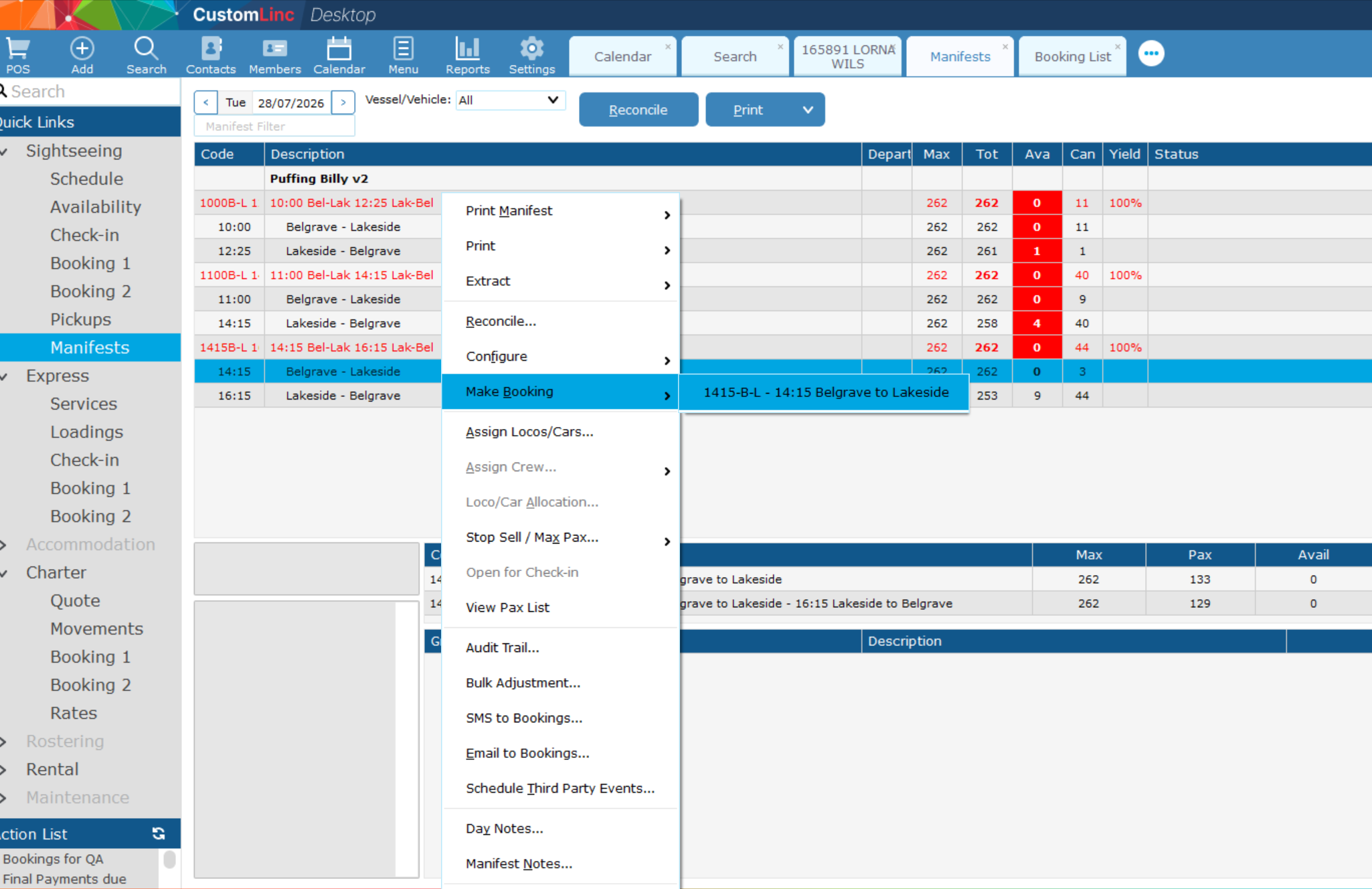
- Go to Sightseing > Manifest
- Right click the Manfiest you would like to book a product for. (The manifest will have Green Text)
In this example we will make a booking for the 14:15 Bel - Lak with a 16:40 Lak - Bel Return. - Go to Make Booking, click on the product you wish to sell.

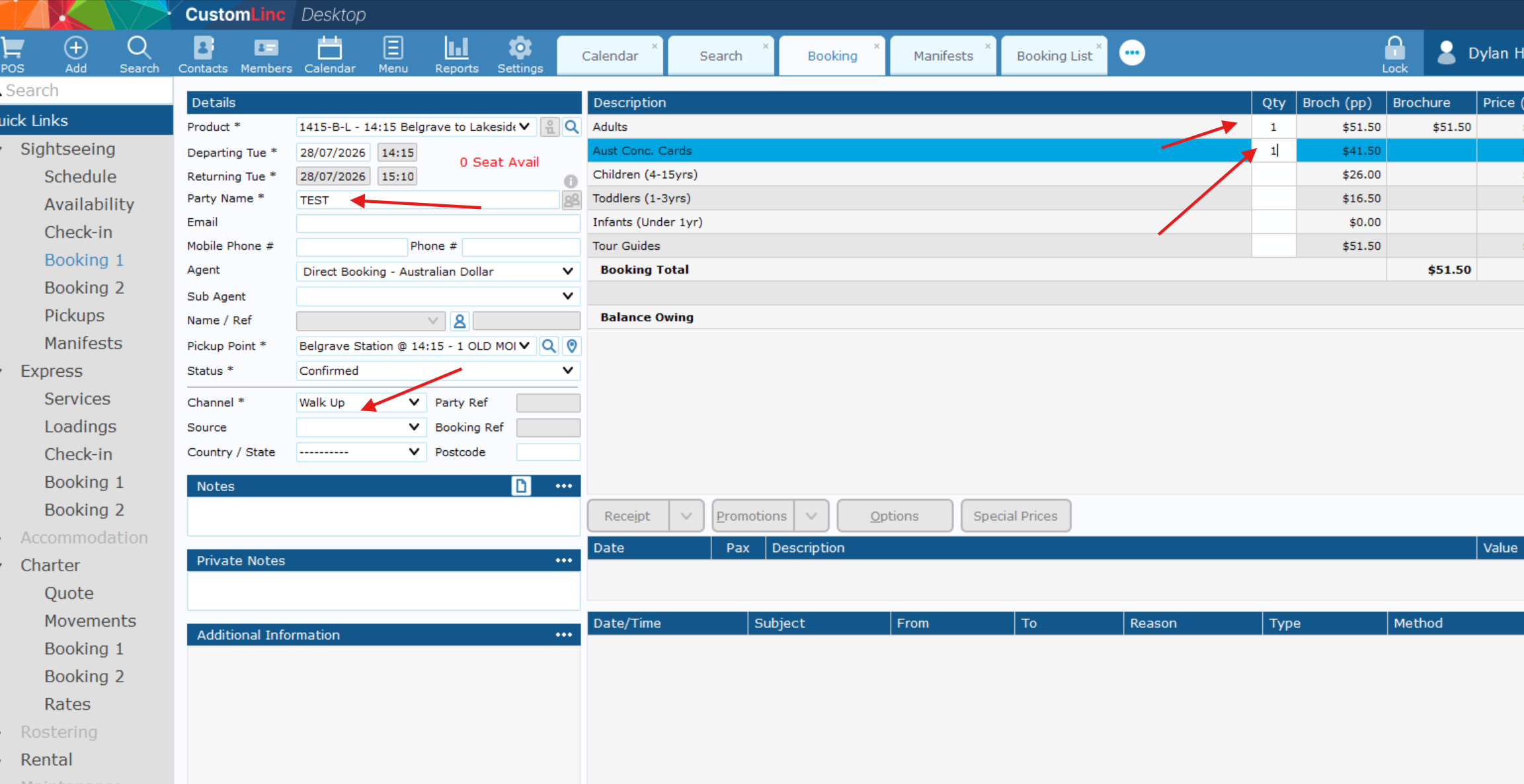
- Fill in Party Name, Select Walk Up in Channel and input the fares you would like to sell.

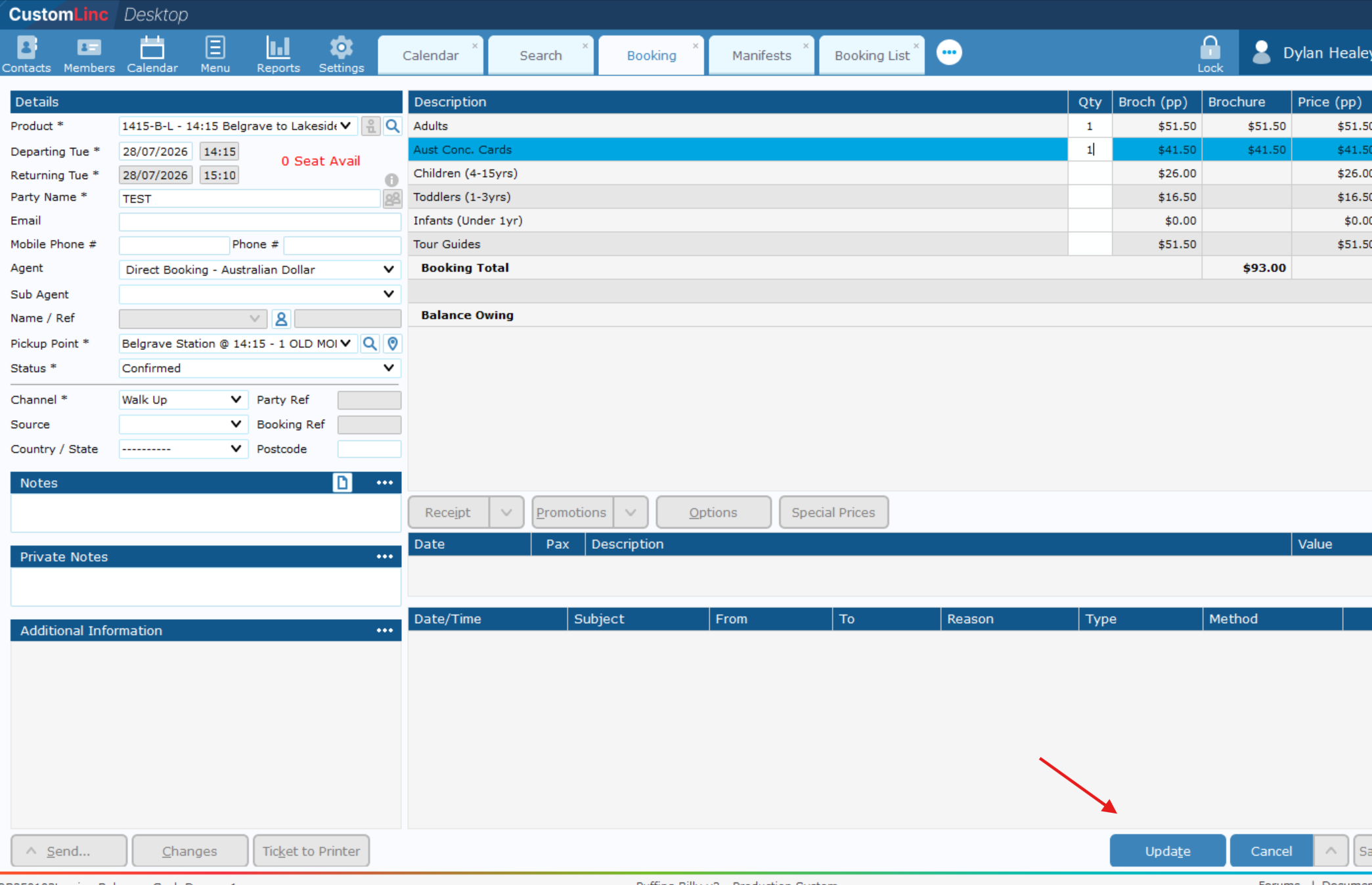
- Click Update in the bottom right.

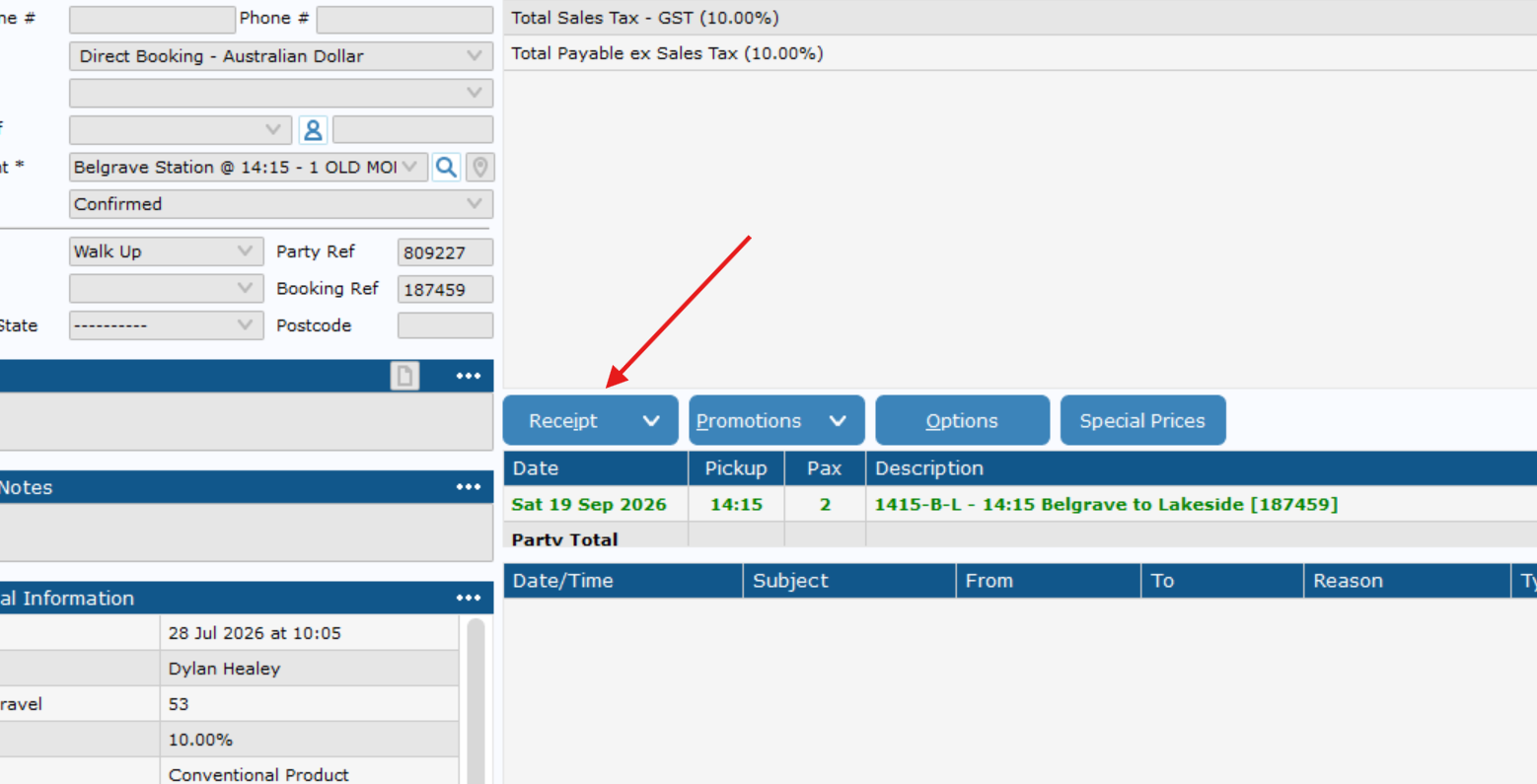
- Click Receipt

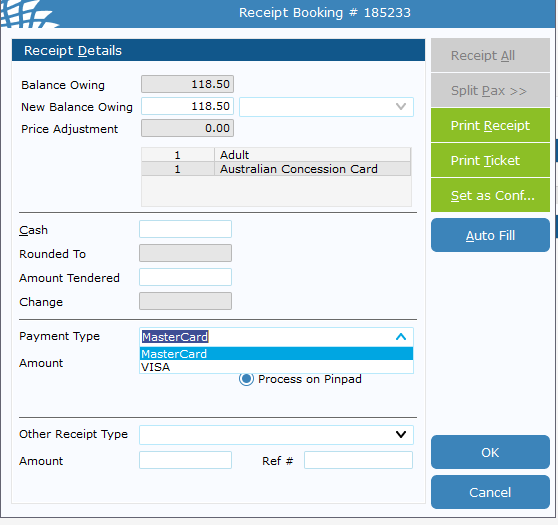
- Click the Payment Type dropdown and Select Visa or Mastercard.
It does not matter which one you choose.

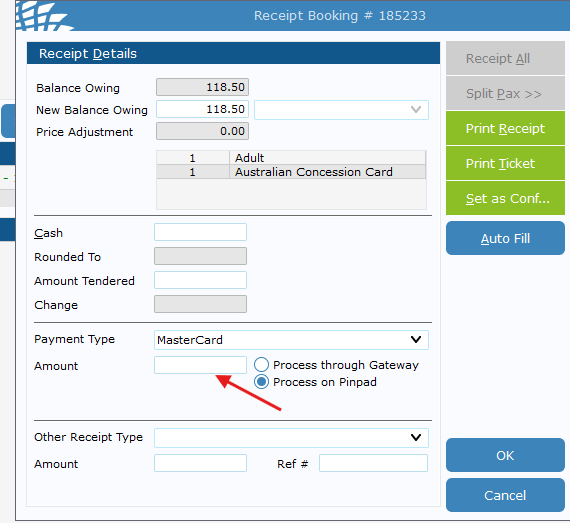
- Double left click the amount, it will auot fill with the total balance owing.

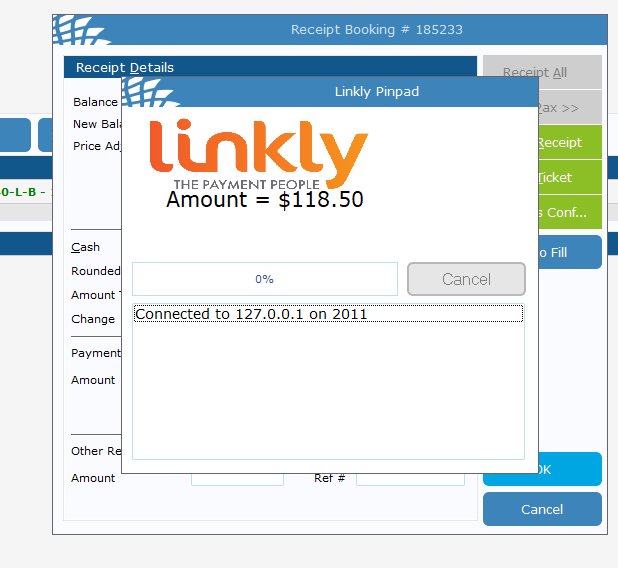
- Click Ok, then finish the transaction on the EFTPOS machine.
It may take 20-30 seconds the first time of the day to logon.

- Once complete, it should auto exit out. Then you can press Ticket to Printer as normal.