How to: Check Capacity Availability for a Walk-Up Booking
To see correct information on the Availability Screen, please find a guide here: How to: Setup your Ava... | BookStack
OR ask for your team or the IT Team to assist.
First you will need to be familiar with the Product Codes used within CustomLinc.
We have two types of journeys:
-
- Single Journeys e.g. Belgrave to Lakeside OR Lakeside to Belgrave
- Return Journeys e.g. Belgrave to Lakeside to Belgrave
These are our location codes.
-
B = Belgrave
-
M = Menzies
- N = Nobelius Packing Shed
-
L = Lakeside
-
G = Gembrook
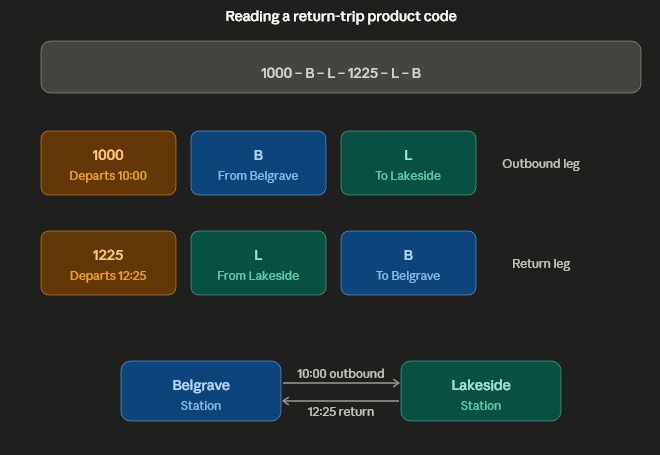
Our Product Codes work as Departure Time - Depart Location - Arrival Location - Departure Time - Depart Location - Arrival Location
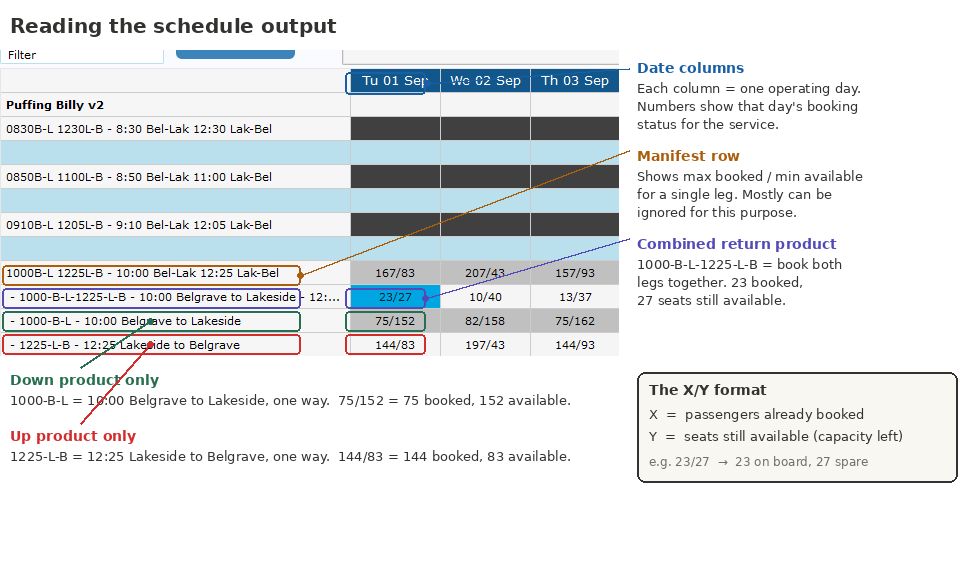
For example, a 10AM Belgrave to Lakeside Return is 1000-B-L-1225-L-B
A 10am Belgrave to Lakeside Single is 1000-B-L
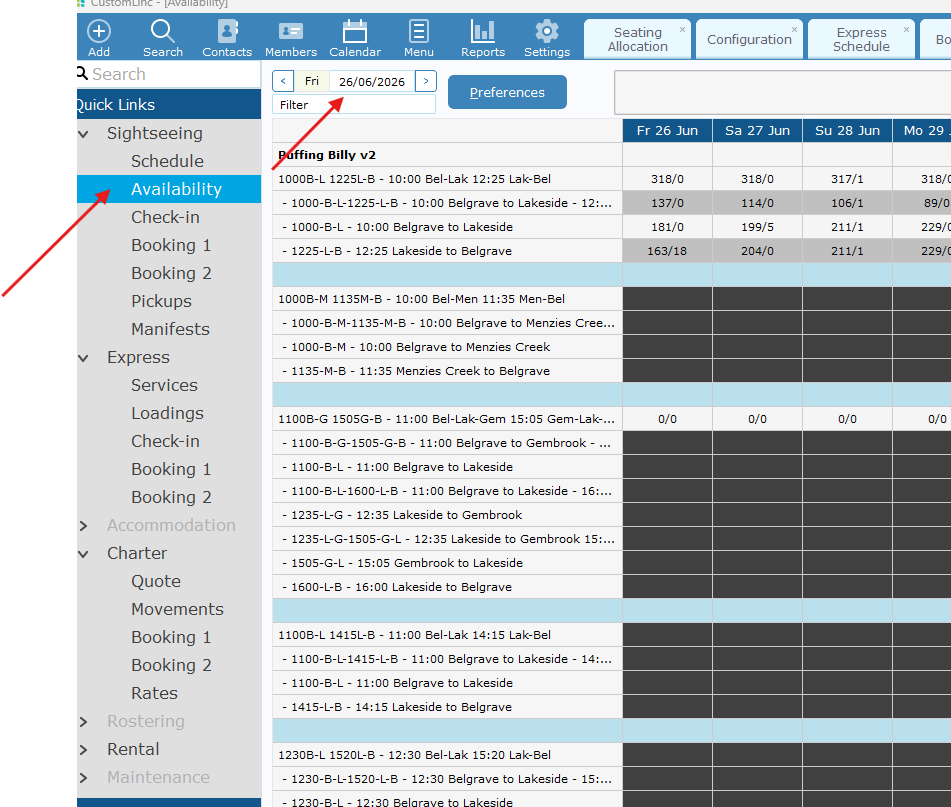
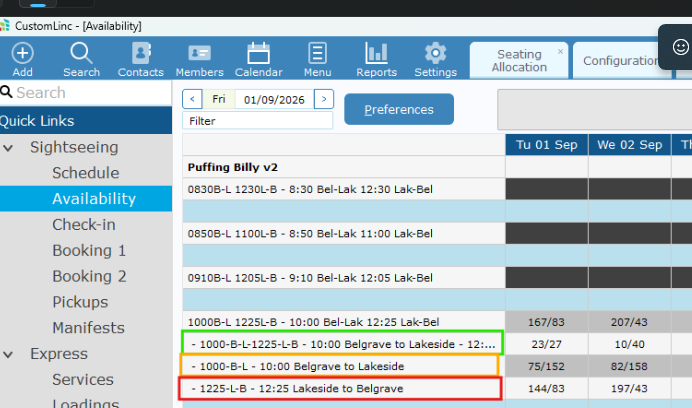
- Select Sightseeing > Availability. It should default to current date, but you can adjust the dates in the top left if needed.

- Confirm which product you are after.

- Your focus will be mainly on the second number. i.e. 23/27 on the return prodct means there is 23 bookings, and 27 available tickets.